
A self-custody Visa card that charges 1% to spend USDT and USDC
 Available in US
The BloFin Wallet card is a Visa Platinum payment card tied to a self-custody crypto wallet. You create a wallet with a seed phrase, the app generates a card, and every time you tap or pay online the balance is converted from stablecoins you hold. The model is closer to a prepaid card backed by your own crypto than to a bank debit card. There is no bank account in the background, and the card draws only on the balance you have topped up.
Conditions are current as of October 28, 2026.
Verdict
The BloFin Wallet card scores 6.9 out of 10. It does the simple things well: the card is free to issue and there is no annual or dormancy fee, the top-up is in USDT or USDC on Arbitrum or Base with no added charge from BloFin, and the spend fee drops from 1.00% at the entry tier to 0.00% at the top tier. The friction is in the things the card does not say. The country list is not published on the card page, the FX fee is not disclosed, ATM access is not described, and customer support channels are not listed. A Trustpilot score for the BloFin exchange, not the card, sits at 1.3 out of 5, which is something you should know even though it is not a card-specific rating.
This card suits self-custody wallet holders who already keep USDT or USDC and want to spend stablecoins through Visa without first moving them to a centralised exchange. It is weaker as a day-to-day card for someone who wants a full foreign-exchange tool, a disclosed ATM policy, or the comfort of a clearly listed support desk.
| Criterion | Mark | Reason |
|---|---|---|
| Who can get it | 7 / 10 | 35 countries in the starting data, including the US, Australia, Japan, the UAE, Brazil, Mexico, Malaysia and New Zealand; the in-app country picker is the source of truth |
| Cost | 8 / 10 | No issuance, activation, annual or dormancy fee; spend fee 1.00% at VIP 0, down to 0.00% at VIP 5; FX fee not disclosed |
| Top-up options | 7 / 10 | USDT and USDC on Arbitrum and Base, free |
| Reliability and complaints | 6 / 10 | Issuer is Rain, a Visa Principal Member (per the card FAQ, not independently re-checked); no card-specific complaints found; unofficial exchange score 1.3/5 on Trustpilot |
| Everyday use | 6 / 10 | Apple Pay and Google Pay available; virtual or physical and ATM access not described |
| Total | 6.9 / 10 |
Who will they give you the card
BloFin does not publish a country list on the card page. The card’s signup flow asks you to “select your country or region” inside the app, and that picker is the only place the rules are tested in practice. The starting data for this review lists 35 countries and includes the United States, Australia, Japan, the United Arab Emirates, Brazil, Mexico, Malaysia and New Zealand, but that list is from initial research and has not been re-checked against today’s app. Whether the rule is decided by citizenship or by residence is not stated. If you are not sure whether your country is on it, the only honest answer is to download the app and try the picker before you do anything else.
The card is also a Visa Platinum, which is a card-network tier rather than a guarantee of premium service. What it means in practice is that the card runs on Visa’s rails and is accepted wherever Visa is taken, including contactless and online checkouts. Whether you receive a virtual card, a physical card, or both is not stated, and the card’s currency is not stated. If you intend to pay in a currency other than the one your stablecoins settle to, the FX fee section below is the one to read first.
There is no published age floor, no separate list of blocked merchant categories, and no public note on whether the programme is open to US persons living abroad. These are gaps, and they are the kind of thing a cardholder only learns by hitting them.
How to get it
The sign-up is short. You download the BloFin Wallet app, create a non-custodial wallet, and the app gives you a mnemonic seed phrase that you, not BloFin, hold. After the wallet is set up you select your region, submit the card application, complete an identity check, and the card is provisioned. The card FAQ says identity checks are done “where required”, that they happen inside the app, that the whole process takes “a few minutes” and that approval is “as fast as 10 minutes”. That framing implies that some applicants will not be asked for documents at all, while others will, and that the decision is made case by case.
What the card page does not list is the type of documents the identity check asks for, whether proof of address is part of it, and what the minimum age is. Those are gaps in the public information, not refusals to answer on your behalf. Treat the in-app prompt as the only reliable source for what you will be asked to upload. If the app shows that it needs a passport scan and a utility bill, give it both; if it shows nothing, the application has been auto-accepted as low-risk and you can move on.
After approval, the card is provisioned in-app. Whether a plastic card is posted, where it is posted to, and how long delivery takes is not stated. If your only way to pay is through a physical card arriving in the post, that is a question for support before you sign up.
What it really costs — Fees
The fees that BloFin publishes are simple. There is no fee to issue the card, no activation fee, no annual fee and no dormancy fee, and cancellation is free. The only spend-side fee that is published is the conversion fee, which starts at 1.00% at VIP 0 and steps down with your tier. Everything else is either not published or sits in the fine print of the in-app terms.
| Fee or limit | Amount |
|---|---|
| Issuance | $0.00 |
| Activation | $0.00 |
| Annual fee | $0.00 |
| Dormancy fee | $0.00 |
| Cancellation | No fee |
| Spend fee (VIP 0) | 1.00% |
| Spend fee (VIP 1) | 0.90% |
| Spend fee (VIP 2) | 0.80% |
| Spend fee (VIP 3) | 0.50% |
| Spend fee (VIP 4) | 0.20% |
| Spend fee (VIP 5) | 0.00% |
| FX fee | Not stated |
| ATM | Not stated |
| Monthly reduced-fee quota (VIP 1) | $2,000 |
| Monthly reduced-fee quota (VIP 2) | $2,500 |
| Monthly reduced-fee quota (VIP 3) | $10,000 |
| Monthly reduced-fee quota (VIP 4) | $12,500 |
| Monthly reduced-fee quota (VIP 5) | $20,000 |
| Daily / per-transaction limit | “No fixed spending limit” (per card FAQ) |
The VIP tier is set by your prior-month card spend. At the entry level (VIP 0) you pay 1.00% on every payment. Move up the tiers and the spend fee falls, with a hard floor of 0.00% at VIP 5. The maximum monthly saving is published as $2, $5, $50, $100 and $200 at VIP 1 through VIP 5 respectively. If you also have a BloFin Exchange account, the higher of the two tiers applies. This is a way for active exchange users to skip past the 1.00% entry rate without spending their way to it on the card alone.
What the table cannot tell you is what the FX fee looks like when you pay in a currency other than your settlement currency. That figure is not stated. If you live in Europe and pay in euros, or in the UK and pay in pounds, the rate is the one the card applies at the till, and the markup on top is not public. The same applies to ATM withdrawals: there is no published ATM fee and no published ATM limit, so a cash withdrawal is a question for the app’s terms or for support before you rely on it.
A few everyday scenarios make the trade-offs easier to see:
- A $50 coffee paid in the card’s settlement currency: the spend fee is the only charge. At VIP 0 that is $0.50, at VIP 3 it is $0.25, at VIP 5 it is $0.00.
- A $50 coffee paid in a foreign currency: the spend fee applies on top of whatever FX rate the card uses. Because the FX fee is not stated, the only honest estimate is “at least the spend fee, and likely more”.
- A $1,000 monthly spend by a VIP 0 user: the card charges about $10 in spend fees for the month. A VIP 3 user doing the same would pay about $5.
How to top it up — Top up
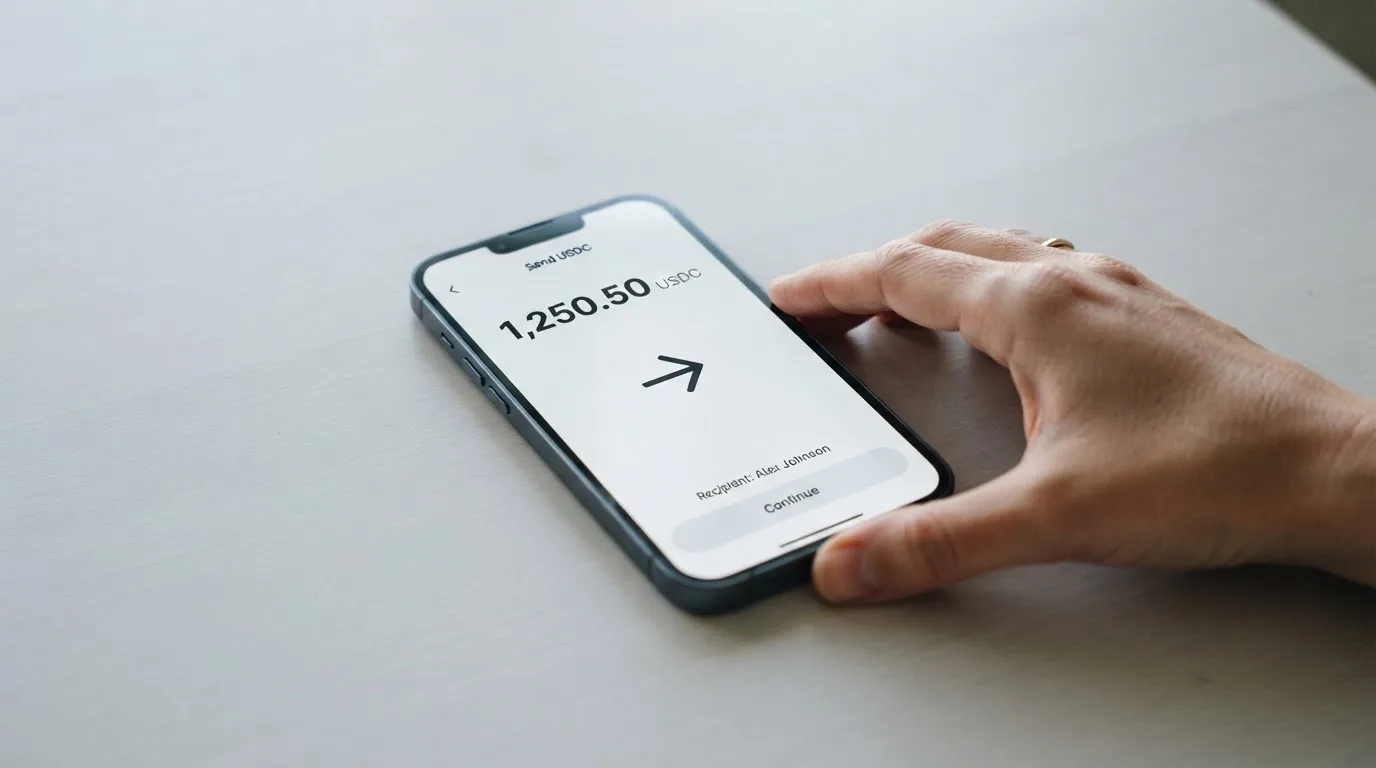
Top-up is the part of the card that is most clearly published. You can top up with USDT and USDC, and only on the Arbitrum and Base networks. There is no fee from BloFin for the top-up itself. The card’s FAQ adds that withdrawals are currently unavailable, so once a balance is on the card you cannot move it back out through the card’s own flow; you would need to spend it down or rely on whatever the app exposes for that.
What the public page does not say is who pays the network fee on the deposit side. On Ethereum mainnet that is a meaningful amount; on Arbitrum and Base it is usually a few cents, but the wallet that sends the funds is the wallet that pays the gas. There is no published minimum top-up, no published maximum, and no fiat top-up route. If you want to load the card from a bank account, that path is not on the card’s page.
Two practical things are worth knowing before your first transfer:
- Send USDT or USDC only. The card does not advertise support for any other coin, and a transfer in a different asset is at your own risk.
- Send on Arbitrum or Base only. A transfer on Ethereum, Tron, Solana or Polygon is a transfer on the wrong network. Because blockchain transfers are irreversible, that deposit can be lost or stranded in a recovery process the card issuer does not guarantee.
A self-custody model adds one more thing. The wallet that holds the seed phrase is the wallet that funds the card. If you lose the seed phrase, you lose access to the crypto that backs the card, and there is no customer support line that can hand it back. Treat the seed phrase as the master key to the balance on the card, not as a backup.
Paying with it every day
In daily use the card behaves like a prepaid Visa. You tap to pay in store, enter the card number online, or add it to a mobile wallet. Apple Pay is supported on the card page, and the launch press release from 24 July 2026 also names Google Pay. There is no published list of blocked merchant categories, so the usual categories that some issuers exclude (gambling being a common example) are not stated for this programme either way. If gambling or adult content is what you want the card for, that is a question to put to support before you top up.
The card has no cashback, rebate or points programme. The reward structure is the reduced spend fee itself: the more you spend, the lower the percentage. The card’s marketing line is “no waiting for cashback or rebates”, and that is accurate. If you prefer a flat 1% back in stablecoins on every payment, this card is not designed to give it to you.
A few practical details that are not always obvious:
- Online checkouts can run an address-verification step. If the card is issued in a country that does not match the billing address you type, the payment can be declined. Address Verification is mainly a US, Canadian and UK feature, so foreign-issued cards run into it more often.
- Online checkouts can also run a 3-D Secure challenge. The card’s support for that is not stated, so the only honest expectation is that some payments will need an extra confirmation in your banking app and some will go through without one.
- A declined authorisation can leave a temporary hold on funds for up to about a week. That is not a charge, and it is not money you have spent, but it is balance that the card cannot use until the hold clears.
What can go wrong
The headline risks fall into three groups: the things the card does not publish, the things the wider crypto card category has lived through, and the company-specific points you should know before you load a balance.
Gaps in the public information
A number of the things you would normally check before getting a card are simply not on the page. The country list is the obvious one; the in-app picker is the only reliable test. ATM fees, ATM limits, FX margin, the dispute process, the support channels, the card currency, and the difference between virtual and physical are all not stated. That does not mean the answers are bad, but it does mean you have to ask the app, not the marketing page.
Company and issuer
The card is issued by Rain, which is described in the card FAQ as a Visa Principal Member. That wording is from the card’s own FAQ and was not independently re-checked for this review. The operating name is “BloFin Wallet”, and a press release dated 24 July 2026 places the company in Road Town, in the British Virgin Islands. The exchange side, BloFin, is associated with BuildLight Future Limited, Marshall Islands, per a restricted-countries review site from 2026 (unofficial), and a separate wiki profile lists Cayman Islands as the HQ of BloFin Wallet (also unofficial). Licences are not stated on the card page, so the question of which regulator oversees the card programme is one for the issuer, Rain, rather than for BloFin directly.
There is no Trustpilot page for BloFin Wallet specifically. The BloFin exchange, which is the trading platform rather than the card, has a Trustpilot score of 1.3 out of 5 from 68 reviews, dated July 2025. That is a user report and an unofficial figure, and the themes reported are customer service and the handling of funds. It is not a card rating, but it is what exists in the public record, and it is the kind of thing you would want to know if you were thinking about keeping a balance.
Self-custody risks
A self-custody wallet is a feature, not a safety net. The seed phrase is the only way to restore the wallet if your phone is lost. Anyone who obtains it can take the funds. Crypto transfers are irreversible, so a wrong address or a clipboard-hijacker that swaps a copied address can drain the balance with no recovery. Phishing sites that imitate the wallet’s branding are a real category of risk, and the support channels to report them to are not stated on the card page.
A few additional details from how the product is described: the wallet is created first, then the card is applied for, and the deposited assets may serve as collateral for a credit line. Two-factor authentication, card freeze and similar safety features are not stated. If you want to freeze the card from your phone when it is lost, you have to find that option in the app rather than rely on a published safety sheet.
Category-level risks
Crypto cards have been shut down before. In November 2022 Visa said it had “terminated our global agreements with FTX”, and the FTX US debit card was wound down by its issuer. Earlier, in 2018, WaveCrest, a Visa card issuer that supplied several crypto card brands, was suspended by Visa in Europe, closing all WaveCrest-issued Visa programmes. The pattern is that programmes can be paused, issuers can lose their network status, and a cardholder can find a working card stopped on short notice. Programme closures typically give a notice period, then stop spending and loading, and ask users to withdraw remaining balances.
What to take instead
The card market is wider than this one product, and three alternatives cover the cases where the BloFin card is the wrong fit.
- Decaf (6.2 / 10). A Visa card available as virtual or physical, with activation fees of $5 (virtual) or $10/$90 (physical, depending on the country). Decaf does not add an FX fee on top of the Visa rate. The list of restricted countries and US states is published and is long; if you are in China, North Korea (DPRK), India, Iran, Iraq, Israel, Myanmar, Nepal, Syria, Turkey, Cuba, Ukraine, Venezuela, Vietnam, Nicaragua, Puerto Rico or Nigeria, or in one of the listed US states, Decaf is not for you. Whether the rule is decided by citizenship or by residence is not stated. Top-up is via a Decaf payment link, account details or USDC; the app runs on Solana and Stellar, but the coins and networks that top up the card itself are not stated.
- SafePal (6.2 / 10). A virtual Mastercard debit card, with spending limits given in euros against a Swiss Fiat24 account. There is no account-creation or management fee. The standard top-up fee is 0%, Mastercard’s non-USD settlement fee is 1%, refund processing is 1 USD/EUR/CHF or 7 CNH, and crypto swaps include an unquantified spread; another part of the bank page puts crypto top-up “as low as 0.4%” on the top tier. Funding comes from crypto on more than 40 blockchains, converted to USDC by default or to fiat, with transactions on Arbitrum. Cashback is not part of the programme; instead, the perks are referral commissions of up to 40% of referred top-up fees and tier privileges tied to deposits, referrals and SFP staking. The list of supported regions was empty when fetched for this review, so eligibility is a question for the app.
- Avici (6.1 / 10). A Visa card marketed as a secured credit card. Avici advertises “no hidden fee, no gas fee, no interchange fee” without listing amounts, so the published fee story is light. There are virtual cards split by category (subscriptions, groceries, travel) and a physical card that is delivered. The funding flow is to deposit crypto to Avici and then top up the card with crypto, but the supported coins and networks are not listed. The perks side lists airline miles, rental car insurance, travel and restaurant benefits and trip protection, and mentions an “Avenue to TradeFI rewards” programme, but no cashback rate is given.
The honest comparison is that none of these three is a clear upgrade in every respect. Decaf is the most explicit about fees. SafePal has the widest funding story. Avici positions itself on perks. BloFin Wallet is the most self-custody-led of the four, and that is both its appeal and its limit.
Who I would recommend it to
I would recommend the BloFin Wallet card to a self-custody wallet holder who already holds USDT or USDC, lives in one of the countries the app’s picker accepts, and wants to spend those stablecoins through Visa without first moving them to a centralised exchange. For that person the card is a clean fit: no issuance or annual fee, free top-up on Arbitrum or Base, a spend fee that steps down with use, and Apple Pay and Google Pay for the in-person and online payments. The card is also a fit for a BloFin Exchange customer who can use the higher-tier rule to skip the entry-level 1.00% spend fee.
I would not recommend it to someone whose main payment is in a foreign currency and who needs to know the FX margin up front, because the FX fee is not stated. I would not recommend it to someone who needs cash from an ATM, because ATM access is not described. I would not recommend it to someone who relies on a published support desk, because the support channels are not listed. And I would not recommend it to someone who is not comfortable being their own custodian, because the wallet is self-custody and the seed phrase is on the user.
If any of those limits is your main use case, the alternatives section is the place to look. The right card is the one that does the job you actually have, not the one that scores best on paper.
Frequently asked questions
What is the BloFin Wallet card?
The BloFin Wallet card is a Visa Platinum payment card linked to a BloFin non-custodial crypto wallet. You create a wallet, top it up with USDT or USDC on Arbitrum or Base, and the card spends from that balance. The card is issued by Rain, a Visa Principal Member, and the operating name of the card programme is “BloFin Wallet”.
How does the BloFin Wallet card work?
The wallet holds stablecoins, the card draws on a converted balance, and the conversion fee is taken at the moment of payment. You do not have a bank account with BloFin. The wallet is yours, the balance is yours, and the card is a way to spend what is in the wallet through Visa’s network.
Is BloFin Wallet a bank?
No. BloFin Wallet is a self-custody crypto wallet paired with a Visa card. The card is issued by Rain under Visa’s network rules. There is no banking licence associated with BloFin Wallet on the card’s public page.
Who owns BloFin Wallet?
The operating name is BloFin Wallet, and a launch press release from 24 July 2026 places the company in Road Town, British Virgin Islands. The exchange side, BloFin, is associated with BuildLight Future Limited, Marshall Islands, per a restricted-countries review site from 2026 (unofficial), and a separate wiki profile lists Cayman Islands as the HQ of BloFin Wallet (unofficial). The card issuer is Rain.
Is the BloFin Wallet card available in my country?
The card’s public page does not publish a country list. The starting data for this review lists 35 countries and includes the United States, Australia, Japan, the United Arab Emirates, Brazil, Mexico, Malaysia and New Zealand, but that list is not re-checked and is not the source of truth. The in-app country picker is. Whether the rule is by citizenship or by residence is not stated.
How do I get a BloFin Wallet card?
You download the BloFin Wallet app, create a self-custody wallet and back up the seed phrase, select your region in the app, submit the card application, complete the in-app identity check where required, and the card is provisioned. The card FAQ says approval can be “as fast as 10 minutes” where no document check is needed.
Does the BloFin Wallet card require KYC?
Identity checks are done “where required” and inside the app. Some applicants are asked for documents, others are not; the card’s public page does not list the documents, the age floor, or whether proof of address is part of the check. The in-app prompt is the only reliable source.
How do I top up the BloFin Wallet card?
You send USDT or USDC from your self-custody wallet to the card’s deposit address on the Arbitrum or Base network. Top-up is free from BloFin. There is no fiat top-up route on the card’s page, and the card’s FAQ says withdrawals are currently unavailable.
How do I add the BloFin Wallet card to Apple Wallet?
The card page states that Apple Pay is supported, and the launch press release also names Google Pay. The exact steps are in the BloFin Wallet app under the card details. There is no published separate guide, and the in-app flow is the only source for the current steps.
Is the BloFin Wallet card safe?
The card is a self-custody product: you hold the seed phrase, and you bear the risk of losing it. The card is issued by Rain, a Visa Principal Member (per the card FAQ, not independently re-checked). The public information does not state 2FA options, card-freeze features, or the dispute process. There is no Trustpilot page for BloFin Wallet; the BloFin exchange has a Trustpilot score of 1.3/5 from 68 reviews (July 2025, unofficial, themes: customer service, handling of funds), which is a user report and not a card-specific rating.
How wallet cards work – cryptocardsexplained.com
Content created by the «cryptocardsexplained.com» team