
OkiCard reviewed: a Telegram-only, USDT-funded card that shows its hand but not its paperwork
 Available in US
OkiCard is a prepaid card paid for in stablecoins, ordered through a Telegram bot, and aimed at people who cannot or do not want to open a traditional bank account. The pitch is simple: send USDT, get a card, spend anywhere Visa or Mastercard is accepted, and walk through KYC only once your spending crosses a four-figure threshold. That pitch is real, and on the surface it is unusually permissive — 150 or more countries, no passport-based geo-blocking, virtual card issued in under a minute, Apple Pay and Google Pay from day one.

What you also get, though, is a card whose own Terms and Conditions still carry a placeholder where the governing law should be, a company page that does not name the legal entity behind it, and an issuer that is described only as “a regulated entity” without a name. There are no published user reviews I could find, no Trustpilot page, and no public record of incidents to weigh against the marketing. So OkiCard sits in an unusual spot: permissive and easy to use, but light on the disclosures that usually let a reviewer check who is actually behind the card.
The conditions described in this article are current as of October 28, 2026.
Verdict: 6.0 out of 10
The score below is built from the public material on OkiCard’s site and the gaps a careful reader is likely to notice in it. The numbers come from the card’s own pages where the pages say something, and from “not stated” where they do not.
| Criterion | Score | Why |
|---|---|---|
| Who can get it | 8 / 10 | 150+ countries, no passport-based geo-blocking, sanctioned jurisdictions closed off |
| Cost | 5 / 10 | $0 issuance and $0 monthly, but a 3% load fee and a $15 starting price; pages disagree on the issuance fee |
| Top-up options | 8 / 10 | USDT on BSC, Ethereum, Tron and Solana; USDC, BTC and other coins flagged as “soon” |
| Reliability and complaints | 3 / 10 | No named legal entity, a placeholder governing-law clause, no public user reviews |
| Everyday use | 6 / 10 | Virtual card in under a minute, Apple Pay and Google Pay, but ATM access and physical card terms are not spelled out |
| Total | 6.0 / 10 |
The audience that OkiCard is clearly built for is a person who already holds USDT in a self-custody wallet, lives in a country that ordinary banks find difficult to serve, and wants to convert stablecoins into everyday spending without going through a full identity check on day one. For that reader, the card does what it says on the tin.
Where the score comes down is the absence of the basics. A reader cannot, from the public pages, name the company they would be sending money to, name the bank that would actually issue the plastic, or read the jurisdiction whose law would govern a dispute. That is a real concern with any prepaid card, and it matters more when the card advertises itself as non-custodial and untraceable in tone. The total of 6.0 reflects an honest product wrapped in unusually thin paperwork.
Who will they give you the card
OkiCard is unusually open about who it will take on. The site says the card is available in “150+ countries” — some pages put the number at “200+” — and the company adds that there is “no geo-blocking based on your passport”. The only hard cut is sanctions: you have to confirm you are not in a sanctioned jurisdiction, which lines up with what any regulated card programme would do anyway.
The way that statement is framed is worth pausing on. “No geo-blocking based on your passport” does not mean every country is on the list. It means the gate is not your citizenship, which matters because some card programmes reject applicants from whole regions on the basis of passport alone, even when the applicant lives and works somewhere else. OkiCard is signalling that it does not do that, and the implication is that the list of 150+ countries is closer to a list of where the card will actually be delivered than a marketing round number.
There is one eligibility line that should be read carefully. The FAQ says that, within the no-KYC tier, the card is not available below $10,000 in limits, and the bot may set its own tier limits on top of that. The age rule is the standard one: 18 or the legal age in your country. Beyond that, the public pages do not list exclusions country by country, so a reader in a borderline case — a small island state, a partly-recognised jurisdiction, a country under partial sanctions — has no way to check the list before opening a chat with the bot.
The other thing the public material does not say is the country list of users who have already been turned down. There are no published rejection reasons, no appeals process, and no second tier above the $10,000 ceiling. So the openness is real, but it is also a one-way door until you cross into KYC territory, and at that point the rules become the issuer’s rules, not OkiCard’s marketing.
How to get it
OkiCard has no app. The product is ordered and managed through a Telegram bot, @okicard_bot, and the company frames that as a feature: “no heavy apps”, no email, no password. The signup flow is therefore closer to a chat with a counter than to a normal onboarding form.
The flow as the site describes it looks like this. You open the bot, you pick the card product, you fund the initial deposit, and the virtual card is generated and shown to you in under a minute. There is no separate registration form, no email confirmation, and no password to forget. The page also mentions a physical card without giving the conditions — no issuance fee, no shipping time, no list of countries it is delivered to beyond the 150+ figure already published.
Two things follow from that. The first is that “instant” really does mean instant for the virtual card. The site says under 60 seconds, and the wording is consistent with what prepaid virtual-card programmes normally do: a card number, an expiry and a CVV are generated, the balance is credited, and the card can be added to a wallet immediately. The second is that the physical card is a parallel product the public pages do not price, and a reader who needs plastic rather than a token in Apple Pay has to ask the bot to find out.
There is no separate activation step after the card arrives in the bot. The “how to activate” question that comes up with normal bank cards simply does not apply: the card is on from the moment it is generated, the balance is the deposit, and spending is gated only by the limits the bot sets. That is convenient, and it is also why the $10,000 daily limit on the no-KYC tier is the only meaningful guardrail at this stage.
Fees: what it really costs
The costs of running an OkiCard break into a small set of line items, and most of them are either zero or unstated. The table below pulls the published numbers together. The honest summary is that holding the card is cheap, loading it is not, and several everyday costs are simply not on the page.
| Fee or limit | Amount |
|---|---|
| Issuance | $0 on the pricing page; FAQ mentions a one-time issuance fee — pages disagree |
| Monthly fee | $0 |
| Starting price for a virtual card | $15 |
| Initial deposit | 100 USDT |
| Load (top-up) fee | 3% |
| Transaction fee in USD | 0% |
| “Hidden exchange spreads” | None claimed |
| FX fee | not stated |
| ATM fee | not stated |
| Daily spending limit | $10,000 |
| Monthly limits | exist in the bot, not published |
The 3% load fee is the number to focus on. It is charged on every top-up, not on every purchase, so a reader who tops up once a month to cover a month’s spending is paying 3% on the total. Someone who tops up weekly, or who tops up small amounts to leave most of their stablecoins in self-custody, is paying 3% over and over again. On a $1,000 monthly load that is $30, and on a $200 monthly load it is $6, which is the same percentage but a very different feel. This is the single cost that decides whether OkiCard is a reasonable deal for a given reader.
The disagreement between the pricing page and the FAQ on the issuance fee is small but real. The pricing page says issuance is $0 and the starting price for a virtual card is $15, which reads as if the $15 is the activation cost. The FAQ mentions a one-time issuance fee without putting a number on it. The honest read is that the $15 is the de facto fee and the wording is just inconsistent, but a reader who needs the exact line for their records will not find it spelled out.
A few everyday scenarios are worth running through, because the cost of a card is rarely the headline number. The first is a single $200 grocery shop in the card’s pegged currency, paid with a freshly topped-up balance. There is no transaction fee in USD, no FX fee if the merchant prices in USD, and no load fee because the load happened earlier. The 3% was already paid at the top-up. The second is the same shop paid in euros from a USD balance. The cardholder pays the load fee on the way in, then the FX fee on the way out, but the FX fee is not on the page, so the only honest answer is “it depends, and the page does not say”. The third is a $100 ATM withdrawal: ATM fee is also not stated, so the same uncertainty applies. A reader who plans to rely on this card for cash needs to ask the bot, in writing, what an ATM withdrawal will cost, and treat the answer as the source of truth rather than the marketing page.
Top up: how to fund the card
OkiCard’s funding model is the clearest part of the product, and it is also the part that decides who the card is really for. The card is paid for in stablecoins, not in fiat. The site says the balance is pegged to a fiat currency (USD or EUR), the deposit is converted at the moment of spending, and the wallet behind the card is a self-custody transfer into a generated address. The coins and networks the page names are USDT on BSC (BEP-20), Ethereum (ERC-20), Tron (TRC-20) and Solana (SPL). USDC is “soon”. BTC and other coins are “coming soon”.
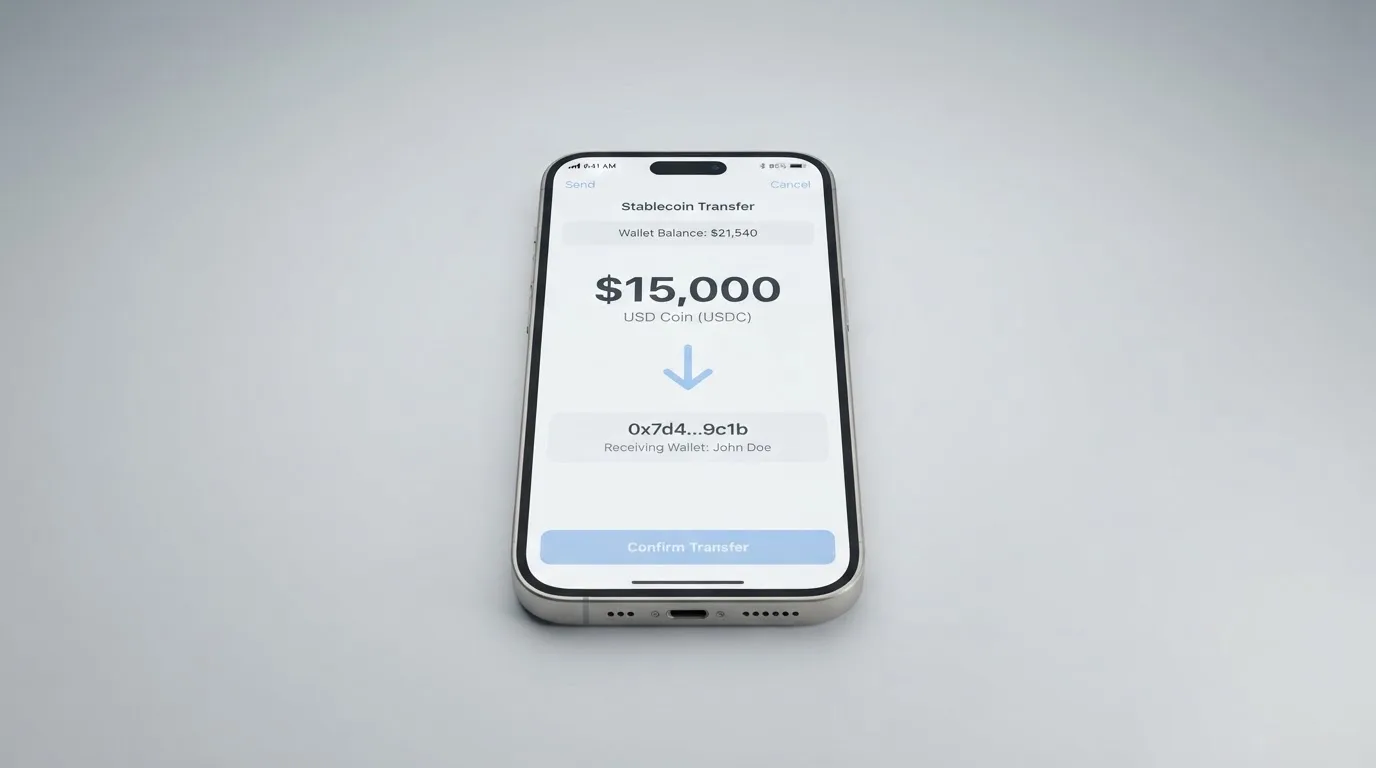
The way the flow works in practice is that the bot issues a one-time deposit address for the chosen network, the user sends USDT from their own wallet to that address, the tokens arrive, and the bot credits a fiat balance against which the card can spend. The card never holds the USDT itself; it holds the converted balance, and the on-chain leg is a single transfer from the user to the programme. That is what the company means by “non-custodial”: the user’s USDT is not in OkiCard’s wallet before it is converted, only in transit.
The network choice has real consequences. BSC and Solana are advertised as zero-fee on the OkiCard side, so the user only pays the blockchain’s own gas. ERC-20 is “low, congestion-dependent” in the company’s words, which is honest Ethereum: cheap in quiet hours, painful during a busy week. TRC-20 has a standard network fee, which is usually a fraction of a dollar. The combined effect is that the network fee is rarely the deciding cost; the 3% load fee is.
A few guardrails are worth knowing about. The minimum initial deposit is 100 USDT, and the company suggests a weekly load of $300 to $1,000 for a “normal” user, which is a soft hint rather than a hard limit. The page also notes that loaded funds are non-refundable except where the law of the user’s country requires a refund, and that withdrawal limits exist but are not described on the public site. So the deposit side is well documented; the withdrawal side is not.
A reader who holds USDT in their own wallet on one of the four supported networks can be topping up within a few minutes. A reader who holds USDC, BTC, ETH, or anything else, has to wait, and the page is not specific about the wait. A reader who tries to send a coin on a network the bot did not issue an address for is, as with any crypto transfer, sending money to a place it may not be recoverable from, and that risk is not specific to OkiCard but is worth flagging because the card is a self-custody-to-self-custody flow.
Paying with it every day
Once the card is in hand, everyday use is the part of the product that the public pages describe most confidently, and the part that has the most unanswered questions underneath.
The virtual card is the headline product. It is generated in under a minute, and it is designed to be added to Apple Pay or Google Pay so that the user can pay by phone at any contactless terminal. Both wallets work by replacing the card number with a device-specific token that lives in the phone’s secure element, and the token is what the merchant actually sees, so a stolen card number from a data breach cannot be reused on a physical terminal. The card can also be used for online payments the old-fashioned way, with the number typed in at checkout.
Where the everyday story gets thinner is the list of things the public pages do not say. The first is blocked merchant categories: the page does not publish a list of MCCs that the card declines, and the company has not said whether gambling, cryptocurrency purchases, or other categories that some prepaid cards block are blocked here. A reader who plans to use the card for a specific category should ask before they top up. The second is rewards: there is no cashback programme, no points scheme and no sign-up bonus on the public material. The third is the physical card: it is mentioned, but its conditions are not. The fourth is the app: there is no app, so the everyday experience of checking a balance, freezing the card or disputing a charge has to be done through the Telegram bot, with whatever response time that implies.
The dispute path is the standard card-network one. There is no separate chargeback process published by OkiCard, so a reader who needs to challenge a transaction goes through the network’s reason codes, with the issuer as the party that actually orders the refund. The page does say that once a card is generated, the issuance fee is non-refundable, which closes the door on a “changed my mind” refund even before any spending happens.
What can go wrong
The risks of using OkiCard are not the dramatic kind, like a published hack or a public insolvency. The risks are the quiet kind: a placeholder in the legal text, a missing name on the company page, an issuer that is described only as a regulated entity, and an absence of any track record a reader can check.
The most concrete issue is in the Terms. The governing-law clause is currently unspecified. That is a draft placeholder, not a finished legal term, and the fact that it is in the published version of the agreement means a reader cannot tell, from the document alone, which country’s law would apply if a dispute had to be escalated. The company is also not named as a legal entity anywhere on the public site: the page describes the issuer as “a regulated issuing entity” without saying which one. For a card that handles user funds, those two gaps sit in the wrong place.
The marketing language raises a second set of concerns. The site calls itself “Non-Custodial”, “AES-256 Encrypted” and “No Database Logs”. The non-custodial claim is consistent with the funding model, where the user’s USDT is in transit, not on OkiCard’s balance sheet, before conversion. The encryption claim is a standard web-security line that says nothing specific about how keys are managed. The “no database logs” claim is a stronger statement, and a reader should read it as the company describing itself, not as an audited certification. None of these claims are independently verified on the public pages, and there is no SOC 2 report, no penetration-test summary and no third-party security audit linked from the site.
A third issue is the absence of public complaints. There is no Trustpilot page for OkiCard, no app store to read reviews from because there is no app, and no news articles describing incidents. That is not evidence of safety; it is evidence of an unestablished track record. Compare that with a long-running card programme that has had documented incidents and resolved them, and the lack of a paper trail is itself a data point.
The fourth issue is the operational one. The only support channel the public pages point to is a generic “Support” link in the footer, with no email, no phone, no hours, and no language coverage. The Telegram bot is the only real-time channel a reader can find, and a bot is only as useful as the people behind it. If the card is frozen, the balance is wrong, or a deposit does not arrive, the user’s only recourse is the bot and the policies the bot enforces.
Finally, the regulatory backdrop is the same one that has closed down other crypto card programmes in the last few years. Visa has terminated issuer agreements over compliance concerns, and at least one large crypto card programme was wound down in 2026. OkiCard’s marketing does not address what would happen to cardholders if the issuer relationship ended, and the public pages do not describe a successor programme, a run-off period or a withdrawal process. A reader should assume that programme changes are always possible, and that the safest posture is to keep the balance on the card small.
What to take instead
OkiCard is not the only card for a reader who wants to spend stablecoins without a bank account. Three alternatives come up repeatedly in the same niche, and they give a sense of how OkiCard compares.
Cardex is a single crypto card programme that says it is available in 200+ countries and is built on the Verve, Visa, Mastercard and UnionPay networks. The card is sold through an app that, on the App Store listing, focuses on paying in Naira, and the site describes an “AI-powered conversion rate” that picks the best exchange rate at the moment of payment. No fee percentage is published for that conversion. Cardex’s published review score is 5.6 out of 10, a touch below OkiCard’s, and the lack of a published fee schedule is the kind of gap a careful reader will want filled before topping up.
TakeCard is a virtual card available immediately, with a physical card currently limited to Bolivian users. The virtual card costs USD 5, and a Bolivian physical card is priced at USD 20 for issuance plus USD 20 for shipping, with a second article in the same help centre putting the physical price at USD 10 — a small conflict in the company’s own pages. The card is on Visa, issued in the United States, prepaid, and denominated in USD with USD payments going through 1:1. A 1% commission is charged per purchase, which is much lower than OkiCard’s 3% load fee for someone who tops up once a month. The review score for TakeCard is 5.5 out of 10, and the missing piece is the list of countries the virtual card actually serves.
NEXA Cards is a stored-value programme on Visa and Mastercard, with three tiers: a virtual Nexa Silver at $49.95 to enrol, $3.99 a month, and a $5.95 activation, a plastic Nexa Black at $99.95, $11.95 and $10.00, and a metal Nexa Platinum at $99.95, $11.95 and $10.00. The page displays higher totals for each tier than the line items add up to, and does not explain the difference, which is the kind of inconsistency a reader should expect to see cleared up before paying. The Black and Platinum tiers are labelled “Pre-Paid Annually”, so the monthly fee is in fact an annual fee billed up front. NEXA says it serves 190+ countries, but the eligibility list is not published, and the funding options are described only as cash, wire, transfer or cryptocurrency, with no coin list. NEXA’s published review score is 4.7 out of 10.
The pattern across the three is that each card leaves at least one of the basic questions — who issues it, what does it cost, what coins does it take — partially unanswered on the public pages. OkiCard’s edge over Cardex and NEXA is the depth of the funding flow; its edge over TakeCard is the breadth of the country list. Its weakness against all three is the same weakness: the legal entity, the issuer and the dispute jurisdiction are not on the page.
Who I would recommend it to
Putting the verdict, the cost table and the gaps together, the reader I would actually point at OkiCard is a specific kind of person. They already hold USDT in a self-custody wallet, they live in a country where ordinary bank cards are difficult to obtain, they only need the card for everyday online and contactless spending, and they are comfortable with the fact that the company behind the card is not publicly named in the way a bank would be. For that reader, the 3% load fee is a reasonable price for the convenience of skipping a full KYC process below the $10,000 daily limit, and the four supported networks cover the main on-ramps they are likely to use.
The reader I would steer away from OkiCard is also a specific kind of person. They want a card for large or recurring expenses, they need predictable FX and ATM fees in writing, they want a published chargeback process, they need the physical card delivered to a specific country with a known timeline, or they want the comfort of knowing which bank actually issued the plastic and which country’s law would govern a dispute. None of those needs is met by the public material today.
A useful way to think about OkiCard is as a small-balance tool rather than a primary card. Keep the balance on the card at the level of a week’s spending, top up from a self-custody USDT wallet on BSC or Solana to keep network fees down, accept the 3% load fee as the cost of moving from stablecoin to spending money, and use Apple Pay or Google Pay so the token, not the card number, is what the merchant sees. Above the $10,000 daily limit, the rules change, and the rules that take over are the issuer’s, not OkiCard’s, and they are not on the page.
The other useful test is to ask, before signing up, what would happen if OkiCard’s issuer relationship ended tomorrow. The public pages do not answer that question, and the absence of an answer is itself the answer: this is a card for readers who can absorb a sudden programme change, not for readers who depend on a single payment method for their monthly outgoings.
Frequently asked questions
What is the OkiCard card?
OkiCard is a prepaid payment card that draws on a balance funded by USDT stablecoins. The card is ordered through a Telegram bot, the virtual version is generated in under a minute, and the balance is held in a fiat-pegged currency such as USD or EUR that the card spends in.
How does the OkiCard card work?
You send USDT from your own wallet to a deposit address the bot issues on BSC, Ethereum, Tron or Solana. The tokens are received, the equivalent amount is credited as a fiat balance, and the card spends that balance. The conversion from USDT to the spending currency happens at the moment of payment.
Is OkiCard a bank?
OkiCard does not describe itself as a bank. The site says the card is issued by an unnamed “regulated issuing entity”, and the company layer that markets and operates the card is also not named as a legal entity on the public pages.
Who owns OkiCard?
The public pages do not name a parent company, a legal entity or a registered office. The Terms and Conditions still carry a placeholder where the governing-law jurisdiction should be, so even the country whose law would apply in a dispute is not on the page.
Does the OkiCard card require KYC?
Within the no-KYC tier, the card is available without identity verification, with a daily spending limit of $10,000. Above that tier, the bot may apply its own limits, and the company has not published the higher tiers, the documents they require or the reasons a verification can be rejected.
How do I top up the OkiCard card?
Open the @okicard_bot, choose a network, and send USDT to the deposit address the bot gives you. BSC and Solana are zero network fee on the OkiCard side, Ethereum is congestion-dependent, and Tron has a standard network fee. The first deposit has to be at least 100 USDT, and each load carries a 3% fee.
How do I add the OkiCard card to Apple Wallet or Google Pay?
The virtual card is designed to be tokenised into Apple Pay and Google Pay, so once the bot has generated the card, the standard “add card” flow in the wallet app will pick it up. The card number, expiry and CVV are shown in the bot, and the token lives in the phone’s secure element rather than on Apple’s or Google’s servers.
Is the OkiCard card free?
Issuance and the monthly fee are listed as $0 on the pricing page, but a virtual card has a $15 starting price, the first deposit has to be 100 USDT, and a 3% fee is charged on every top-up. The FAQ also refers to a one-time issuance fee, and the two pages disagree on the wording. There is no published ATM fee or FX fee.
Can I withdraw cash from an OkiCard ATM?
The site does not publish an ATM fee or a list of supported ATM networks, so the only honest answer is that the cost of a cash withdrawal is not on the public page. A reader who plans to rely on the card for cash should ask the bot, in writing, what a withdrawal will cost before topping up.
Is the OkiCard card safe to use?
The site describes AES-256 encryption, no database logs and a non-custodial funding flow, and these claims are not independently audited on the public pages. The legal entity behind the card, the issuing bank, the governing jurisdiction and the dispute process are not published, and there is no Trustpilot page or comparable review footprint to check. The card can be used safely for small balances by a reader who has read the gaps and is comfortable with them; it should not be relied on as a primary payment method.
How virtual cards work – cryptocardsexplained.com
Content created by the «cryptocardsexplained.com» team