
A prepaid Visa spent from a USDC balance, run by a small programme with an unconfirmed fee page
 Available in US
The UniFi card is a prepaid Visa debit card that pulls from a USDC balance and is issued by Lead Bank, with Bridge Ventures acting as programme manager. The app markets three jobs in one place: spend a card, send money to local bank rails in the Philippines, Mexico, the eurozone and more recently Colombia, Brazil and the UK, and receive pay-ins in stablecoin. That is a real proposition, but the public page is unusually thin on the practical side — fees, limits, ATM behaviour, and the exact supported countries are not stated. The card is best understood as a niche tool for dollar earners who need to pay people in Latin America and Asia, and a riskier choice for anyone expecting an everyday card with a normal fee schedule.
Conditions are current as of October 28, 2026.
Verdict
UniFi scores 4.7 out of 10 in this review. The reason it does not score lower is that it does solve a specific problem: someone paid in dollars who needs to push money to pesos, pesos to a CLABE, or euros to a SEPA account, and who would like a card to spend the residual balance. The reason it does not score higher is that the public fee page says only “Fees may apply. See UniFi website for more details,” and the website does not, in the pages I checked, say what those fees are. With a Trustpilot average of 2.7 from seven reviews, a string of complaints about an unresponsive support inbox, and a small US prepaid programme that can be shut down by its issuer with little notice, the risks for a casual user are larger than the rewards.
The card suits people who earn in USDC, want to send money to the Philippines, Mexico, the eurozone, Colombia, Brazil or the UK, and can tolerate the fact that the published cost of using the card is not actually published. It does not suit anyone who needs a clear fee schedule, a plastic card that arrives in the post, ATM access they can plan around, or the comfort of a large, well-known issuer.
| Criterion | Mark | Reason |
|---|---|---|
| Who can get it | 5 / 10 | Eligibility is not confirmed from official pages; only App Store routes and release notes give a partial country list. |
| Cost | 5 / 10 | Tariffs are not disclosed; the page only says “Fees may apply.” |
| Top-up options | 4 / 10 | Only ACH, wire, SEPA, SPEI and a USDC payout are named; other coins and networks are not listed. |
| Reliability and complaints | 4 / 10 | Trustpilot 2.7/7; reviewers report unanswered support, “scam” accusations, and a nonfunctional iPhone app. |
| Everyday use | 5 / 10 | Apple Pay is supported, Google Pay is not stated; plastic or virtual form, and ATM behaviour, are not stated. |
Who they will give the card to
The official UniFi pages do not publish an eligibility list. I tried the help centre and the listing pages the App Store links to, and the relevant article returns a 403 in my checks, which is why this section is shorter than you might expect. What we have is what the App Store listing and the version history of the iPhone app actually say.
The card’s spend-and-send routes that the App Store currently advertises are the Philippines (PHP), Mexico (MXN) and the eurozone (EUR). The release notes for the iPhone app add Colombia, Brazil via PIX and the UK (GBP), so those three are at least moving in the direction of supported. The product line up of “earn in dollars, send to a local rail” is the natural fit: a freelancer in the United States who invoices in USDC, or a small business paying contractors in Mexico or the Philippines. The press copy and app description both lean on that audience.
What is not stated, and what I would expect you to check before signing up, is:
- A list of supported and unsupported countries for the card itself, as opposed to the send-money routes.
- A basis for the check: whether it is citizenship, residence, or both.
- The KYC steps the company runs, and at which thresholds — for example, whether small top-ups skip document checks.
- A minimum age. Most prepaid programmes require 18+, but UniFi does not say.
If you live somewhere outside the United States, the practical question is whether the card programme treats your residence as in scope. Lead Bank is a US-chartered bank, and US prepaid programmes typically restrict card issuance to US persons. UniFi does not contradict that on the public pages I could open, but it also does not confirm it, and that is a real gap for a non-US reader.
How to sign up
Because the official pages do not walk through onboarding, the most reliable things to say are the things the app and the support replies confirm.
The product is described in the listing as a “Prepaid Debit Visa Card,” issued by Lead Bank, with the programme “managed by Bridge Ventures, LLC.” UniFi itself is the trading name of Bridge Ventures Inc., and the App Store developer field lists “UniFi Payments” with seller “Alio Financial, Inc.” That is the chain of entities behind the card. The card balance is in US dollars, and the app supports Apple Pay; whether a plastic card exists in addition to the virtual one is not stated on the public page.
The flow that I can piece together from the App Store, the support replies on Trustpilot, and the way a US prepaid programme typically works looks like this:
- Download the iPhone app (“UniFi – Spend, Send, and Save”) from the App Store.
- Create an account with your phone number or email.
- Complete identity verification — the KYC steps, the documents accepted, and the level at which verification kicks in are not stated.
- Receive a virtual card number and add it to Apple Pay. A physical card is not mentioned in the materials I could see.
- Top up via ACH, wire, SEPA (IBAN) or SPEI (CLABE), or get paid in USDC, and start spending.
The KYC question is one most readers ask. The public page does not say what triggers KYC, what documents are accepted, or how many tiers there are. A Trustpilot reply from the company dated 12 March 2026 says that “unverified deposits are returned automatically via ACH,” which implies that unverified accounts can still receive funds but cannot keep them. The exact timing of when that return fires, and what the user has to do to verify, is not spelled out.
Fees: what it really costs
This is the section I found hardest to write honestly, because the answer from UniFi’s own pages is that there is no public fee schedule to copy. The marketing page says “Fees may apply. See UniFi website for more details.” The “more details” page, in the version I checked, does not list amounts. Everything in the table below comes from research on the card and from the limits implied by the product; where the figure is “not stated,” that is the company itself not publishing a number.

| Fee or limit | What UniFi says |
|---|---|
| Issuance fee | not stated |
| Monthly fee | not stated |
| Conversion fee (crypto to USD) | not stated |
| Foreign-exchange fee | not stated |
| ATM withdrawal fee | not stated |
| Daily spending limit | not stated |
| Monthly spending limit | not stated |
A small number of items can be inferred from the App Store listing and the press copy. The card holds US dollars, and the local-currency rails (PHP, MXN, EUR, with COP, BRL and GBP in the recent release notes) are payouts rather than card balances. That means a euro payment is a payout, not a euro balance on the card, and the FX exposure sits on UniFi’s side of the transaction, not yours. A user-facing conversion or FX fee could still apply; the public pages simply do not say what it is.
Three everyday situations, walked through, are useful to make the gap concrete:
- Buying a coffee in a US shop with Apple Pay. The card is denominated in dollars, the merchant settles in dollars, the network routes the transaction, and you should not, in principle, pay an FX fee. Whether there is a small platform fee on top, or a per-transaction minimum, is not stated. With 3% rewards on balances advertised on the listing, a small US purchase could in theory net positive, but the rewards terms are also not detailed.
- Buying something online from a European shop. Your card balance is in dollars, the merchant settles in euros or dollars, and a conversion fee would typically apply on this kind of cross-currency payment. UniFi does not publish the rate.
- Sending money to a CLABE in Mexico from a USDC balance. This is one of the card’s stated use cases. The send rate, the platform fee and the on-ramp fee (if USDC has to be swapped for fiat first) are not stated.
A practical reading of that gap is that the card is closer to a private beta than to a published fee schedule, and any reader who needs predictable unit economics is being asked to find out the price by trying the product. That is not a position a casual user should be in.
Top up: how to fund the card
The top-up story is the one part of UniFi that is well documented, because it is also the part the app markets. There are two ways to put money on the card: as fiat through a bank rail, or as USDC through a wallet payout.
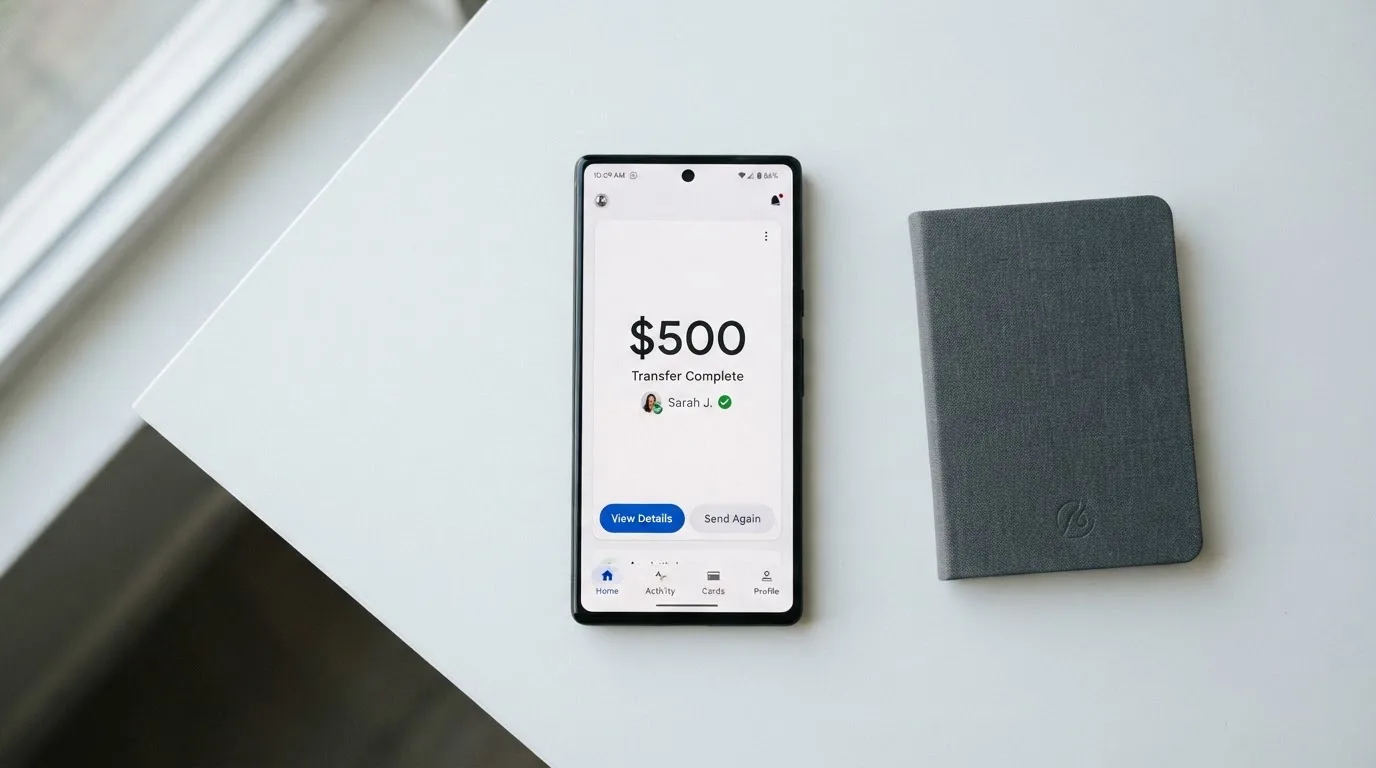
The fiat rails are the four that cover most of the card’s named markets: ACH for US bank accounts, wire for larger or international transfers, SEPA (IBAN) for eurozone accounts, and SPEI (CLABE) for Mexican accounts. The cards also take USDC into a wallet that the app holds; the App Store and starting data describe a USDC balance that can be spent from the card.
What is not said on the public pages:
- The minimum top-up amount, if any.
- The processing time for ACH, which is typically one to three business days in the US.
- Whether cardholders can hold balances in pesos, euros or pounds, or only in dollars. The materials I could open describe the local currencies as payout destinations, not as stored balances.
- Which other cryptocurrencies and which networks beyond USDC are accepted is not stated on the official listing. If you hold USDT on Tron, or USDC on a chain the app does not list, that is a question to ask support before you try to deposit.
A reasonable summary is that the card is easy to fund if you are a US person with a US bank account and a USDC balance, and harder to plan around if you are anywhere else or if you want to use a different stablecoin on a different network. As a general rule for crypto cards, deposits on an unsupported network are not recoverable: blockchain transfers are irreversible, and a deposit sent on the wrong chain or to the wrong address is typically lost or has to be recovered manually with no guarantee of return.
Paying with it every day
The everyday use case is the one the app is built around, and it is also where the published product description and the user reviews diverge the most.
What is stated is that the card works with Apple Pay, the iPhone app is the entry point, and the listing advertises 3% rewards on balances. A Trustpilot reviewer noted that they could not see their card details, which would matter for online checkout, and the company has not publicly clarified whether the card is virtual-only or whether a physical card is issued. Google Pay is not mentioned in any of the materials I read.
The app’s App Store rating is 4.1 out of 5, but only from nine ratings at the time of writing, which is a small sample. The latest version is 1.31. The release notes over the past year tell a story of slow geographic expansion — v1.21 added QR Ph payments in the Philippines in December 2025, v1.28 added Colombia, Brazil via PIX and the UK in August 2026 — and a number of bug-fix lines that are typical for a young product.
Three things to know before you start using the card for daily spend:
- The card is prepaid. You cannot overdraw, because the card spends from a stored balance. That is also why top-up timing matters: if the balance is empty at the moment of a payment, the payment fails.
- Foreign merchants may treat a US-issued Visa prepaid card with extra scrutiny. Address Verification Service is largely a US, Canadian and UK system, and a foreign billing address can lead to declines. Some merchants also decline prepaid cards by policy.
- A declined authorisation can put a hold on the funds it tried to use, and that hold can stay for several days, which makes a thin balance feel thinner than it is.
The 3% rewards claim on the listing is unusually generous for a card that does not publish its fees, and the natural question is whether the rewards are netted against the fees. The public page does not say, and a careful reader would treat the headline rate as a marketing number until the terms confirm it.
What can go wrong
The risks on a card like this are not abstract. They fall into four buckets, each of which is relevant to UniFi.
The product is small and young. UniFi is a Bridge Ventures product, and the card is issued by Lead Bank, a small US-chartered bank that runs prepaid programmes for several fintechs. UniFi itself is “not a bank” — that phrase is on the company’s own materials. The card programme can be wound down by the issuer, by the network (Visa) or by the programme manager. In 2018, Visa suspended WaveCrest in Europe, which closed a number of crypto card programmes overnight; in 2022, Visa terminated its global agreements with FTX after FTX’s collapse. Programme closures typically give a notice period, then stop spending and loading, then ask users to withdraw their remaining balance. With UniFi’s limited public footprint, the notice period you would get is not something I can predict.
The support inbox is the weak point. Trustpilot shows seven reviews, five of them one-star, two of them five-star, for an average of 2.7 out of 5. The most common complaint across the February to September 2026 reviews is that support does not reply. One reviewer describes an “unanswered support email/chat” pattern over months, and another calls the product a “scam” because their deposit was returned automatically under the company’s unverified-deposits policy. The company has replied to three of the reviews, including the 12 March 2026 reply about unverified deposits, which is at least a sign that the channel works sometimes.
The iPhone app is reportedly unstable for some users. Reviewers in February and September 2026 describe a “largely nonfunctional” iPhone app, an inability to view card details, and bugs that block the basic flows. A small sample size (seven reviews, nine App Store ratings) makes it hard to say how representative that is, but the company has not posted a status page that I could find, and there is no public incident log.
Regulatory and tax exposure travels with the user. A US person using a US prepaid card is operating inside a familiar regulatory frame. A non-US user is operating on a card issued by a US bank to a programme that may or may not be in scope for their country, with a fee page that does not tell them what they will pay, and with crypto disposals (USDC spent as dollars) that are taxable events in many jurisdictions. The IRS treats digital assets as property, and each card payment funded from crypto is, in principle, a separate disposal with a fair-market-value calculation. That is not a problem with the card, but it is a thing the user has to plan around.
A practical safety checklist, useful in general for any card in this category:
- Turn on two-factor authentication in the app, if it is offered, and avoid SMS-only second factors where you can.
- Freeze the card from the app when you are not using it, and unfreeze it for the specific purchase.
- Keep your top-ups small and regular rather than large and infrequent, so a programme closure or a return of an unverified deposit hits a small balance.
- Record the date, the USDC amount, and the dollar value of every card payment, so you have a clean tax record.
What to take instead
UniFi sits in a small niche, and the cards to compare it against are the ones that do the same job — receive USDC, send money to local rails, and let you spend the rest on a Visa. Three examples are below.
Whop Cards scores 5.2 out of 10. The consumer card is available in 31 US states (Alabama, Alaska, Arkansas, California, Colorado, Connecticut, Florida, Hawaii, Illinois, Indiana, Iowa, Kansas, Kentucky, Maine, Massachusetts, Michigan, Minnesota, Montana, Nebraska, New Hampshire, New Jersey, New York, North Carolina, Oklahoma, Pennsylvania, South Carolina, Texas, Utah, Virginia, West Virginia, Wyoming) and the business card in 41. The unsupported countries include Belarus, China (mainland), Cuba, Hong Kong, India, Iran, Iraq, Israel, Myanmar, Nepal, Nicaragua, North Korea, Russia, Syria, Turkey, Ukraine, Venezuela and Vietnam. It runs on Visa, the page says “No extra fees” with no issuance or monthly amount listed, and the rewards are 5% cashback at select merchants (Uber today, more planned). Whop spends from a Whop balance backed by stablecoin collateral. The rewards rate is the headline, and the lack of a published fee schedule is similar to UniFi’s.
Stella scores 6.5 out of 10. The official site does not publish a country list, and the terms bar sanctioned users and route US and European users through affiliates. The card is virtual and physical, on the Visa network, and works at “over 40 million VISA merchants globally.” The fees are “described under this User Agreement and/or on the App,” which is again not a published schedule, and the rewards structure on the card page is not stated — Stella’s Earn product is a separate yield. Funding is a deposit of crypto into the in-app wallet, which tops up the card. The score is the highest of the four because the published description is more concrete than UniFi’s, even though the fee page still has the same shape.
Renegade scores 4.1 out of 10. There is no country list on the card page, and the terms limit the virtual IBAN for euro deposits and withdrawals to customers in the European Economic Area. The card is virtual-only, issued instantly in the app, and the page says “VISA integration,” which is a slightly hedged wording. The pricing is the most explicit of the three: Pioneer at 9.90 EUR a month (4.90 in RNG), Voyager at 19.90 (14.90 in RNG), Vanguard at 29.90 (24.90 in RNG). The crypto/fiat exchange fee is 1.6% and “no other fees are collected by Renegade,” with new fees requiring 30 days’ notice. The rewards are 3% in RNG on all three tiers, with a monthly cap that is partly garbled on the page. Renegade’s strengths are the published price and the explicit euro IBAN for EEA residents; the weaknesses are the garbled caps and the small ecosystem.
A short table to make the comparison easier to scan:
| Card | Score | Card form | Published fees | Rewards | Geographic reach |
|---|---|---|---|---|---|
| UniFi | 4.7 / 10 | not stated | not stated | 3% on balances (listing) | send routes: PH, MX, EZ, CO, BR, UK |
| Whop Cards | 5.2 / 10 | not stated | “No extra fees” | 5% at select merchants | consumer 31 US states; long unsupported list |
| Stella | 6.5 / 10 | virtual and physical | not stated | not stated | not stated on card page |
| Renegade | 4.1 / 10 | virtual | tiered monthly 9.90 / 19.90 / 29.90 EUR; FX 1.6% | 3% in RNG, capped | EEA for euro IBAN |
The pattern across the four is that none of them publishes a clean, full fee schedule, and the user is being asked to price the product by reading carefully. Renegade is the most explicit; Whop is the most rewarding by headline number; Stella is the most concrete on what the card actually does; UniFi is the most useful for the dollar-to-PHP / MXN / EUR use case, which is the specific job the app markets.
Who I would recommend it to
I would recommend the UniFi card to a fairly narrow reader. If you earn in US dollars, hold USDC, and have a recurring need to pay people in the Philippines, Mexico, the eurozone, Colombia, Brazil or the UK, UniFi does the one thing the product markets: it takes a USDC balance and turns part of it into local-currency payouts and a Visa prepaid card for the rest. The send flows are the clearest published feature, and the recent expansion to Colombia, Brazil and the UK means the geographic reach is wider than the older marketing copy suggests.
I would not recommend it to a reader who is not in that situation. The fee page is not a fee page, the limits are not stated, the KYC thresholds are not stated, the supported countries for the card are not stated, the form factor (plastic or virtual) is not stated, and the public support record is thin and unfavourable. The Trustpilot pattern of unanswered support emails is the kind of thing that turns a small inconvenience into a locked balance. If your use case is a normal everyday card — coffee shops, online checkout, the occasional ATM — a more conventional prepaid or debit card with a published fee schedule will give you a more predictable experience than a USDC-funded programme that has not published its fees.
The honest answer is that UniFi is closer to a “watch this space” product than to a “switch your primary card” product. If the fee page, the country list, and the support record improve over the next year, the underlying idea is sound and the score should rise. In the meantime, treat it as a specialist tool for a specialist job, and keep the balance small.
Frequently asked questions
What is the UniFi card?
The UniFi card is a prepaid Visa debit card that spends from a US dollar balance, with the app marketing a USDC wallet alongside the card. It is issued by Lead Bank, with Bridge Ventures acting as the programme manager.
Is UniFi a bank?
No. The company says it is “not a bank.” UniFi is a trading name of Bridge Ventures Inc., and the card is issued by Lead Bank, a US-chartered bank. Cardholder funds are held by the issuer, not by UniFi.
Who owns UniFi?
UniFi is a product of Bridge Ventures Inc., which also operates as “UniFi Payments” in the App Store. The iPhone app’s seller field lists “Alio Financial, Inc.” The card programme itself is “managed by Bridge Ventures, LLC.”
How does the UniFi card work?
You fund a US dollar balance through ACH, wire, SEPA (IBAN) or SPEI (CLABE), or by receiving USDC in the in-app wallet. The card then spends that balance at any merchant that accepts Visa. Local-currency payouts in PHP, MXN, EUR, and the more recent COP, BRL and GBP, are separate from the card balance.
Does the UniFi card require KYC?
The published page does not state the KYC thresholds. A Trustpilot reply from the company says that unverified deposits are returned automatically via ACH, which implies that unverified accounts can receive funds but cannot keep them. The exact documents and the timing are not published.
How do I top up the UniFi card?
The published funding methods are ACH, wire, SEPA (IBAN) and SPEI (CLABE) for fiat, and a USDC wallet for stablecoin. Coins and networks beyond USDC are not listed on the public page, so check with support before sending anything other than USDC.
How do I add the UniFi card to Apple Wallet?
The app supports Apple Pay, and the standard iPhone flow is to open the app, find the card, and follow the “Add to Apple Wallet” prompt. Google Pay support is not mentioned in the materials I could read.
Is the UniFi card safe?
The card sits inside a regulated US prepaid programme run by Lead Bank, with UniFi as the programme manager. The standard safeguards for a card like this are app-based 2FA, card freeze, and tokenised mobile wallets, but the public page does not confirm each of these for UniFi specifically, and the Trustpilot record of unanswered support tickets is a real concern.
Is the UniFi card worth it?
It is worth it for a narrow audience — dollar earners who need to send USDC to local bank and wallet rails in the Philippines, Mexico, the eurozone, Colombia, Brazil or the UK, and who can tolerate a thin public fee page. For a general everyday card, a more conventional prepaid card with a published fee schedule is a safer bet.
How do I delete my UniFi account?
The public page does not describe a deletion flow. The practical steps are to remove the card from Apple Pay, withdraw any remaining balance to a bank account or wallet, and then contact support through the app or the support email to ask for account closure. Hold on to records of the balance and the date you closed the account for your own tax file.
How app and neobank cards work – cryptocardsexplained.com
Content created by the «cryptocardsexplained.com» team