
Eversend card: a cheap-to-fund, USD-only virtual Visa that struggles once you leave the screen
 Available in US
Eversend is a virtual Visa card funded by stablecoins, aimed at people who hold USDT or USDC and want to spend them online. It keeps things simple: a USD balance, two pricing plans, and a long list of supported deposit networks. But the picture gets more complicated once you look past the headline. There is no physical card, no cashback, no Apple Pay, and a 3.5% plus USD 0.50 fee hits you every time you pay in anything other than USD. In this review I go through who can actually get one, what it costs in real situations, and where I think it fits.
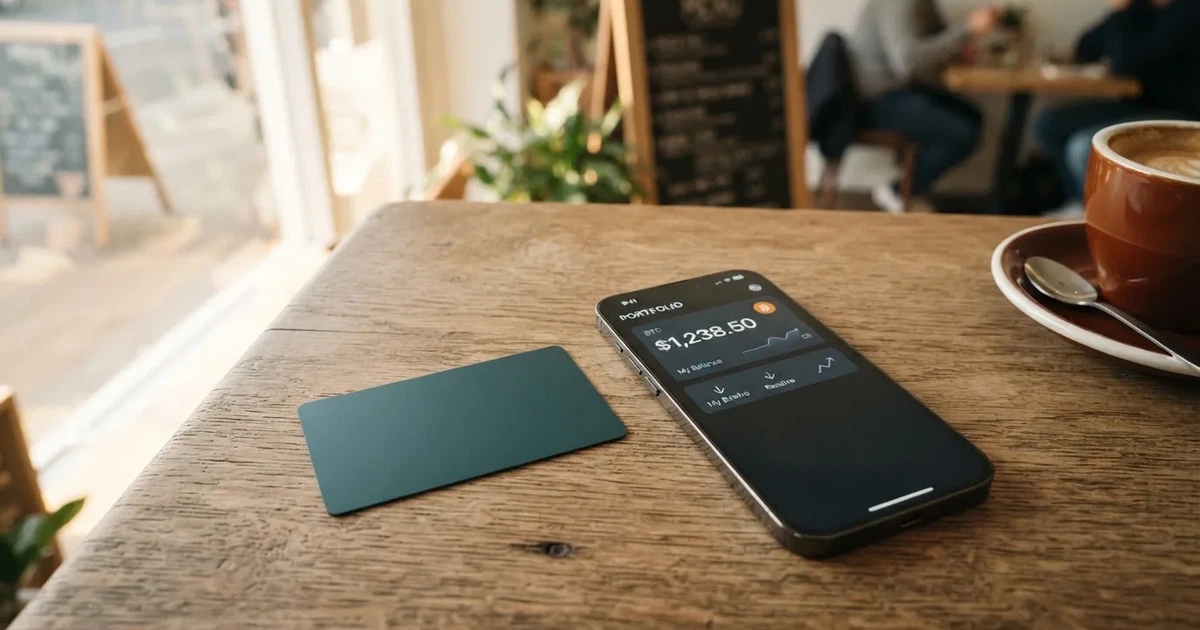
The conditions in this article are current as of October 28, 2026.
Verdict
Eversend earns 5.2 out of 10 in my scoring, and that score reflects a card that is genuinely good at one thing (cheap stablecoin top-ups) and underwhelming at almost everything else. The score breaks down like this.
| Criterion | Mark | Why it lands there |
|---|---|---|
| Who can get it | 5 / 10 | KYC is described as available “wherever Eversend is available,” but the card issuer does not publish a list of supported countries, and a separate set of merchant-country rules can block payments to certain jurisdictions. |
| Cost | 3 / 10 | The card is cheap to create (USD 0.99 or USD 2.99), but a 3.5% plus USD 0.50 cross-currency fee applies to any non-USD payment and to USD payments settled outside the United States. |
| Top-up options | 9 / 10 | USDT and USDC from almost anywhere, across many networks (TRC-20, ERC-20, SPL, Polygon, BEP-20, Base, Stellar for USDC), and the user pays only the blockchain network fee. |
| Reliability and complaints | 7 / 10 | The operating companies are licensed in Uganda, Canada, and the US, and digital assets sit with Fireblocks, but Trustpilot reviews mention missing funds and slow support. |
| Everyday use | 3 / 10 | Virtual only, no Apple Pay, Google Wallet not guaranteed, restricted merchant categories that include crypto exchanges, and no published ATM or physical card option. |
| Total | 5.2 / 10 |
If you are a stablecoin holder who needs a cheap way to turn USDT or USDC into online spending money, the top-up side of Eversend is genuinely hard to beat. If you want a card you can tap in a shop, use abroad without a conversion hit, or rely on for cashback and rewards, this is not the product. The 3.5% cross-border fee alone makes it expensive outside the US-dollar ecosystem, and the absence of a physical card rules out in-person spending almost entirely.
Who will they give you the card
Eversend runs identity verification “wherever Eversend is available,” but the company does not publish a list of card-eligible countries. That is a real gap if you are trying to figure out whether to download the app at all. You will only know for sure by going through signup and seeing whether your documents are accepted.
A second, separate restriction affects merchants, not the account itself. Payments to merchants based in a list of countries (which includes Belarus and the Russian Federation, alongside Ukraine, Iran, North Korea, Kyrgyzstan, Uzbekistan, Tajikistan, Turkmenistan and others) “may be declined by our card partner.” The help page frames this as a card-use limit, not a block on opening an Eversend account, but the practical effect is that even after you have a card, certain online stores will not let you pay. If the merchants you actually use sit in any of those countries, the card is not useful to you.
Personal and business accounts can both hold the card. Personal accounts are capped at three active virtual cards at once, while business accounts are not capped. If you are a freelancer or small business needing a card per vendor, the business tier is where that lives. The card itself is USD only, which means the moment you spend in another currency, the conversion fee kicks in (covered in detail in the costs section below).
A note on age and documents: the official materials do not state the minimum age for a cardholder, the specific documents accepted, or whether proof of address is required. Treat this as “not stated” rather than “not required” — you should expect to be asked for the standard KYC documents (photo ID, possibly proof of address, possibly a selfie) when you sign up.
How to get it
The signup flow is short: download the Eversend app, confirm your identity once, deposit stablecoins, then create and fund the card. That is the whole journey. There is no separate application form for the card because the card is virtual and lives inside the app.
What you actually get is a virtual Visa in USD. You can have more than one (up to three on a personal account, unlimited on a business account), and the recommended pattern is “one card per merchant” — useful if you want to freeze a single subscription without affecting anything else. Cards can be frozen or deleted from the app, which is a sensible way to handle trials or merchants you no longer trust.
There is no physical card — Eversend only offers a virtual card. If you need a piece of plastic to tap at a supermarket terminal, this is not it. That also rules out ATM use, since there is no card to insert. The app stores the 16-digit number, expiry and CVV, which you type into checkout forms for online payments.
A few caveats worth flagging up front:
- KYC level for the card is not stated. The card issuer’s documentation does not specify the tier of identity verification required, the documents needed, or the age threshold. Expect to provide at least a government photo ID.
- Cards can be deactivated or deleted. Eversend’s help centre reserves the right to deactivate or delete cards for a set of reasons described in a separate help article (the article itself is not the focus of this review, but the right is reserved).
- Merchant country list applies to spending, not account opening. Even with a valid account and a funded card, payments to certain merchants may be declined at the card partner’s discretion.
What it really costs: Fees
The headline price of Eversend is friendly, but the running costs are where it gets harder to defend. Here is the full table of fees and limits as stated in the card’s terms.

| Fee or limit | Amount |
|---|---|
| Card creation, monthly plan | USD 0.99 (covers the first month) |
| Card creation, one-time (lifetime) plan | USD 2.99 once |
| Monthly fee after first month (monthly plan) | USD 0.99 per month |
| FX / international fee (non-USD payments, and USD payments settled outside the US) | 3.5% of the amount + USD 0.50 |
| Fee for a payment declined for insufficient funds | USD 0.40 |
| Funding the card from Eversend wallet balance | Free |
| Maximum per top-up attempt | USD 2,500 |
| Maximum per transaction | USD 2,500 |
| Minimum initial card load | USD 1 |
| Smallest total debit (monthly plan) | USD 1.99 |
| Smallest total debit (one-time plan) | USD 3.99 |
A few things to notice in that table. First, the 3.5% + USD 0.50 is not just a foreign-currency fee — it also applies to USD payments that are settled outside the United States. If you are in Europe paying for a US service that bills in USD but processes the payment through a European acquirer, you can still get hit. Second, there is no explicit ATM fee, because there is no physical card and no published ATM access at all. Third, every time a payment bounces for lack of funds, you pay USD 0.40 for the privilege of being told “no.”
Three everyday payments, walked through
To make the numbers real, let me run three scenarios.
Scenario 1: a USD 50 online subscription billed in USD, processed in the US. This is the cleanest case. You top up your card with stablecoins (network fee on whichever chain you choose, not a fee to Eversend), fund the card from your wallet for free, and the merchant charges USD 50. Because the payment is in USD and settled in the US, no FX fee applies. Your only cost is the monthly USD 0.99 plan fee if you are on that tier, plus the underlying blockchain fee on your deposit. On a TRC-20 deposit the network fee is USD 4 (Tether’s network); on Polygon it is USD 0.30. For a USD 50 monthly bill, Polygon is dramatically cheaper.
Scenario 2: a EUR 40 purchase at a European merchant (USD equivalent roughly USD 42). Your card is USD, the merchant is in Europe, so the cross-currency fee applies. You pay 3.5% of USD 42 = USD 1.47, plus USD 0.50, so USD 1.97 on top of the purchase. On a USD 42 item, that is a 4.7% effective markup before you count any spread your card issuer or the network applies on the EUR-to-USD rate. This is where Eversend starts to feel expensive, especially for small purchases where the USD 0.50 fixed fee dominates.
Scenario 3: a USD 100 purchase at a non-US merchant that settles in USD. This is the trap. You might assume “USD payment, no FX” — and you would be wrong. The fee schedule explicitly charges 3.5% + USD 0.50 on USD payments settled outside the United States. So this USD 100 purchase costs you an extra USD 4.00, plus a deposit-network fee on the way in. If the merchant has an option to bill you in USD but is based in, say, Singapore, the fee still applies.
The honest summary: Eversend is cheap if you spend USD in the US, and it is expensive almost everywhere else. The lack of a published, no-foreign-transaction-fee tier means that anyone planning to use the card for travel or for non-US subscriptions should run the numbers against a competitor that explicitly waives FX.
How to top it up: Top up
Funding the card is the part Eversend does best. You deposit USDT or USDC from any external wallet or exchange into your Eversend balance (it settles in minutes), then move the balance onto the card. The card balance is separate from your Eversend wallet — that detail matters if you ever need to debug a “why is my card showing zero?” moment, because the funds are not always where you expect them to be.
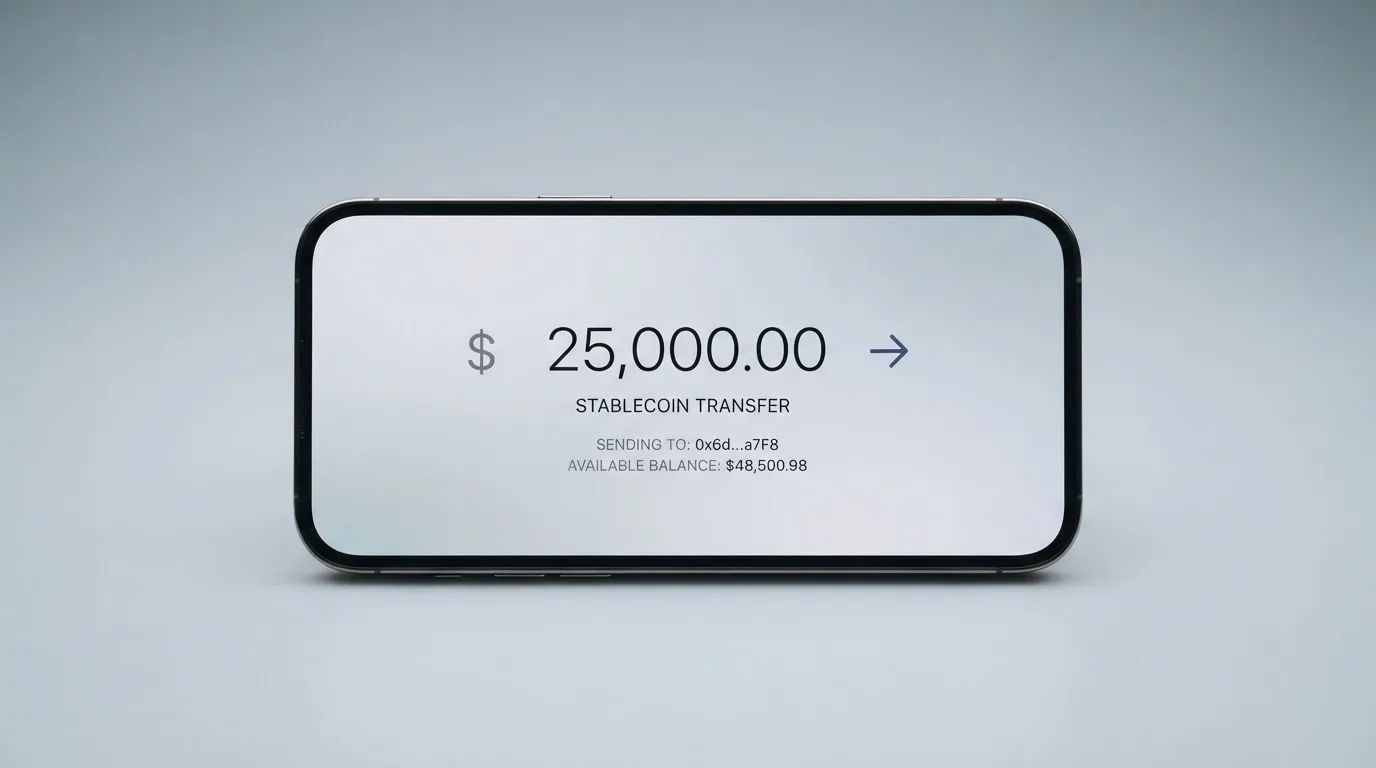
There is no fee from Eversend for moving stablecoins from your wallet balance onto the card, and the minimum initial card load is USD 1. The two plan tiers require a small minimum spend before any fees are fully recovered: USD 1.99 on the monthly plan, USD 3.99 on the one-time plan.
Networks supported for USDT: TRC-20 (Tron), ERC-20 (Ethereum), SPL (Solana), POL (Polygon), BEP-20 (BNB Smart Chain).
Networks supported for USDC: TRC-20, ERC-20, SPL, BASE, XLM (Stellar), POL, BEP-20.
The network fees the user pays on deposit (these are paid to the blockchain, not to Eversend) are:
| Network | USDT fee | USDC fee |
|---|---|---|
| TRC-20 (Tron) | USD 4 | USD 4 |
| ERC-20 (Ethereum) | USD 8 | USD 6 |
| SPL (Solana) | USD 1 | USD 1 |
| BASE | — | USD 0.10 |
| XLM (Stellar) | — | USD 1 |
| POL (Polygon) | USD 0.30 | USD 0.30 |
| BEP-20 (BNB Smart Chain) | USD 0.30 | USD 0.30 |
If your goal is to minimise the cost of getting stablecoins onto the card, Polygon and BEP-20 are the cheapest routes by a wide margin. ERC-20 is the most expensive (USD 6–8 per deposit, which is ruinous on a small top-up). USDC on Base is the standout at USD 0.10.
A few important warnings that follow from how blockchain deposits work:
- Sending on the wrong network can lose your funds. If you send USDT on a network Eversend does not support, or to an address for a different network, the deposit is effectively lost. The help centre says manual recovery is sometimes possible but gives no guarantee.
- ERC-20 needs ETH for gas. If you only hold USDT in your wallet and no ETH, you cannot pay the gas to send it. A tiny amount of ETH is required.
- Circle stopped supporting USDC on Tron in February 2024. Eversend still lists TRC-20 as a USDC deposit option, so the route exists, but be aware that the wider USDC ecosystem is moving away from Tron and liquidity on that chain has thinned.
- Fiat top-up is not described for the card. The published path is stablecoin-in. If you want to load the card with a bank transfer or card payment, that is not a documented option.
To withdraw funds from the card back to your Eversend wallet, you can pull any amount above the USD 5 balance that must remain on the card. To take everything, you delete the card and the balance moves to the USD wallet within 24 hours. From there, the wallet balance can be sent to mobile money or bank accounts in 10 African countries — useful for Eversend’s home market, less relevant if you are based elsewhere.
Paying with it every day
In day-to-day use, the Eversend card’s main limitation is that it is virtual only, with no published physical or ATM access. That alone disqualifies it for anyone who wants to tap-to-pay in a shop or take cash out. It is built for online checkout forms, not for the high street.
Mobile wallets
- Apple Pay: the official help page states plainly that “Eversend virtual cards cannot be added to Apple Pay.” If Apple Pay is part of how you pay day to day, this rules the card out.
- Google Wallet: support is not guaranteed. The documentation says “digital wallet compatibility is not guaranteed,” which is a softer way of saying it sometimes works and sometimes does not, and you should not rely on it.
If you want a crypto card that reliably tokenises into a phone wallet, look at a competitor that publishes Apple Pay support.
Restricted merchant categories
The card blocks a list of merchant category codes (MCCs) that Eversend considers out of scope. The restricted categories I could confirm are:
- 4829 — money transfer
- 5966 — telemarketing
- 6051 — crypto and foreign currency (this is the one that catches Coinbase and Binance)
- 6211 — brokers
- 7273 — dating and escort
- 7297 — massage parlours
- 7995 — betting and gambling (US 7800–7802 only)
The practical effect is that you cannot use the card to buy more crypto on major exchanges, and you cannot fund money-transfer or brokerage accounts with it. If your plan is to top up an exchange account to sell stablecoins back into fiat, this is the wrong tool.
Cashback and rewards
Not stated. The card documentation does not mention cashback, points, or any other reward programme. If a return on spending is part of why you want a card, Eversend does not offer one as far as the published materials say.
App
The official site links to both the App Store and Google Play, but the App Store listing itself could not be read for this review, so app ratings, recent updates and any user complaints logged there are not stated. Treat any claim about app quality as unconfirmed by Eversend’s own materials.
Disputes
If something goes wrong with a payment, the documented process is: contact Support with the last four digits of the card, the amount, the date and the merchant. You can freeze or delete the card during the investigation, and any remaining balance returns to the USD wallet. The help centre does not give a timeline for the investigation or refund, which is a meaningful gap — if a chargeback is the only way you can recover money from a bad merchant, you should know how long that takes before you commit. Eversend does publish a guide for unauthorised transactions, which is the right thing to do, but it is still a guide, not a service-level commitment.
What can go wrong
Theft, account loss and platform failure are the three big risks with any card that holds your money, and Eversend is no exception. I want to walk through each so you can decide whether the safeguards match your risk tolerance.
Company and licences
The group operating Eversend includes:
- Cogni Labs Ltd — authorised by the Bank of Uganda as a Payment Systems Operator (PSO 53/26), Payment Service Provider and E-Money Issuer (PSP 35/26), and Issuer of Payment Instruments (IPI 07/26). Operating since 2019.
- Eversend Tech Ltd — registered with FINTRAC in Canada as a money services business (M21306189).
- Eversend Inc. — registered with FinCEN in the US as a money services business (31000260352270).
- Offices listed in London, New York, Kampala and Lagos.
The card issuer or BIN sponsor is not named in the materials I could check. That matters: the entity that actually issues the Visa BIN to you is the one your funds and your card network protections sit with. If you cannot identify the issuer, you cannot easily check that entity’s regulator or deposit-protection regime.
Security
Eversend says digital assets are secured by Fireblocks, an institutional custody provider, and that customer funds sit in “safeguarded, segregated accounts.” The app uses 256-bit encryption and 2FA, and you can freeze or unfreeze the card at will. These are sensible baseline controls.
What is not stated: that customer funds are covered by a deposit protection scheme. Segregated safeguarding is not the same as deposit insurance, and a prepaid card balance is generally not covered by the same guarantees as a bank deposit. If Eversend’s issuer fails, your card balance sits with the insolvency process, not with a guarantee fund.
User complaints
On Trustpilot, Eversend sits at 4.2 out of 5 from 866 reviews, and the company has replied to about 14% of negative reviews. The themes, from the reviews themselves:
- Stuck or missing funds — several September 2026 reviews describe refunds that were not reflected in the available balance, or funds that disappeared after linking the card to Google Play.
- Unresponsive support — tickets closed without resolution, no reply to follow-ups.
- Access problems — being logged out and unable to reach funds in the app.
No official incident has been reported in the time window I checked. The Trustpilot score is not catastrophic, but the pattern of “money stuck, support silent” is exactly the failure mode you fear with a custodial card, and it shows up here often enough to take seriously.
News and licence movements
The licence numbers I saw all carry 2026 suffixes (PSO 53/26, PSP 35/26, IPI 07/26), and the company is also authorised for inbound and outbound remittance in Kenya and inbound remittance in Zambia. There is no other dated regulatory news in the materials I could check. A licence number is a snapshot, not a guarantee, so the right way to read this is “the licences were current as of 2026” rather than “everything is fine forever.”
What this means in practice
If you use the card like a low-balance online burner — top up USD 20, pay for one subscription, top up again next month — the worst realistic outcome is that you lose USD 20 to a support failure. If you use it like a primary spending card with several hundred dollars on the balance, the failure modes are much more painful, because the recovery process is undefined and the deposit-protection route is not guaranteed.
What to take instead
Three alternatives, each chosen because they do at least one thing materially better than Eversend for a specific reader.
Whop Cards — 5.2 / 10
A Visa programme that draws on a Whop balance rather than a separate card balance, sold to consumers in 31 US states (Alabama, Alaska, Arkansas, California, Colorado, Connecticut, Florida, Hawaii, Illinois, Indiana, Iowa, Kansas, Kentucky, Maine, Massachusetts, Michigan, Minnesota, Montana, Nebraska, New Hampshire, New Jersey, New York, North Carolina, Oklahoma, Pennsylvania, South Carolina, Texas, Utah, Virginia, West Virginia, Wyoming) and to businesses in 41 states. The unsupported consumer country list is long and includes Belarus, mainland China, Cuba, Hong Kong, India, Iran, Iraq, Israel, Myanmar, Nepal, Nicaragua, North Korea, Russia, Syria, Turkey, Ukraine, Venezuela and Vietnam. Whether eligibility is based on citizenship or residence is not stated.
Whop markets “no extra fees,” but the actual conversion and FX fee amounts are not stated in the public materials. The card spends from a Whop balance backed by stablecoin collateral from a linked wallet, with pending balance usable as soon as a payment arrives. It offers 5% cashback at select merchants, currently Uber, with more planned, which is the meaningful differentiator: if Uber is a meaningful part of your spend, the cashback alone can offset fees Eversend does not have.
Pick Whop over Eversend if: you live in a supported US state, you spend a lot on Uber, and you want some cashback.
Stella — 6.5 / 10
A card programme that offers both virtual and physical VISA cards, working at “over 40 million VISA merchants globally.” Country availability is not stated on the official site, the terms bar users under economic sanctions programmes, and US and European users are routed through affiliates. The card is funded by depositing crypto into an in-app custodial wallet, which automatically tops up the card.
Stella’s published materials do not state card fees, and the official card page does not advertise cashback — the Earn product is a separate yield feature, not a card reward. Where Stella wins is the physical card: if you need a piece of plastic, Eversend does not have one, and Stella does.
Pick Stella over Eversend if: you need a physical card, the country routing is workable for you, and you are willing to accept that fees are not transparently published.
UniFi Card — 4.7 / 10
A prepaid Visa debit card issued by Lead Bank, USD-denominated, that supports Apple Pay in the app. Funding routes include ACH, wire, SEPA (IBAN) and SPEI (CLABE) for fiat, plus USDC to a USDC wallet for crypto. Send-money routes listed in the app store description include the Philippines (PHP), Mexico (MXN) and the eurozone (EUR), with Colombia, Brazil (PIX) and the UK (GBP) mentioned in release notes.
UniFi’s materials do not state card fees, and the listing claims “3% rewards on balances” — that language is ambiguous about whether the reward is on the card itself, and I would treat any specific cashback figure as unconfirmed. UniFi is interesting mainly because of the SEPA and IBAN funding routes, which Eversend does not document for the card.
Pick UniFi over Eversend if: SEPA or SPEI funding matters to you, or you want a card that explicitly supports Apple Pay (subject to that support being confirmed at sign-up).
A quick comparison
| Eversend | Whop | Stella | UniFi | |
|---|---|---|---|---|
| Score | 5.2 / 10 | 5.2 / 10 | 6.5 / 10 | 4.7 / 10 |
| Card type | Virtual only | Not stated | Virtual and physical | Prepaid debit Visa, physical |
| Card currency | USD | Not stated | Not stated | USD |
| Apple Pay | No (cannot be added) | Not stated | Not stated | Yes (per listing) |
| Cashback | Not stated | 5% at select merchants | Not stated | “3% on balances” (ambiguous) |
| Funding | USDT, USDC | Stablecoin-collateralised Whop balance | Crypto (deposit) | ACH, wire, SEPA, SPEI, USDC |
| Country disclosure | Card countries not published | 31 US states listed, with explicit unsupported list | Not stated, sanctions + affiliate routing | Send-money routes in app store listing |
Who I would recommend it to
Eversend is the right card for a narrow reader. I would recommend it if all of the following are true for you:
- You hold USDT or USDC and want a cheap way to turn them into online spending money.
- Most of your online spend is in USD, billed and settled in the US.
- You do not need Apple Pay, Google Wallet, a physical card, or ATM access.
- You are comfortable funding via Polygon, BEP-20, or Base (where network fees are USD 0.10–0.30), not ERC-20.
- You are willing to keep a small balance on the card and top up per purchase, rather than load a large amount and walk away.
- You have a fallback in case of a support issue, because the published dispute timeline is undefined.
I would not recommend Eversend if you travel outside the US-dollar zone and expect to use the card for non-USD spending (the 3.5% + USD 0.50 will hurt), if you want any kind of cashback, if you need to tap-to-pay in a shop, or if you intend to keep a large balance sitting on the card for a long time. For those readers, Stella, Whop or a traditional no-FX debit card will serve you better.
The bigger picture, beyond this specific card: the crypto-card category is in a transitional period. Eversend operates under African and North American licences, but the card-issuing bank or e-money institution is not named publicly, and the BIN sponsor is the entity whose regulator and safeguarding rules actually apply to your balance. When you compare cards, the question to ask is not “which crypto brand do I trust” but “which regulated entity is on the other end of this Visa BIN, and what happens to my balance if that entity fails.”
Frequently asked questions
What is the Eversend card?
The Eversend card is a virtual Visa card denominated in USD that you fund with USDT or USDC stablecoins from an external wallet or exchange. It exists only inside the Eversend app — there is no physical card — and it is intended for online payments from the loaded USD balance.
How does the Eversend card work?
You deposit stablecoins into your Eversend wallet, then move the balance onto the card. The card has a USD balance separate from your Eversend wallet, and it spends like a prepaid Visa at online merchants. Non-USD payments and USD payments settled outside the US trigger a 3.5% plus USD 0.50 cross-currency fee.
Is Eversend a bank?
No. Eversend’s operating entities are licensed as a payment service provider and e-money issuer by the Bank of Uganda, and as money services businesses in Canada (FINTRAC) and the US (FinCEN). The company is not a bank and the card balance is not covered by a deposit protection scheme.
Who owns Eversend?
The group behind Eversend includes Cogni Labs Ltd (Uganda), Eversend Tech Ltd (Canada) and Eversend Inc. (US), with offices in London, New York, Kampala and Lagos. The group has been operating since 2019. The card issuer or BIN sponsor is not named in the public materials.
How do I get the Eversend card?
Download the Eversend app, complete identity verification once, deposit USDT or USDC into your Eversend balance, and create the card from inside the app. The card is virtual and the 16-digit number, expiry and CVV appear in the app ready to use at online checkout.
Does the Eversend card require KYC?
Yes. Eversend’s flow asks you to confirm your identity once when you sign up, although the specific documents and age threshold are not stated in the card’s public materials. You should expect to provide a government photo ID at minimum.
Can I add the Eversend card to Apple Pay or Google Wallet?
No for Apple Pay — the official help page states that Eversend virtual cards cannot be added to Apple Pay. Google Wallet is not guaranteed to work; the documentation says digital wallet compatibility is not guaranteed, so you should not rely on it.
How do I top up the Eversend card?
Deposit USDT or USDC into your Eversend balance from any external wallet or exchange, using one of the supported networks (USDT: TRC-20, ERC-20, SPL, Polygon, BEP-20; USDC: TRC-20, ERC-20, SPL, Base, Stellar, Polygon, BEP-20). The funds settle in minutes, and you then move the balance onto the card for free.
How do I withdraw money from the Eversend card?
You can pull any amount above the USD 5 balance that must stay on the card back to your Eversend USD wallet. To withdraw everything, delete the card and the balance moves to your USD wallet within 24 hours. The wallet balance can then be sent to mobile money or bank accounts in 10 African countries.
Is the Eversend card safe?
The card uses Fireblocks for digital-asset custody, 256-bit encryption, 2FA, segregated customer funds, and instant in-app card freeze. However, the card balance is not covered by a deposit guarantee scheme, the card issuer is not publicly identified, and Trustpilot reviews include repeated complaints about stuck funds and slow support, so the safety story depends on how much balance you keep on the card at any one time.
How app and neobank cards work – cryptocardsexplained.com
Content created by the «cryptocardsexplained.com» team