
The Currency.com card is a virtual Visa Platinum that spends a USDC balance. Here is what it actually costs, who can get one, and where it falls short.
 Available in US
The Currency.com card is a virtual Visa Platinum issued instantly to verified Currency.com account holders. It spends a USDC balance, not a fiat balance, and the card itself is free to order with no monthly or annual fees. The catch is that USDC is the only top-up option, the ATM ceiling is low at $750 per transaction, and the help pages do not name the bank that actually issues the card, which leaves a layer of the programme unread. For someone who already keeps funds on the Currency.com platform and wants a card to spend that USDC balance, it does the job. For anyone who needs a physical card, wants to top up with a bank transfer, or needs a named issuer on the public page, the gaps show quickly.

The conditions described here are current as of October 28, 2026.
Verdict
The Currency.com card scores 6.5 out of 10. It earns that mark by being globally available, free to order and free to run, with Apple Pay and Google Pay support from the moment the virtual card appears. It loses ground on three points: USDC is the only top-up option, the card-issuing institution is not named on the public help pages, and the everyday ceilings are tight, especially the $750 ATM cap. The card suits Currency.com account holders who want to spend a USDC balance in shops, online or through a mobile wallet. It does not suit anyone who needs a physical card, wants to top up with a bank transfer, or needs a multi-currency wallet with broad network support.
Score breakdown
| Criterion | Mark | Reason |
|---|---|---|
| Who can get it | 8 / 10 | Marketed as globally available, but country decisions are case-by-case and sanctioned territories are excluded |
| Cost | 6 / 10 | Card and maintenance are free, but a 1% processing fee plus up to 1% FX and up to 1% cross-border fee stack on most payments, with a 2% ATM charge |
| Top-up options | 4 / 10 | USDC only, on-chain to the Currency.com wallet or bought inside the platform; the supported networks are not listed |
| Reliability and complaints | 6 / 10 | Operating companies are registered in Canada and Gibraltar; Trustpilot reads 4.2 from 2,006 reviews, with recurring complaints about frozen accounts and slow compliance checks |
| Everyday use | 8 / 10 | Virtual Visa Platinum issued instantly, Apple Pay and Google Pay supported, $750 ATM ceiling per transaction; no physical card |
The score of 6.5 out of 10 reflects the trade-off above: a free, globally available card for an existing USDC balance, weighed against narrow funding choices and an unnamed issuer on the public page.
Who can get the card
The card is positioned as globally available, with one important caveat. Currency.com’s own wording is that “The Currency.com Card is available globally” but that “The ability to receive the card may depend on multiple factors, including but not limited to the country of residency of the applicant. The final decision will be made on a case-by-case basis.” In plain English: the page is open to almost anyone, but approval is not automatic, and the help centre adds that the card “cannot be used in certain countries, including sanctioned territories.”
What this means for you: the headline “global” should be read as “no hard public blocklist,” not as a guarantee. If your country of residence is one where the underlying platform already operates, you are likely to pass. If it is somewhere the platform does not formally serve, you can still apply, but the outcome is decided after the KYC review. The help pages do not publish a list of supported or excluded countries, so the only way to know for sure is to complete the verification and see whether the Cards section lets you order.
Two further conditions apply. Only verified Currency.com account holders can order the card, so an unverified account gets nothing. And a minimum USDC balance is required to place the order, which means you have to fund the account with USDC before the card option unlocks. The minimum amount is not stated on the help pages.
How to get it
Getting the Currency.com card is a two-step process: pass the platform’s KYC, then order the card in the Cards section of the account.
The KYC flow runs inside the Currency.com account itself. The help pages describe the standard set of steps: profile data, proof of identity using a valid ID or passport, sometimes a proof of address such as a bank statement or utility bill (mobile phone bills are explicitly not accepted), and a liveness test to confirm you are a real person behind the camera. The help centre says the process “is automated and takes an average of 5 minutes,” which is fast for this category, although in practice the time depends on document quality and the volume of manual reviews.
Once verified, you go to the Cards section of the account and place the order. The card is a virtual Visa Platinum, issued instantly. There is no physical card described on the help pages: no delivery option, no replacement cost, and no waiting period. The help text calls the card “a Visa credit card” but adds that it only spends the USDC balance and has “no credit line,” which in practice makes it behave like a prepaid card rather than a credit product. The card’s currency is USD, so any purchase in a non-USD currency is converted and an FX fee applies.
What this means for you: the onboarding path is on the faster end of crypto-card KYC, but it is still a regulated identity check. The verification tiers (Tier 1, Tier 2, Tier 3) only change the account’s deposit and withdrawal limits; they do not change anything about the card itself. The minimum age is not stated on the card pages. The card needs a verified account, and the platform can refuse to issue a card for reasons it does not publish, so rejection is a real possibility even after KYC passes.
What it really costs: Fees
The card itself is free. The fees appear when you spend, convert or withdraw.

| Fee or limit | Amount |
|---|---|
| Card order fee (virtual) | None |
| Monthly or annual fee | None |
| Processing fee | 1% |
| Foreign exchange (FX) fee, non-USD | up to 1% |
| Cross-border fee | up to 1% |
| USDC deposit fee | None (network gas fees may apply) |
| ATM fee | 2% |
| ATM limit per transaction | $750 (including ATM surcharge) |
| ATM limit per day | up to $750 |
| ATM attempts per rolling 24 hours | 3 (declined attempts count) |
| Free ATM allowance | Not stated |
| Separate platform crypto exchange fee | 1% |
The first thing to notice is that the card is genuinely free to hold. There is no order fee for the virtual card, no monthly fee, no annual fee and no account maintenance charge. This is unusual for the category, where many cards charge either an issuance fee or a small monthly subscription.
The second thing is how the spending fees stack. The processing fee is 1% on every transaction. If you pay in a non-USD currency, the FX fee is up to 1%. If the merchant is abroad, the cross-border fee is up to 1%. In the worst case — a non-USD payment abroad — the processing fee (1%), the FX fee (up to 1%) and the cross-border fee (up to 1%) can all apply to a single transaction. On a $100 dinner in a non-USD country, that adds up to a cumulative fee of several dollars before any mark-up from the card network’s exchange rate.
A few everyday examples help put the numbers in context. Paying $50 for a streaming subscription in USD from your home country: the 1% processing fee applies, the FX fee does not (USD to USD), and the cross-border fee does not apply (same country, USD merchant). Total: about $0.50. Paying €45 for groceries while travelling: the 1% processing fee applies, the FX fee applies (USD to EUR conversion, up to 1%), and the cross-border fee applies (up to 1%). Total fees: up to about $1.35, plus whatever rate the card network applies. Withdrawing $200 from an ATM: the 2% ATM fee applies, so $4 of fees, and the $750 per-transaction cap is well within reach.
Depositing USDC to fund the card is free, but the underlying blockchain may charge gas fees depending on the network, and those are paid to the network, not to Currency.com. The help pages do not list the supported networks, so the safest reading is to assume the network fee is whatever the blockchain charges on the chain the user picks.
The ATM rules are the most specific. The fee is 2%, the per-transaction cap is $750 (including any surcharge the ATM owner adds), the daily cap is up to $750, and only three ATM attempts are allowed in any rolling 24-hour window. Declined attempts count towards the three, so a series of mistyped PINs can use up the day’s allowance. Free ATM allowance is not stated, so there is no monthly no-fee band to aim for.
What this means for you: budget roughly 1% for domestic USD spending and cumulative fees for non-USD spending abroad. ATM use is a last-resort option given the 2% fee and the low ceiling, and there is no monthly free allowance to plan around.
How to top it up: Top up
The card has one top-up route: USDC. There is no bank transfer, no debit card funding and no alternative cryptocurrency.
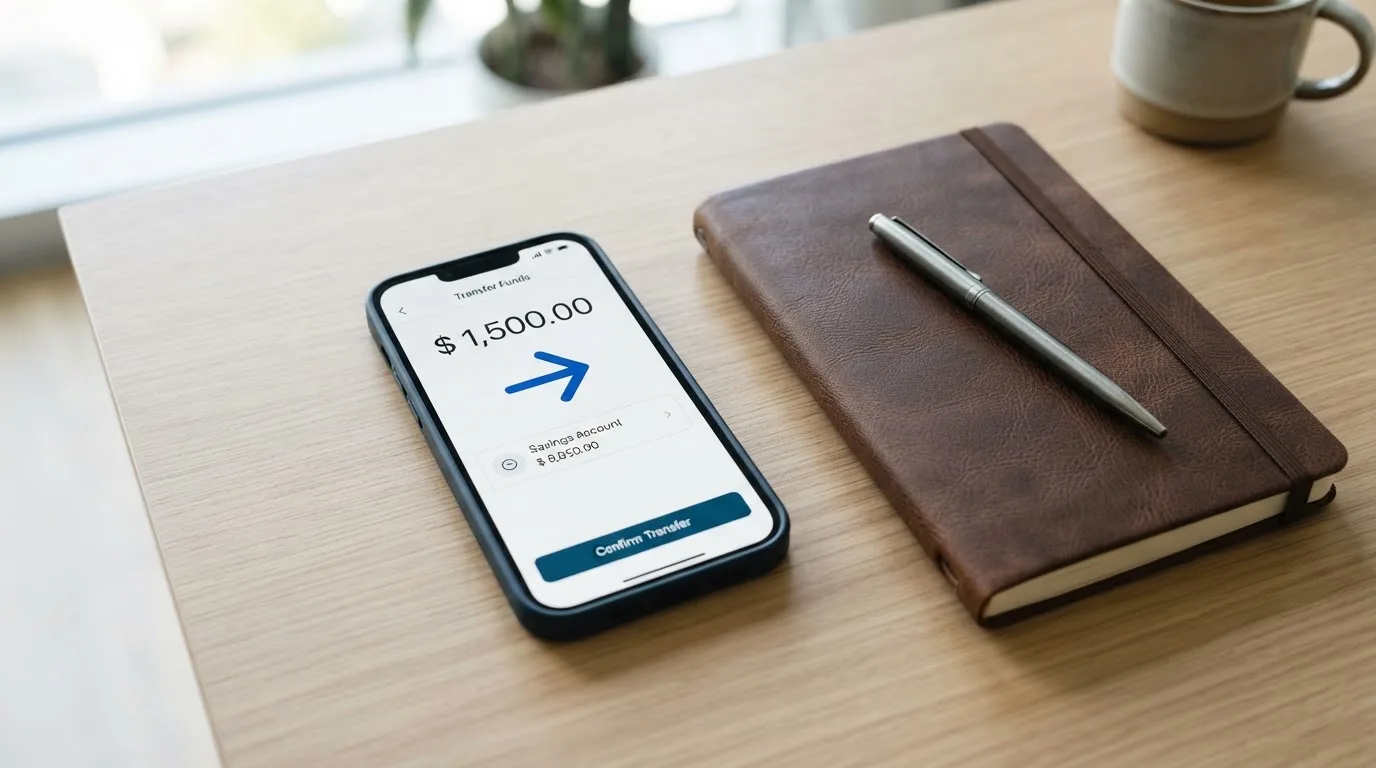
The flow has two parts. You either deposit USDC on-chain to the Currency.com wallet, or you buy USDC inside the platform using the platform’s own exchange. In both cases, the result is a USDC balance in the account. Once the on-chain deposit is confirmed, the balance is “available for card use within minutes.” The help text adds that “your USDC balance is automatically used to collateralise the transaction,” which is the platform’s way of saying the card does not have a separate balance; it draws on the USDC sitting in the account.
What this means for you: a few practical points. First, the supported networks for USDC deposits are not listed on the card help page, so a deposit sent on a network Currency.com does not support risks being lost or needing manual support recovery with no guarantee. Blockchain transfers are generally irreversible. Second, the minimum top-up amount to order the card is not stated, only that a USDC balance is required. Third, fiat top-up is only possible indirectly: you fund the account in fiat, buy USDC inside the platform, and then the card uses that USDC. The platform’s separate crypto exchange carries its own 1% transaction fee, so the round trip from fiat to USDC is not free.
If you are starting from fiat, the full cost is the platform’s 1% exchange fee to buy USDC, plus any network fee to send that USDC if it came from elsewhere. The card itself does not charge for topping up.
Paying with it every day
The card is virtual-only, which has pros and cons. On the plus side, the card is issued instantly, the details appear in the app within seconds of ordering, and Apple Pay and Google Pay are supported as soon as the virtual card is in the account. Adding it to a phone wallet is the same as adding any other card.
On the minus side, there is no physical card to tap at a terminal, no card to hand over at a restaurant, and no embossed numbers for an in-person payment that does not accept mobile wallets. The virtual card is also the only card you can have — the help pages describe a single card, not a primary and a backup.
For online payments, the card behaves like a standard Visa: it supports 3-D Secure, which means an online merchant may ask for a one-time code or biometric confirmation as an extra identity check. Pending authorisations normally settle in one to three business days, and the help pages recommend contacting support if an authorisation has not settled after five business days. Some merchant categories are blocked at the card network level, including gambling and adult content, so the card will not work on those sites regardless of the user’s preference.
For disputes, the procedure is the same as with any other Visa. Freeze the card in the app and contact support for an unauthorised transaction; “standard Visa dispute and fraud protection processes apply.” If goods are not received, the help pages recommend contacting the merchant first and then asking support to start a Visa dispute, providing the date, amount, merchant and a description. The dispute deadline is not stated on the card pages, which means you should not assume a long window to act.
The mobile apps have a low public footprint. The iOS app from Currency Com Limited has too few ratings to display an overview on the App Store, while the Android app on Google Play (com.currency.application.android) has 1K+ downloads and was last updated on 21 September 2026. Neither rating is a strong signal on its own, but they are the only signals available on the public app stores.
What this means for you: for online spending and mobile wallet payments, the card works as expected. For anything that requires a physical swipe, insert or tap of a plastic card, you have to find another option. If you travel, plan around Apple Pay and Google Pay acceptance at the destination, and keep some cash for terminals that do not support either.
What can go wrong
Three categories of risk apply to the card: account-level risk on the Currency.com platform, the unnamed card-issuing bank, and the fact that the card is custodial.
On the platform side, Trustpilot reads 4.2 out of 5 from 2,006 reviews as of 21 October 2026, with about 69% five-star and 10% one-star. The recurring themes, marked here as user reports rather than confirmed incidents, are: frozen or locked accounts and slow compliance reviews (2023 and 2026), accounts terminated without reasons (2023), unclear balances and dormant fees (2023), complaints about delistings and fees (2024), and login confusion after a redirect to Dzengi.com (2023). These are platform-level complaints, not card-specific, but the card sits on top of the platform account, so a frozen account means a frozen card.
On the issuer side, the help pages name the operating companies: CURRENCY COM INTERNATIONAL INC. in Ontario, Canada (FINTRAC Money Services Business registration C10001741, Mississauga) and Currency Com Limited in Gibraltar (company 117543, DLT Provider authorised by the Gibraltar Financial Services Commission, Licence No. 25032). Currency.com describes itself as “a financial technology company, not a bank.” The card-issuing bank or e-money institution is not named on the help pages, which is a notable gap. One third-party report, from TradeInformer on 12 March 2026, says the card is “powered by Rain” and that Rain is “a Visa Principal Member” which settles with Visa in stablecoins. This is unofficial, not confirmed by the card, and is worth treating as a lead rather than a fact. The same report describes the card as aimed at high-net-worth individuals and corporate clients, which does not match the help pages’ description of a globally available virtual card.
On the custodial side, the platform is explicit: “Currency.com is a custodial service … You do not manage private keys.” That means the USDC sits in the platform’s wallet, and the user trusts the platform to keep it safe, honour withdrawals, and remain solvent. The help pages mention instant freeze and unfreeze of the card in the app, 3-D Secure on online payments, Visa fraud monitoring and the fact that card details are shown only inside an authenticated session. Two-factor authentication on the account and safeguarding of customer funds are not described on the card pages.
What this means for you: the platform-level complaints are the louder signal, and they are about account access, not about the card itself. If you keep a large USDC balance on the platform, the same risk that applies to any custodial crypto platform applies here: the balance is only as safe as the platform’s solvency and the speed of its compliance team. Treat the USDC balance as a spending float, not as long-term storage, until the platform’s safeguarding arrangements are clearer than the public help pages currently show.
What to take instead
The Currency.com card is one of several crypto cards that target the same broad audience. Other alternatives include MSX, Bybit and MEXC. The scores and details below are drawn from official platform documentation.
| Card | Score | What the public pages show |
|---|---|---|
| Currency.com | 6.5 / 10 | Free virtual Visa Platinum, USDC only, $750 ATM cap, Apple Pay and Google Pay, no named issuer on the public page |
| MSX | 6.4 / 10 | The official page did not state country availability, card type, fees, funding or rewards |
| Bybit Card | 6.0 / 10 | Available in Argentina, AIFC (Kazakhstan), Georgia, Kazakhstan, Australia, Mexico, Brazil, Peru, Asia Pacific. Virtual card first, then physical (not in Peru). MasterCard prepaid in Argentina, Mastercard “credit card” in AIFC/Georgia/Kazakhstan/Australia/Mexico, Visa prepaid in Brazil and Peru, Visa credit in Asia Pacific. Card fiat currency depends on the country. Issuance free until further notice, except physical cards in some regions. Crypto conversion 0.9% (0.5% in Argentina), FX 2% in most regions, 7% in Argentina. Cashback tiers from 2% to 10% by spend level. Not for European Economic Area customers |
| MEXC | 5.6 / 10 | Virtual card only, 20 USD issuance fee, USDT top-up via the Fiat account, cashback from 4% to 10% by M-Score tier, page lists the Philippines, Taiwan, Thailand and others (full list not on the page) |
The comparison gives a clearer picture. Bybit Card is the most fully described alternative, with the broadest region list, both virtual and physical cards in most regions, a tiered cashback system and an explicit exclusion of European Economic Area customers. MEXC is virtual-only with a 20 USD issuance fee and a USDT-only top-up via a Fiat account, which is a different funding model from Currency.com. MSX is the least documented: its official page provides no information on country availability, card type, fees, funding or rewards, which makes it hard to recommend based on public records.
What this means for you: if your main criterion is “global availability with a USDC balance,” the Currency.com card is competitive. If you want a physical card, a tiered cashback structure or a wider choice of top-up cryptocurrencies, Bybit Card is the better-documented alternative, with the trade-off that it explicitly does not serve EEA customers. If you want a virtual card with USDT funding and cashback, MEXC is on the table, but the published cost is higher and the country list is partial.
Who I would recommend it to
I would recommend the Currency.com card to a narrow audience: a person who already has a verified Currency.com account, holds a USDC balance on the platform, and wants a virtual card to spend that balance in shops, online or through Apple Pay and Google Pay. The card is free, the maintenance is free, and the integration with the existing account is direct. The fee structure is acceptable for someone who spends mostly in USD at home and is willing to pay the cumulative transaction fees on non-USD spending abroad.
I would not recommend it to anyone who needs a physical card, wants to top up with a bank transfer, holds assets in a cryptocurrency other than USDC, plans to use ATMs regularly, or needs the card-issuing bank to be named on the public page. The $750 ATM cap and the 2% ATM fee make ATM use a fallback, not a routine. The unnamed issuer is a transparency gap, not a red flag on its own, but it is a real reason to keep balances modest until the programme is more fully described.
I would also be cautious about keeping a large USDC balance on the platform just to fund the card. The platform is custodial, the help pages do not describe fund safeguarding, and the Trustpilot record of frozen accounts and slow compliance checks is a real signal even though it is not card-specific. A reasonable use is to top up the card with the USDC you plan to spend in the next few weeks, and to leave the rest of your holdings somewhere with clearer custody and safeguarding arrangements.
Frequently asked questions
What is the Currency.com card?
The Currency.com card is a virtual Visa Platinum issued instantly to verified Currency.com account holders. It is described on the help pages as a “Visa credit card” that only spends the platform’s USDC balance, with no credit line, which means it behaves like a prepaid card. There is no physical card. The card currency is USD, and a foreign-exchange fee applies to non-USD payments.
How does the Currency.com card work?
The card draws on the USDC balance in the verified Currency.com account. When you make a payment, the platform “automatically uses” the USDC balance to “collateralise the transaction,” in the platform’s own wording. Pending authorisations normally settle in one to three business days. The card supports 3-D Secure on online payments, and standard Visa dispute and fraud protection processes apply.
Is Currency.com a bank?
No. Currency.com describes itself as “a financial technology company, not a bank.” The operating companies are CURRENCY COM INTERNATIONAL INC. in Ontario, Canada (FINTRAC Money Services Business registration C10001741, Mississauga) and Currency Com Limited in Gibraltar (company 117543, DLT Provider authorised by the Gibraltar Financial Services Commission, Licence No. 25032). The card-issuing bank or e-money institution is not named on the help pages, although an unofficial report from TradeInformer on 12 March 2026 says the card is “powered by Rain” and that Rain is a Visa Principal Member. This is not confirmed by the card.
Who owns Currency.com?
The public help pages name two operating companies: CURRENCY COM INTERNATIONAL INC. in Ontario, Canada, and Currency Com Limited in Gibraltar. They do not name individual owners or a parent group on the card pages.
Is the Currency.com card available in my country?
The help pages say the card “is available globally” but that the decision is made “on a case-by-case basis” depending on the country of residence, and that the card “cannot be used in certain countries, including sanctioned territories.” There is no public list of supported or excluded countries, so the only way to know is to complete the KYC and see whether the Cards section lets you order. Reviews from 2023 mention a redirect of the site to Dzengi.com in some markets, which is worth keeping in mind for older account history.
How do I get the Currency.com card?
First, complete the KYC in the Currency.com account: profile data, proof of identity (valid ID or passport), sometimes proof of address (a bank statement or utility bill; mobile phone bills are not accepted), and a liveness test. The help centre says the process is automated and “takes an average of 5 minutes.” Then go to the Cards section and order the virtual card. A minimum USDC balance is required to place the order; the minimum is not stated.
Does the Currency.com card require KYC?
Yes. The card is only available to verified Currency.com account holders, and the account itself goes through the platform’s KYC flow (profile data, ID, sometimes proof of address, liveness test). The verification tiers (Tier 1, Tier 2, Tier 3) only change the account’s deposit and withdrawal limits; the card itself is the same product at every tier.
How do I add the Currency.com card to Apple Wallet?
Add it the same way as any other card: open the Wallet app on iPhone, follow the prompts to add a card, and enter the virtual card details shown in the Currency.com app. The help pages confirm Apple Pay and Google Pay are supported once the virtual card is issued. The actual card number is shown only inside the authenticated session, so have the Currency.com app open to hand.
How do I top up the Currency.com card?
Top up by depositing USDC to the Currency.com wallet, either by sending it on-chain from another wallet or by buying USDC inside the platform. The balance is “available for card use within minutes” of on-chain confirmation. USDC is the only top-up option; the supported networks are not listed on the help page. Depositing USDC is free, but the underlying blockchain may charge network (gas) fees, and the platform’s separate crypto exchange charges a 1% transaction fee if you buy USDC inside the platform.
How do I withdraw money from Currency.com?
The card itself does not have a balance; the USDC sits in the Currency.com account. Withdrawals from the account are subject to the account’s tier-based limits: Tier 1 up to $1,000 per withdrawal and $3,000 per month, Tier 2 up to $15,000 per transaction and per month, Tier 3 up to $50,000 per transaction and per month. Withdrawal fees and balance-on-closure terms are not stated on the card pages. The ATM route is a separate option, with a 2% fee, a $750 per-transaction cap, a $750 daily cap, and three attempts per rolling 24 hours.
How exchange cards work – cryptocardsexplained.com
Content created by the «cryptocardsexplained.com» team