
A Virtual Visa Card Paid From USDT — Transparent Enough to Use, Opaque Enough to Hesitate
 Available in US
Ape Wallet is a virtual Visa card you load with USDT and spend online or through Apple Pay and Google Pay, with no country list published and no physical card in the picture. That combination makes it genuinely useful for the person it was built for: someone paying online from a stablecoin balance without a conventional bank card that will work for them. It is also, as I found while checking, a card that asks you to trust it on several points it does not put on paper — who issues it, what the fees actually are, and what happens to your balance if something goes wrong. That is why my score lands in the middle rather than higher.
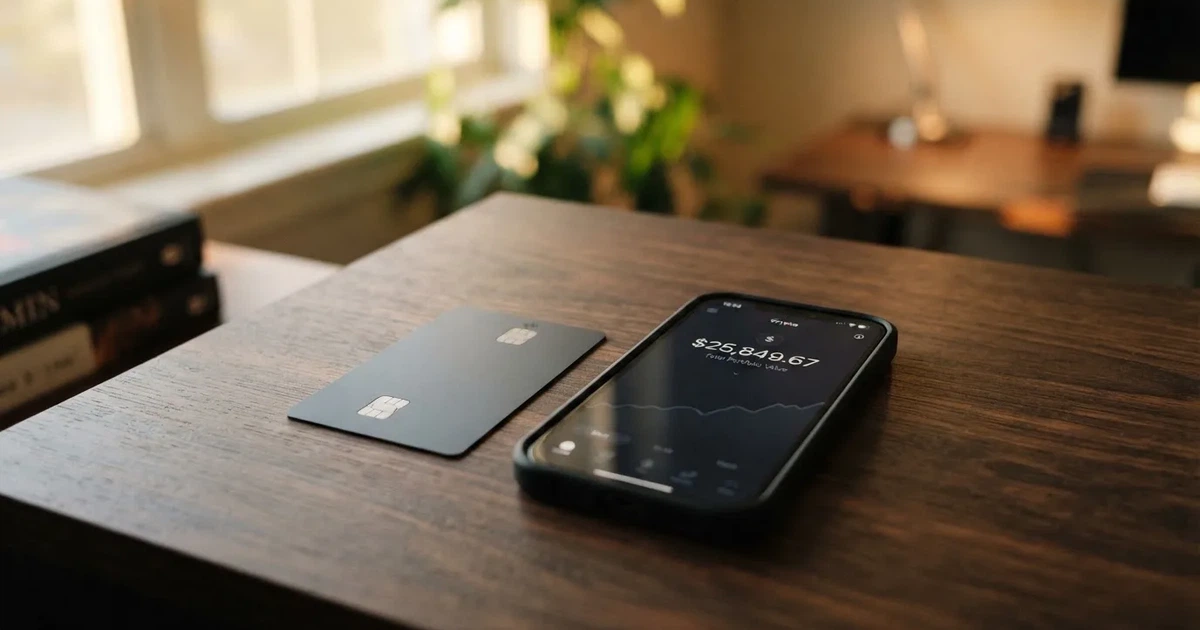
Conditions described here are current as of October 28, 2026.
The verdict: 5.5 out of 10
| Criterion | Mark | Why |
|---|---|---|
| Who can get it | 7 / 10 | No country list; the card works “wherever Visa is accepted”; restrictions are not named |
| Cost | 7 / 10 | No amounts officially; fee and total shown before each operation; Telegram-username transfers are fee-free; unofficial sources say fees are free but call the structure opaque |
| Top-up options | 4 / 10 | Balance is in USDT; issuance and top-ups are paid from it; unofficial: USDT on zkSync Era only |
| Reliability and complaints | 3 / 10 | Only the brand “Ape Wallet” is named — no legal entity, registration or issuer; custodial; unofficial rating of 3.7/10 (“Poor”) citing opaque fees and suspension risk |
| Everyday use | 5 / 10 | Virtual Visa only (service card, plus Apple Pay / Google Pay card); issuance about a minute; no ATMs |
| Total | 5.5 / 10 | A workable tool for its intended user, held back by opacity about who stands behind it |
Who it suits: someone already holding USDT who wants to pay for online services from that balance, who is comfortable managing everything through a Telegram bot, and who can accept that the provider is the counterparty to their money. Who it does not suit: anyone who needs a physical card, cash withdrawals, a published price list, or a named institution behind the brand — and anyone who wants the legal protections of an EU or UK regulated issuer. Those people should read on; the alternatives at the end of this page are a fairer fit.
Will they give you the card?
Yes, on the face of it — and this is one of the card’s stronger points. There is no country list to be turned away by. The site says the card works “wherever Visa is accepted,” and the product has a clear Russian focus: it talks about SBP payments, and its passport verification uses a Russian passport. What is not stated anywhere is whether the deciding factor is citizenship or residence, and whether any country is excluded. That silence is the honest answer to “is Ape Wallet available in {country}”: you are not turned away on a published list, but there is no published promise either.
So the practical answer to “can I use it in my country” is: it appears designed for users paying online from USDT, and beyond that the card gives you no guidance. If this matters to you, the only way to know is to try.
How to get it
The best part of the signup is how little it asks of you to begin. You do not need to complete identity verification to start: top-ups and payments work after you register in the bot. Verification comes in two levels. Basic KYC is just your email and phone. Passport KYC adds a Russian passport and a selfie, and it is what you need for buying crypto and for verified withdrawals. Some operations only work with verification done; how long processing takes and why a check might be refused are both not stated.
Getting the card itself is fast. There is no delivery to wait for — the card is virtual, and issuance takes about a minute. You can add Apple Pay and Google Pay from the bot. The service card can be issued without an email; to add the Apple/Google Pay card you need an email and a confirmation code. The app is the Telegram bot at t.me/apewallet_web_bot — I found no App Store or Google Play listing, so there is no traditional app to look for.
Fees and what a payment really costs
Here is the honest summary: the card publishes no amounts. It says that the fee and the total are shown to you before you confirm any operation — which is genuinely useful, because it means you are not surprised at the moment of payment — but you cannot read a price list and compare it before you start. The one clear zero is transfers to other users by Telegram username, which have no fees. The card currency is not stated either.

A third-party card directory (cryptocards.so, 2026) lists all fees — monthly, issuance, FX, top-up and declines — as free, and the same page calls the fee structure opaque. Treat that as unofficial and unconfirmed by the card. It is also worth being sceptical: a card that claims every fee is zero usually means the cost is inside the exchange rate you are not shown.
| Fee or limit | What the card states |
|---|---|
| Issuance price | Not stated (promo codes change the price; holders of an active Apple/Google Pay card get a discount on a service card) |
| Monthly fee | Not stated |
| Conversion fee | No amounts; fee and total shown before confirming any operation |
| FX fee | No amounts; transfers to other users by Telegram username have no fees |
| ATM fee | Not stated (virtual card) |
| Deposit fee | Not stated |
| Daily and monthly limits | Not stated |
| Card currency | Not stated |
Let me walk three everyday payments through that table, because “what does it cost” depends entirely on which part of the flow you are in.
Paying for a subscription with the service card: the card shows you a fee and a total before you confirm, so you see the cost at that moment — but since no amounts are published, you have nothing to compare that total against. Paying Apple Pay: the same flow, one minute after issuance, and the fee-and-total rule still applies. And topping up or issuing, which is discussed next, is paid from your USDT balance rather than from a card purchase at all — so the number you want there is the deposit fee, which is not stated.
If ATM withdrawals matter to you: the card is virtual, so the ATM fee is not stated because there is no ATM facility to speak of. A third-party source lists an ATM fee as free and an unlimited ATM limit, but that is unofficial and hard to reconcile with a card that has no physical form; I would not plan around it.
How to top it up
Top-up is the simple part, and also the part with the sharpest edges. Your balance is in USDT, and both issuance and top-ups are paid from that balance. So the chain is: hold USDT, pay it into the card’s wallet, then spend what lands there. Transfers to other Ape Wallet users by Telegram username cost nothing.
What is not stated: the deposit fee, the minimum top-up, and who pays the network fee. And a third-party source (cryptocards.so, 2026) says USDT on zkSync Era only — if that is right, it is a narrow door. This is exactly the situation blockchain transfers create: a deposit sent on a network the provider does not support, or to an address belonging to a different network, can be lost or need manual support recovery with no guarantee. Blockchain transfers are irreversible by their nature, and there is no built-in way to undo one. Check the network before you send, and keep the first top-up small.
Withdrawing goes the other way: USDT can be withdrawn to a bank card or to SBP, where rubles are credited. It is processed immediately, though how long it takes to arrive depends on the bank. With KYC, you withdraw to the card number or the SBP name from your passport check; without KYC, the recipient’s phone or card number, name and bank. Fees and limits for withdrawals are not stated.
Paying with it every day
Daily use is straightforward, in the way a prepaid virtual card is. Apple Pay and Google Pay are supported through the dedicated card. The card spends from a stored balance rather than pulling from a bank account, so it cannot overdraw — you can spend what is loaded and no more. Blocked merchant categories are not stated, which means you do not know in advance whether gambling, for instance, is off-limits; many issuers block the gambling category by policy rather than by law, and the list varies by issuer, so it is worth finding out empirically rather than assuming either way.
Two things about daily use to keep in mind. The other party to your balance is the provider, not a bank: control of the crypto belongs to whoever holds the private key, and with a custodial wallet the provider holds it, so you must trust them completely. Separately, a virtual card can look foreign to a shop: merchants can look up the card’s issuing institution and country and apply extra scrutiny if it differs from your billing address. That is normal, not a sign of anything wrong, but it is why a payment can occasionally be declined for reasons that have nothing to do with you.
On rewards: no cashback is stated. There is a two-level referral programme that pays a share of card purchases made by people you invite — no percentages are given. If the referral share is part of why you are considering the card, that share is a number you should ask for, not assume.
What can go wrong
This is where the card loses most of its marks, and I want to be plain about it. The card’s public pages name only the brand, “Ape Wallet.” No legal entity, no registration, no issuing bank is named. In this category that matters more than it might elsewhere: a card payment involves several parties — the network (Visa) routes messages and sets rules, the issuer holds the card programme, and the crypto brand is often only a programme manager or front-end. When you cannot tell which of those Ape Wallet is, you cannot tell who stands behind your balance.
Custody is also not stated officially. A third party (cryptocards.so, 2026) describes the card as custodial. If that is the case, your funds sit with the provider, and the category has a record of how that goes: Mt. Gox (about US$350 million reported stolen 2011–2014), Coincheck (about US$400 million, 2018), and the Ronin Network (US$625 million, 2022). Whether freeze protection or two-factor authentication exist is not stated either.
On complaints, the picture is thin in both directions. I found no official record of incidents with the card, and no Ape Wallet user reviews. The only rating I could find is the same third party’s 3.7 out of 10, labelled “Poor,” with concerns about being custodial, opaque fees, and the risk of suspension. I found no Trustpilot page. That is not evidence the card is safe, and it is not evidence it is not — it is evidence there is not yet a track record either way, which for money is its own kind of risk. Suspension in particular is not hypothetical in this category: Visa terminated its global agreements with FTX on 13 November 2022 and the FTX US debit card was wound down by its issuer, and WaveCrest, a Visa issuer that supplied several crypto card brands, was suspended by Visa in Europe in 2018, closing all WaveCrest-issued Visa programmes. A closure typically means a notice period, then spending and loading stop, then you are asked to withdraw your remaining balance.
Support is Telegram at @apewallet_support; the email address on the page is an unfilled placeholder, the site is in Russian (so Russian is supported), and hours are not stated. Press coverage is listed in Cryptonews, Digital Report, Block-chain24 and Bits.media, but I read no dates on those items.
What to take instead
None of the three alternatives below is clearly better; they trade the same weaknesses differently, which is itself informative about this corner of the market.
| Card | Score | Card type | Cost and fees |
|---|---|---|---|
| Ape Wallet | 5.5 / 10 | Virtual Visa | No amounts published; fee and total shown before each operation |
| AnoCard | 5.9 / 10 | Virtual cards (VCC) from several BINs | Creation fee varies by BIN; some products have a maintenance fee; all shown in the dashboard before payment |
| MaxSwap | 5.2 / 10 | Virtual Mastercard | Card 50 USD with a 25 USD first deposit required (total issuance listed 77.125 USD); top-up 4.5% + $1; transaction 0.25 USD + 0.4% |
| CinCin Crypto Card | 5.4 / 10 | Virtual card, works “wherever MasterCard is accepted” | $25 issuance, minimum to open $55; site says “No hidden fees”, terms say fees are shown in the bot before confirmation |
AnoCard (5.9/10) is the closest on score. It offers virtual cards from several BINs, reloadable and one-time products, chosen with filters in the SORN web dashboard; network and currency depend on the BIN. Costs are not published on the page — creation fee varies by BIN, some products carry a maintenance fee — but everything is shown in SORN before you pay. Top-up percentage and minimum depend on the asset route, also shown before payment. Rewards: no cashback; a referral programme pays $5 per referred card creation and 0.25% of referred top-ups. Two caveats: who can get it is not stated on the page I read, and ano.cards was down when I looked.
MaxSwap (5.2/10) is the one that publishes numbers, which is refreshing after Ape Wallet’s silence — but the numbers are not small. The card is 50 USD with a 25 USD first deposit required, and total issuance is listed at 77.125 USD. Top-up is 4.5% plus $1; each transaction is 0.25 USD plus 0.4%. There is no separate FX rate listed; the site says to take possible fees into account when paying and converting currencies. Funding accepts a long list of coins (ADA, ALGO, AVAX, BCH, BNB, BTC, DOT, ETH, HBAR, HT, KRRX, LINK, LTC, MATIC, NEAR, SHIB, SUSHI, TON, TRX, UNI, USDC, USDT, XLM, XRP) with no network list given, and the site claims no geographical restrictions. No cashback is mentioned.
CinCin (5.4/10) is the one with the clearest country rules, and it is also the one with the most exclusions. It is not offered in the United Kingdom, UAE, Japan or the United States, and it is restricted in Iran, North Korea, Syria, Venezuela, Afghanistan, Belarus, Cuba, Myanmar, Somalia and Ukraine; FATF-blacklist and OFAC-sanctioned users are barred, and CinCin may add countries at any time. Russia is not in the terms’ list — an earlier check said the Apple Pay variant is blocked in Russia, though I could not confirm that here. Rules apply by the user’s country, and citizenship versus residence is not specified. Opening a virtual card costs $25 with a $55 minimum (the other $25 goes to card balance); the site says “No hidden fees” and the terms say fees appear in the bot before confirmation, with conversion and FX percentages not stated. The balance is a USDT TRC20 address, and it accepts the same long coin list as MaxSwap, exchanged through the Telegram bot “within seconds.”
Who I would recommend it to
I would recommend Ape Wallet to one specific person: a user who already holds USDT, pays mainly online or through Apple Pay and Google Pay, is comfortable running everything from a Telegram bot, and treats the balance as money the provider is holding rather than money in their own pocket. For that person it is a fast, low-friction way to turn a stablecoin balance into everyday spending, with a card in hand in about a minute and the cost shown before each payment.
I would not recommend it as a first crypto card, and I would hesitate if any of these are true of you: you need a physical card or cash withdrawals; you want to know the fee before you commit rather than at the moment of payment; you are in a country the card says nothing about; or you need a named, regulated institution behind your funds. On that last point, it is worth knowing the wider frame — a card is a payment service regulated separately from the crypto side, so a crypto card often depends on two licences; in the EU, e-money institutions must safeguard customer funds in dedicated accounts or by insurance, but such funds are not bank deposits and may not be covered by deposit guarantee schemes. Under MiCA, providers already operating under national law had a transitional period running until 1 July 2026 or until a MiCA authorisation, whichever came first, and ESMA maintains a register of authorised providers you can check. Ape Wallet names no entity I could find on that register or anywhere else on its pages.
Whichever way you go, two habits carry across to any card in this category. Check the network before you send — an irreversible transfer to the wrong network can simply be gone. And if you are new to KYC, know what it involves: verification rules exist because regulated businesses must identify customers and monitor transactions, and where due diligence cannot be completed, the institution is required to hold off or close the relationship. That is not a black mark against a card; it is the shape of the category.
Frequently asked questions
What is the Ape Wallet card?
Ape Wallet is a virtual Visa card you pay for online or through Apple Pay and Google Pay, funded from a balance held in USDT rather than from a bank account. There is no physical card — the two kinds are a service card for subscriptions and online payments, and a card for adding to Apple Pay or Google Pay. The card currency is not stated. Issuance takes about a minute, and everything is run through a Telegram bot.
How does the Ape Wallet card work?
You register in the Telegram bot, top up from a USDT wallet balance, and the card spends from that stored balance like a prepaid card — so it cannot overdraw, and you can only spend what you have loaded. The fee and the total are shown to you before you confirm each operation. The card is described as working “wherever Visa is accepted,” and no country list is published.
Is Ape Wallet a bank?
No, and it does not present itself as one. The public pages name only the brand “Ape Wallet” — no legal entity, registration, or issuing bank is identified. In this category that distinction matters: a card payment involves the network, the issuer, and often a crypto brand acting only as the front-end, and you cannot tell which role Ape Wallet plays. There is no deposit guarantee scheme behind a balance here.
Who owns Ape Wallet, and who issues the card?
I could not establish either from the card’s own pages. Only the brand name is given, with no legal entity, registration or issuer named. The card does say the fee and total appear before you confirm any operation, and a third-party site describes the wallet as custodial, but neither tells you which institution actually stands behind the money. That is the single biggest gap I found.
Does Ape Wallet require KYC to start?
Not to begin. Top-ups and payments work after you register in the bot. Basic verification is your email and phone; a passport level adds a Russian passport and a selfie, and that is what you need for buying crypto and for verified withdrawals. Some operations require verification to be complete. Processing times and the reasons a check might be refused are not stated.
How do I top up the Ape Wallet card?
You pay USDT into the wallet balance, and that balance funds both issuance and top-ups. Transfers to other Ape Wallet users by Telegram username carry no fees. The deposit fee, the minimum top-up, and who pays the network fee are not stated, and a third-party source says USDT on zkSync Era only. Send a small first top-up and confirm the network — blockchain transfers are irreversible.
What does a payment cost, and are there really no fees?
The card publishes no amounts at all. It states that the fee and total are shown before you confirm any operation, and that Telegram-username transfers are fee-free. A third-party directory lists monthly, issuance, FX, top-up and decline fees as free while calling the structure opaque — unofficial and unconfirmed by the card. Treat an all-zero fee list as a sign the cost sits in the exchange rate instead.
Is the Ape Wallet card safe, and can it be blocked?
I found no official record of incidents and no user reviews, but also no track record either way, which is its own kind of risk. A third-party rating of 3.7 out of 10, labelled “Poor”, flags custodial custody, opaque fees and suspension risk. Closures are real in this category: Visa ended its agreements with FTX in November 2022, and WaveCrest’s Visa programmes closed in Europe in 2018.
Can I use Ape Wallet in my country, and is cashback offered?
The card publishes no country list and says it works wherever Visa is accepted, with a clear Russian focus; citizenship versus residence and any exclusions are not stated, so outside Russia you would be finding out by trying. There is no cashback. There is a two-level referral programme paying a share of purchases by people you invite, with no percentages published — ask for that number rather than assume it.
Is Ape Wallet worth it compared with the alternatives?
It depends what you are short of. Ape Wallet scores 5.5/10, AnoCard 5.9/10, CinCin 5.4/10, and MaxSwap 5.2/10, so no alternative is decisively better. AnoCard shows every cost in its dashboard before payment; MaxSwap publishes real numbers (50 USD card, 4.5% + $1 top-up, 0.25 USD + 0.4% per transaction); CinCin has the clearest country rules and the most exclusions. Ape Wallet’s edge is speed and USDT simplicity — its weakness is telling you so little in advance.
How virtual cards work – cryptocardsexplained.com
Content created by the «cryptocardsexplained.com» team