
A no-fee promise, a thin set of disclosed facts
 Available in US
Of everything a card can be unclear about, the shape of its own rules is the thing you feel first — before you ever tap it at a till. Bolt’s public pages are explicit on one point and close to silent on most of the others. There are no annual or other fees associated with the Bolt Card. That sentence is repeated and plain. Around it, the details a person actually needs in order to decide whether this card fits their life — which countries, which coins, which networks, what fees when money is converted, what the spending limits are — are mostly not stated on the pages I could read.
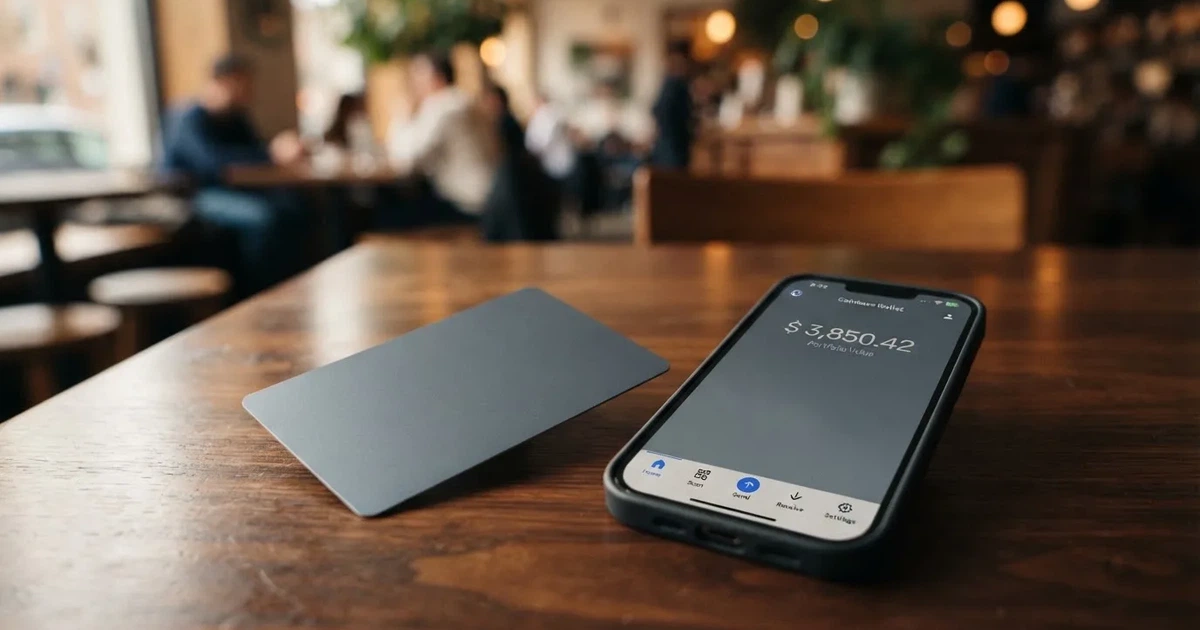
That combination produces the score below. It is not a verdict on whether Bolt is a bad company or a bad product. It is a verdict on how much you can responsibly commit to before you sign up, based on what is published.
The conditions described here are current as of October 28, 2026.
Verdict: 4.8 out of 10, and the reason is disclosure rather than price
If you are a United States resident who wants a debit card with no monthly charge and wants to hold the balance inside an app rather than at a bank, this is the shape of card you are being offered, and the fee line is genuinely attractive. If you are anywhere else, or you plan to load the card from a crypto wallet you control, or you need to know what a purchase in a foreign currency will cost you, the published material does not get you far enough to make that decision.
The score table below breaks the ten points down the way I broke it down, and the low marks cluster in one place: things the card’s own pages do not tell you.
| Criterion | Mark | Why |
|---|---|---|
| Who can get it | 2 / 10 | Starting data says United States; no countries are named |
| Cost | 8 / 10 | No annual or other fees for the card itself; conversion and FX are not disclosed |
| Top-up options | 3 / 10 | Deposit to the Bolt Account from the app; coins and networks are not named, and crypto via Zero Hash is not confirmed by the card |
| Reliability and complaints | 6 / 10 | Bolt Financial, Inc.; the issuing bank is not named; no card complaints found |
| Everyday use | 4 / 10 | Virtual card instantly after a deposit of at least $5, plastic in around 10 business days; Apple Wallet not supported yet; ATM terms not disclosed |
| Total | 4.8 / 10 |
Two words I want to put next to that number, because they are where a lot of card reviews go wrong. First: a low score here does not mean the card is bad. A card with no disclosed fees is genuinely a good thing, and I would rather see that. Second: it does not mean the missing details are bad either. “Not stated” on a help page is a gap in what I could read, not evidence of a bad practice, and I am not going to fill the gap with a guess in either direction. What I can do is tell you exactly where the silence sits, so you know which questions to ask before you deposit money.
The company behind it, on the starting data, is Bolt Financial, Inc. The card is presented through what the app pages call the Bolt SuperApp. A domain move is worth knowing about if you have seen the older name: help.bolt.com now redirects to help.boltapp.com, with no date attached to the move. If you land on an old bookmark, you will still arrive somewhere real.
Will they give you the card?
Short answer: the starting data says United States, and the help pages add one requirement — identity verification — before you can ask for the card. Nothing else about eligibility is published, and that is a thinner answer than it sounds like.
The country question is the one people search hardest for, and I want to be precise about what I can and cannot tell you. The starting data names the United States as the card’s home country. No list of states is given, no list of countries outside the US is given, and no basis is stated for eligibility — whether they look at citizenship, residence, or address. If you are outside the United States, that silence is the answer you get: I cannot tell you from the card’s own pages that you are eligible, and I cannot tell you that you are not. You would have to find out by trying, and the way to try is through the official channels, not through anyone’s workaround.
Inside the US, expect to be verified. The help pages require identity verification before the card can be requested. That is normal for cards of this kind, and it is regulated behaviour rather than a favour the company is doing you — in the US the customer identification programme requires name, date of birth, address and an identification number, and electronic systems also validate proof-of-address documents against records.
There is a wrinkle worth understanding, because it explains why someone can be turned down while looking entirely legitimate. Nationality and residence are screened separately. Sanctions screening and issuer risk policy are often applied to citizenship and country of birth as well as to the country you live in. So two people with the same address and the same documents can get different answers, and neither of them is doing anything wrong.
What documents you need is listed as not stated on these pages. Documents, proof of address and age requirements are all part of what I could not find, even though the verification step itself is clearly required. That is a gap, and a small one in practice — you will find out what is needed when you open the flow — but it is a gap, and I am not going to pretend otherwise.
Prepaid and debit cards in this category are generally available to adults from 18, and some issuers set higher limits. Whether Bolt applies an age rule of its own is among the details not stated.
How to get it
The route is short and, unusually, entirely inside one app: verify your identity first, then request the card, and a virtual card appears instantly once you have deposited at least $5.
That is the whole published sequence. There is no separate application form described anywhere in the help material, no branch, no waiting list, no fee quoted for the card itself. The $5 is described as the minimum initial deposit, and the virtual card is issued instantly after it. Other minimums and other deposit fees are not stated, so $5 is the floor I can confirm and not the ceiling of what a deposit might involve.
You get two physical things, in practice two cards. There is a virtual card, issued instantly, and there is a physical card described on its own page. The physical card takes around 10 business days — the page’s own phrasing is that the approximate card delivery time is around 10 business days. The cost of the physical card, the countries it ships to, and whether a replacement is available are all not stated. If you are outside the US, note that “not stated” about shipping countries is not the same as “ships worldwide”.
Neither the card network nor the card currency is stated on the pages I read. I am not going to guess Visa or Mastercard, and I am not going to guess the currency. If those two facts matter to you — and for a lot of people they do, because they determine where the card will work and what a foreign purchase costs — they are questions to put to the company directly.
The verification depth is not stated either. There appears to be a single identity verification step rather than a tiered system, and I cannot tell you from the pages whether additional checks are applied to some applicants. If you have been blocked by a card before, that is worth asking about early rather than after a rejection.
Fees: the one number is good, and the numbers you would need next are missing
Here is the honest shape of this section. The card charges you nothing to hold: there are no annual or other fees associated with the Bolt Card. That is stated clearly and I have no reason to doubt it. Everything after that — what it costs you to move money onto the card, and what it costs you to spend it in a currency other than the one you loaded — is not stated.

| Item | What is published |
|---|---|
| Issuance | No fee; virtual card issued instantly after an initial deposit of at least $5 |
| Monthly fee | None — “There are no annual or other fees associated with the Bolt Card” |
| Crypto conversion | Not stated |
| Foreign exchange | Not stated |
| ATM | Not stated; a PIN can be set in the app, and there is no ATM page |
| Card currency | Not stated |
| Reward rate | Not stated; disclosures mention “Bolt Account Reward Program Terms” |
| Daily and monthly limits | Set to default by Bolt; figures appear only in the app under Bank/Cards > Limits |
| Minimum deposit | $5 initial deposit; other minimums not stated |
| Withdrawal | Available in the app; fees, timing and the balance needed to close an account not stated |
Now let me make that table less abstract, because “conversion not stated” is the kind of phrase people skim and then get burned by. Take three ordinary payments and walk through what I can and cannot tell you about each.
A coffee in your own country, in the currency you loaded. Here the fee-free part does its work: there is no monthly charge and no annual charge on the card. Whether anything else attaches at the moment of purchase is a function of the currency question above — if you loaded dollars and you spend dollars, you are in the clearest case the card’s disclosure supports.
A meal out while travelling, paid in a currency you did not load. This is where the missing FX figure bites. The card currency is not stated and no foreign exchange fee is published, so I cannot tell you what a conversion will cost or whether a markup is applied. What I can tell you is that this is precisely the situation the disclosure does not cover, and it is the situation in which an undisclosed percentage hurts most, because it is applied to a number you did not choose.
A subscription bought online in a different currency again, with your card details stored by the merchant. Two things make this the least predictable of the three. Address verification is mainly offered in the US, Canada and the UK and is generally unavailable for foreign-issued cards, which can cause declines; and a declined authorisation may leave a hold on funds that can remain for several days, typically up to 7. So the cost of a subscription is not only the fee question, it is also whether it goes through at all.
There is one more cost that is not the card’s, and you should not expect the card to cover it. On-chain network fees — gas or bandwidth — for your own deposit are charged by the blockchain, not by the card provider. If you fund the account over a network, part of what you pay goes to that network regardless of anything Bolt does.
And on limits: all limits are set to default by Bolt, and the figures are shown only in the app, under Bank/Cards > Limits. There are no tiers. I looked for a tier structure and there is not one to report — no higher-spend tier, no paid tier, no fee for unlocking a bigger limit. What you get is whatever the default is, visible only once you are inside the app.
Top up: one route is described, and the part you probably care about is not
The published mechanism is simple: you deposit to the Bolt Account from the app. That is it. That is the whole instruction. Coins and networks are not stated on the help pages.
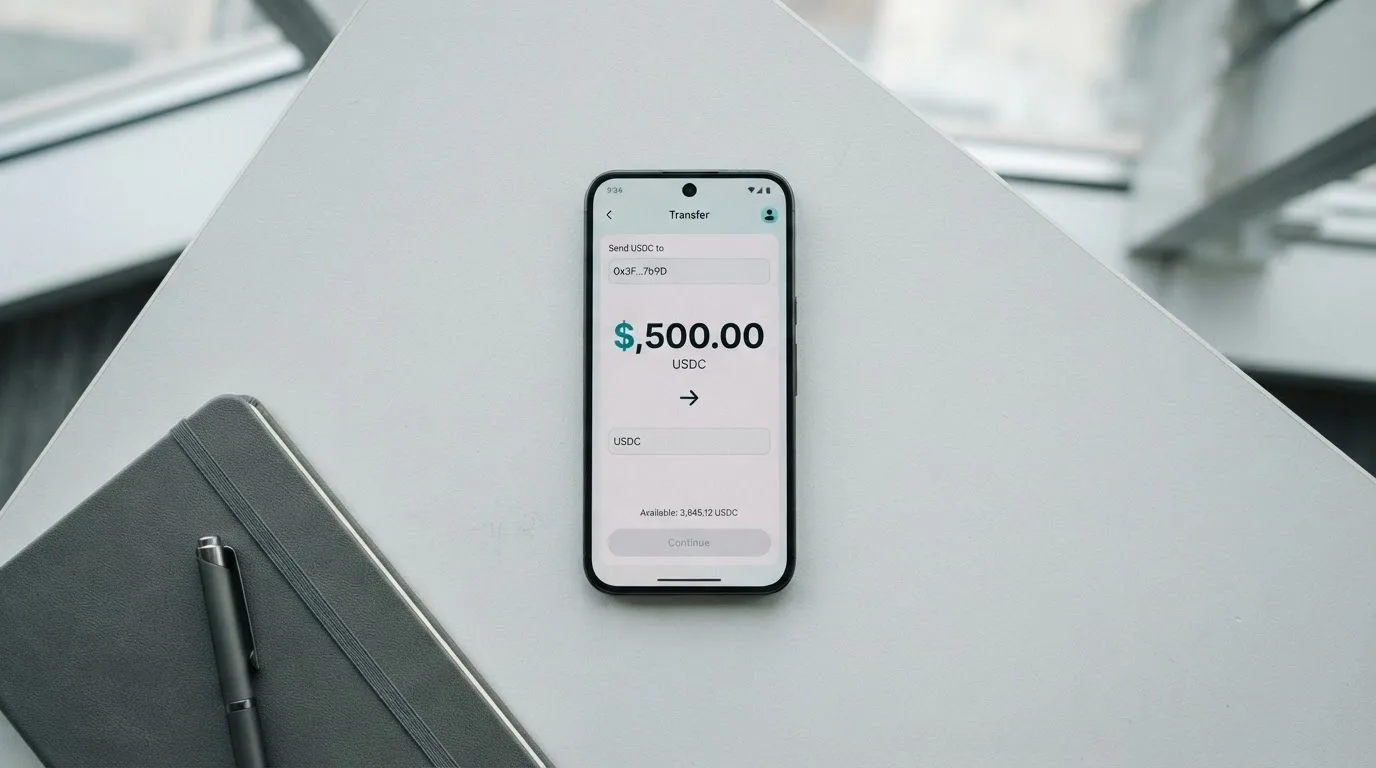
This is the single most consequential gap on the page, so let me be exact about it. There is a claim in the starting data that crypto is available via Zero Hash. No page I read confirms it. I am not going to present that as a feature, because I could not verify it, and because unverified funding routes are where people lose money.
Why networks matter so much here — and this is general knowledge about how these transfers work, not about Bolt specifically. Blockchain transfers are irreversible. A deposit sent on a network the card provider does not support, or to an address belonging to a different network, can be lost outright, or need manual support recovery with no guarantee of the outcome. Picking the wrong network is not a mistake the system catches and reverses; it is often just a mistake.
So the sequence for you is: confirm inside the app which coins and which networks are actually supported, and only then send anything. Read it in the app where your deposit will actually be made, not from a third-party page.
The minimum is $5 for the first deposit. Other minimums and other deposit fees are not stated.
Withdrawing goes the other way and is also in the app: Bank/Cards > Bolt Card > Bolt Account > Withdraw. Fees, timing and the balance you would need in hand to close the account are all not stated. That last one matters more than it sounds — an account you cannot empty is a problem you inherit if you stop using the card, so if you plan to try this and drop it, ask what closing requires before you load, not after.
Paying with it every day
Day-to-day, this is a card that works in the places a Visa or Mastercard works, minus the part where you can hold it in your phone. The virtual card is the fast path — instantly, after the $5 — and the plastic version arrives in around 10 business days if you want something you can hand over.
Adding the card to Apple Wallet is not supported yet, though the page says it will be available soon. Google Pay is not mentioned on the card’s official pages, so there is no information on whether it works.
So the mobile-wallet route that most people use for everyday payments is currently closed, or at least unconfirmed, on both platforms. You are left with the card number itself: entering it at a shop, or storing it with a merchant online. That works, but it is a step backwards from tapping, and it is worth deciding whether that matters to you before you commit.
Rewards are mentioned and not quantified. The disclosures reference “Bolt Account Reward Program Terms”, and the rate itself is not stated. I would treat any expectation of cashback as unformed until you have read those terms in the app.
The app is called the Bolt SuperApp. I did not read the platform list or the store ratings, so I will not paraphrase reviews I have not seen.
And one thing that is not stated and that I would want answered before relying on this card: what happens when a payment goes wrong. Whether and how disputes are handled, whether a chargeback process exists for this card, what your rights are as a prepaid cardholder versus a debit cardholder — none of that is published. In the US, debit card reversal rights come from Regulation E and credit card rights from Regulation Z, and prepaid-card coverage varies and should not be assumed. Assume nothing here; ask.
What can go wrong
No official incidents came up, and I found no complaints about the Bolt card either — and I searched specifically, because silence on that front can be meaningful or can just mean the card is young. There is no Trustpilot page for the Bolt card. A young card with no complaint history is not a card with a good history; it is a card with a short one.
Here is what I think actually goes wrong with a card like this, in order of how likely it is to affect you.
The conversion cost you never saw. This is the big one, and it is the direct consequence of the missing FX and conversion figures. You load at one value, spend at another, and discover the gap after the money is gone. Nothing in the published material tells you the size of that gap.
The wrong network. Covered above, and it is irreversible. This is the failure mode that costs the most per occurrence.
A declined payment you did not expect. Several ordinary mechanisms cause this and none of them are Bolt’s fault. Address verification is generally unavailable for foreign-issued cards. Some merchants decline prepaid or foreign BINs because the lookup reveals the card type and the country of issuer — and this is the general reason a card issued in one country can look foreign to a shop in another. And a decline can leave a hold for up to 7 days.
Blocks and freezes, in both directions. The app lets you set a temporary block, lift it, make a permanent block, and set a PIN. That is a real control and I would use it. It also means a permanent block can strand a balance in an account whose closure requirements are not stated.
Gambling and merchant categories. MCC 7995 covers casinos, betting and lotteries, and many issuers block it on specific cards by policy rather than by law, with the list varying by issuer. Whether Bolt blocks it is not stated. If that matters to you, ask.
Who holds your money is not answered. The card pages do not state how custody and safeguarding work. This is worth a paragraph of general context, because it decides who you trust. Control of crypto belongs to whoever holds the private key or seed phrase; with a custodial wallet the provider holds the credentials, so you must trust the provider completely. A seed phrase is typically 12 to 24 words and is an unencrypted form of the private key — anyone who gets it can restore the wallet and spend the funds. Transfers are typically irreversible and a stolen key has no built-in recovery, because the network cannot freeze or return funds. Custodial platforms have a real record of failures: Mt. Gox (about US$350 million reported stolen, 2011-2014), Coincheck (about US$400 million, 2018) and Ronin Network (US$625 million, 2022). If Bolt’s arrangement is custodial, that is a category risk; the pages do not say which it is, and I am not going to guess.
The platform underneath can disappear. Visa and Mastercard do not issue crypto cards to consumers themselves — they license issuers, and they can suspend a programme. Visa said in November 2022 that it had terminated its global agreements with FTX, and the FTX US debit card programme was wound down by its issuer. WaveCrest, a Visa issuer that supplied crypto card brands, was suspended by Visa in Europe in 2018, closing all WaveCrest-issued Visa programmes. Programme closures typically mean a notice period, then spending and loading stop, then users are asked to withdraw remaining balances. One 2026 closure reported by a secondary source had new loads ending 8 July 2026 and spending stopping 8 August 2026 — a single unconfirmed source, so I give it to you as a pattern rather than a prediction.
Support reach, as a smaller item. Contact runs through the official help portal and a Discord chat. Languages and hours are not stated.
And the tax side, briefly, because it is real even though I am not advising you on it. The IRS treats digital assets as property, so exchanging them for goods, services or dollars generally produces a taxable gain or loss, measured in local fiat currency at the fair market value on the date of the transaction. For personal holdings that is a capital gain or loss, short-term if held a year or less. Each card payment funded from crypto may therefore be a separate disposal. That is a fact about how the treatment works, not advice about what to do — take it to whoever handles your taxes.
What to take instead
I want to be careful here. I am not going to tell you which of these to pick, because the right answer depends on which of Bolt’s gaps hurts you. But the honest summary is that Bolt scores 4.8 and the alternatives below score higher, and if the reason you are reading is that you need this to work reliably, Bolt is currently the weakest of the four on published information.
| Card | Score | Card type | Fee picture | Funding | Notable limits |
|---|---|---|---|---|---|
| Bolt | 4.8 / 10 | Network and currency not stated; virtual instant after $5, plastic in around 10 business days | No annual or other fees; conversion and FX not stated | Deposit to the Bolt Account from the app; coins and networks not named | Starting data says US; Apple Wallet not supported yet; limits only visible in the app |
| Whop Cards | 5.2 / 10 | Visa, works anywhere Visa is accepted; virtual or physical not stated | “No extra fees”; no issuance or monthly amounts listed | Spends from a Whop balance; starting data says backed by stablecoin collateral from a linked wallet | 31 US states for consumers, 41 for businesses; 5% cashback at select merchants, currently Uber |
| Stella | 6.5 / 10 | Virtual and physical VISA, works at “over 40 million VISA merchants globally” | Not stated — described in the User Agreement and/or on the app | Deposit crypto into the account, which automatically tops up the card | Countries not stated; US and European users routed through affiliates; sanctions terms apply; no card cashback stated |
| UniFi Card | 4.7 / 10 | “Prepaid Debit Visa Card”, issued by Lead Bank; Apple Pay supported; USD | Not stated — “Fees may apply. See UniFi website for more details.” | ACH, wire, SEPA (IBAN), SPEI (CLABE); can be paid to a USDC wallet | Not confirmed from official pages; app store lists routes to the Philippines, Mexico, eurozone, Colombia, Brazil, UK |
A few observations that only make sense side by side.
Stella scores highest, at 6.5, and its structure is the most automatic of the four: you deposit crypto into the account and the card tops itself up, in-app wallet, custodial. Its weakness is disclosure of a different kind — fees are pushed into the agreement, and countries are not named on the official site.
Whop at 5.2 is the one with the most concrete eligibility information of the four, including a full state list and an explicit list of unsupported consumer countries. It also names its network: Visa. That alone puts it ahead of Bolt for planning purposes. Its funding model is unusual — you spend from a Whop balance, and a pending balance becomes usable as soon as a payment arrives, while standard withdrawals use settled funds.
UniFi at 4.7 sits just below Bolt, and for the same reason: fees are deferred to a website rather than stated. In its favour, it is the clearest of the group on funding rails — ACH, wire, SEPA and SPEI, plus being paid to a USDC wallet — and it is the only one of the four that states Apple Pay support. Its card currency is USD and it spends from the USD balance. Note that its eligibility is not confirmed from official pages either.
What all four share is worth saying, because it is the category’s shape rather than any one company’s. Merchants can look up a card’s BIN to see which institution and country issued it, and may apply extra scrutiny if the issuer country differs from the billing address. 3-D Secure adds an identity step to online payments, where the issuer either approves frictionlessly or challenges you with a one-time code or biometric. If you put a card into a mobile wallet, the number is replaced with a device-specific account number stored in the Secure Element, never on the wallet provider’s servers, with a one-time dynamic code per payment — and the issuer can restrict that tokenised number to certain channels. In the EU, MiCA governs the crypto side while the card itself is regulated separately as a payment service, so a crypto card often rests on two licences. If you want to check whether a provider is properly authorised, ESMA keeps an interim register of crypto-asset service providers.
Who I would recommend it to
After all of that, here is who I would actually point at this card.
I would point it at someone in the United States who wants a card with no monthly or annual charge, is comfortable having the balance held inside the app rather than at a bank, and is not planning to lean on the crypto side — because the crypto side is the least documented part. If you only ever add money through the app and treat the card as a card, the fee-free part is the whole story and the score understates how pleasant that is.
I would not point it at you if any of these are true. You are outside the United States. You need to know what a foreign purchase costs you. You want to tap with Apple Wallet or Google Pay. You intend to load from a self-custody wallet and care about which network. You depend on chargeback rights. Or you plan to hold a balance for a while and want to be sure the issuer and its safeguarding arrangement are named somewhere.
That last group is not being unfair. It is the same reason I discount a card for saying nothing about its limits: not because silence is evidence of wrongdoing, but because you are being asked to take the risk without being given the facts to price it.
The single question I would ask Bolt, if I could ask one, is which coins and which networks the app actually accepts for a deposit. Everything else on this page is a detail. That one decides whether the card works for you at all.
Frequently asked questions
What is the Bolt card?
The Bolt card is a payment card issued through the Bolt SuperApp, offering both a virtual card issued instantly after an initial deposit of at least $5 and a physical card whose approximate delivery time is around 10 business days. Bolt describes it as the card for a Bolt Account balance. Neither the card network nor the card currency is stated on the pages I could read, so I cannot tell you which network it runs on.
How does the Bolt card work?
You deposit into a Bolt Account from the app, then spend from that balance as you would from any payment card. Crypto conversion and foreign exchange fees are not stated, and all limits are set to default by Bolt with the figures shown only inside the app under Bank/Cards > Limits. A PIN can be set there, along with temporary and permanent blocks.
Is Bolt a bank?
Not on the published material. The starting data names Bolt Financial, Inc. as the company behind the card, and the disclosures reference a Consumer Checking Account Agreement, but the issuing bank is not named on the pages I read. So the legal entity holding your money is the one question I would want answered before depositing, and the card pages do not answer it.
Who owns Bolt?
The card is presented by Bolt Financial, Inc., through what the app pages call the Bolt SuperApp. One practical note if you have seen an older name: the help centre moved to the new website, and the old address still redirects. No date is given for the move, so treat older links and any cached page with caution.
Which countries can I use the Bolt card in?
The published starting data says United States, and no country list is given. That is genuinely all I can tell you. Eligibility basis is not stated either — citizenship, residence and address are not distinguished. If you are outside the US, the honest answer is that the card’s own pages neither confirm nor rule you out, so you would need to ask them.
How do I get a Bolt card?
Verify your identity in the app first, then request the card. There is no separate application form described. The virtual card appears instantly once you have deposited at least $5, and the physical card takes around 10 business days. The cost of the plastic card, the countries it ships to and replacement terms are not stated.
Does the Bolt card require KYC?
Yes. The help pages require identity verification before the card can be requested, and the verification appears to be a single step rather than a tiered system — though the depth is not stated. In the US, the customer identification programme requires name, date of birth, address and an identification number. Note that nationality is screened separately from residence.
How do I top up the Bolt card?
By depositing to the Bolt Account from the app. The minimum initial deposit is $5; other minimums and other deposit fees are not stated. Coins and networks are not named on the help pages, and a claim that crypto is available via Zero Hash is not confirmed by any page I read — so check the supported networks inside the app before sending anything.
Is the Bolt card free?
The card itself, yes: there are no annual or other fees associated with the Bolt Card. What is not stated is the conversion fee, the foreign exchange fee, ATM terms, and the card currency. One cost that is never the card’s: on-chain network fees for your deposit are charged by the blockchain, not by the provider.
Is the Bolt card safe?
No official incidents came up and I found no complaints about the card, but there is also no Trustpilot page for it — a short history, not a clean one. The app gives you real controls: temporary and permanent blocks, and a PIN. What is not stated is how custody and safeguarding work, so treat the money side as an open question for the company to answer.
How app and neobank cards work – cryptocardsexplained.com
Content created by the «cryptocardsexplained.com» team