
A crypto-native Visa with no monthly fee, and no plastic to go with it
 Available in US
The MiniPay card is a Visa card that spends straight out of a self-custodial crypto wallet, with no issuance fee, no monthly fee, and no physical plastic to wait for. That combination is genuinely rare, and for a specific person it is exactly the point: someone who already holds stablecoins, already understands self-custody, and cannot get an ordinary bank card issued in their name. If that is you, the appeal is real and the numbers are hard to argue with.
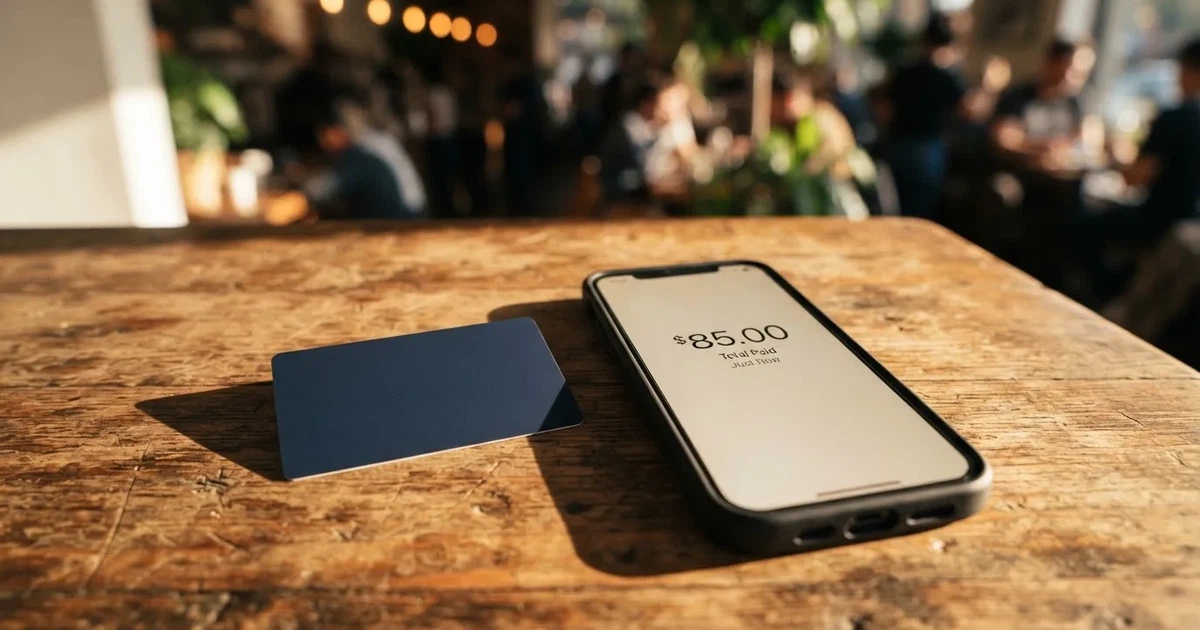
If you are looking for something else — a card you can hand over at a shop that also works in an ATM, a card with a phone number and an address you can put in a form, or one that behaves predictably for a landlord to take from — this is not it. The card is digital only, ATM coverage is not covered, and support runs through the app.
The conditions described here are current as of October 28, 2026.
Verdict: 7.4 out of 10, for a narrow and specific user
I scored MiniPay at 7.4 / 10. That is a good card for its intended reader and a poor substitute for a mainstream bank card. The two halves of that sentence matter, because the card makes no attempt to be the second thing.
| Criterion | Mark | Why |
|---|---|---|
| Who can get it | 7 / 10 | Selected markets in the EEA, Africa, Latin America and Southeast Asia; the sign-up form lists about 80 countries plus “Other” |
| Cost | 9 / 10 | No issuance fee and no monthly fee, $0 deposit fees, no card fee; Visa exchange rates may apply to non-USD purchases |
| Top-up options | 7 / 10 | Spent directly from a self-custodial wallet; starting data lists USDT, USDC and cUSD on Celo, not itemised on the page |
| Reliability and complaints | 8 / 10 | Issuers named: Monavate Ltd (FCA, FRN 901097) and UAB Monavate (Lithuania), under licence from Visa Europe; Gnosis Pay sits at 2.1 from 24 reviews on Trustpilot |
| Everyday use | 5 / 10 | Digital Visa only, Apple Pay and Google Pay available, no physical card, ATM not covered |
| Total | 7.4 / 10 |
The weak spot is not cost. It is everyday convenience. A digital-only card with no ATM story and no published spending limits is a card you will use in a browser and on a phone, and think twice about anywhere else.
Who it suits. People who already run a self-custodial wallet and spend stablecoins day to day, and who value not paying a subscription to keep their money spendable.
Who it does not suit. Anyone who wants cash, who is starting out with crypto and learning as they go, who needs a card registered to a domestic address for a recurring bill, or who needs a customer service team on a phone number.
Will they give you the card?
Yes, in a lot of places — but not everywhere, and the card does not publish the list.
MiniPay describes its availability as “selected markets” in the EEA, Africa, Latin America and Southeast Asia. That is a broad description with a narrow companion: the card’s own public pages do not publish a country list. What the sign-up form shows is roughly 80 countries plus an “Other” option, and the card says that if your country is supported, onboarding appears in the card tab inside the app. That last sentence is the practical test. If you are in a country the programme covers, you find out by opening the app, not by reading a list.
There is one thing the card’s pages do not say at all, and it is the question people ask first: whether eligibility follows citizenship or residence. The basis is not stated. So if you live in one country and hold a passport from another, you cannot tell from the public pages which of the two decides. You will find out during onboarding, one way or the other.
Nothing I saw suggests a nationality ban list comparable to some competitors. That is mildly reassuring, but “no list is published” is not the same as “every listed country is open to everyone” — it is simply no information. Treat it as unknown rather than as permission.
How to get it
The process is an app, not an application form, and identity verification happens inside it.
The card states that identity verification depends on your country and the card programme’s requirements, and that the app walks you through it. What documents you will be asked for, whether proof of address is required, and what age applies are not stated on the public pages. The verification tiers are not stated either. In practice, expect the ordinary set — a photo ID, a selfie, and whatever the issuing market asks for — but do not plan around a specific list, because there is no published list to plan around.
What you end up with is digital. The card is a Visa, settles in USD, and there is no physical card: no application, no delivery, nothing to wait for, and nothing to lose in the post. That single fact reshapes everything downstream, because a virtual card is added to a phone wallet rather than to a wallet full of other cards, and it cannot be handed to somebody, split with somebody, or used in a machine that only takes plastic.
Two structural points sit underneath, and they are worth understanding before you commit anything. First, the card numbers come from a licensed issuer, not from the crypto brand: Monavate Ltd in England and Wales, an FCA-regulated e-money institution with FRN 901097, and UAB Monavate in Lithuania, authorised by the Bank of Lithuania with reference LB002139, both under licence from Visa Europe. Second, the programme manager behind the card, Gnosis Pay, states that it is not a bank and not a regulated payment provider — it manages the programme, and the balance behind the card is not a bank deposit.
The MiniPay wallet app is made by Opera’s Blueboard Limited. I could not read store ratings, because the store pages did not load when I checked on 2026-10-21.
Fees: what it really costs
This is the section where MiniPay is strongest, and I want to be precise about why rather than just generous. There is no issuance fee, no monthly fee, and no card fee. That is the actual fee structure, not a trial period.

| Fee or limit | MiniPay |
|---|---|
| Issuance fee | None |
| Monthly fee | None |
| Card fee | None |
| Deposit fee from another wallet | $0 |
| Currency exchange | Visa exchange rates may apply to non-USD purchases |
| Crypto conversion | Gnosis Pay describes a low nominal FX fee; no amount published |
| ATM | Not covered in the MiniPay FAQ; the Gnosis Pay blog mentions an ATM withdrawal fee with no amount |
| Spending limits | “Spending limits may apply. You can view them in the app”; no amounts published |
| Tiers | Single tier, none described |
Three everyday payments, and what applies to each:
A subscription billed in GBP. No MiniPay fee. But the card settles in USD, so Visa’s exchange rate applies, and the Gnosis Pay blog refers to a low nominal FX fee on top of that rate without giving a number. So the cost here is not zero — it is a Visa rate plus an unpublished percentage. You can see it before you confirm the payment, but you cannot read it off a published table.
A $12 coffee in New York. This is the case the card is built for. USD purchase, USD settlement, no conversion, no card fee. The cashback is the interesting part, and I will come back to it, but it is paid in digital gold and stablecoins, so treat it as a bonus in a different currency rather than as cash.
A €40 dinner in Berlin. Same shape as the subscription: Visa’s rate on a non-USD purchase plus the nominal FX fee. This is the exact category that makes a card like this feel more expensive than it looks, and the card publishes no table to predict it.
What I cannot give you is a worked total for any of these, and that is not an omission. The card publishes no percentages, and I will not invent them. The honest summary: the fixed costs are genuinely zero, and the variable costs are the Visa rate plus a fee the card describes but does not size.
Top up: how the money gets in
You top it up the way you already move crypto — from a wallet, not from a bank.
MiniPay spends directly from your self-custodial wallet balance. You can top up from the MiniPay balance or from any wallet, and the funds become spendable on arrival. That last detail removes the classic annoyance of waiting for a top-up to clear, and for a card with no ATM and no physical plastic, immediate spendability is the feature that matters most.
The coins and networks are where the pages are thin. Starting data lists USDT, USDC and cUSD on the Celo network; the card page itself does not itemise them. That is a real gap, and it is a dangerous one, because sending a deposit on a network the provider does not support is the single most common way people lose money with cards like this. Blockchain transfers are irreversible. If the funds land on a chain the card cannot read, they may need manual recovery through support, with no guarantee of getting them back. So check the network in the app before you send anything, and treat the starting-data list as a hint rather than as a specification.
Deposit fees are $0 from other wallets. Who pays the on-chain network fee, and what the minimum top-up is, is not stated. That network fee is charged by the blockchain itself, not by the card provider, so it will come out of the transfer regardless.
The other direction — getting money back out — is thinner still. Debit card spending draws only on your available balance. Withdrawing from the wallet to local currency goes through third-party ramp partners, and fees for that are not stated. What happens to any balance left in the account if you close it is not stated either. If you are the kind of person who closes accounts when they stop being useful, ask that question before you open one.
| Top-up route | What is published |
|---|---|
| From another crypto wallet | $0 deposit fees; spendable on arrival |
| From the MiniPay balance | Stated as an option |
| Coins and networks | USDT, USDC, cUSD on Celo per starting data; not itemised on the page |
| Network fee payer | Not stated |
| Minimum top-up | Not stated |
| Cash out to local currency | Via third-party ramp partners; fees not stated |
Paying with it every day
Here is where the score drops, and it drops for a structural reason rather than a quality one.
Apple Pay and Google Pay are supported, and the card says setup takes under a minute. That is genuinely convenient, and for online spending it is the whole story: tokenised, one device, no plastic to lose. What is not published is the list of blocked merchant categories, though the cashback terms do mention that “excluded-category” transactions exist and are treated differently.
The rewards deserve a closer look because they are the most unusual thing about the card and also the most likely to be misunderstood. MiniPay offers up to 5% on qualifying purchases, paid in digital gold (Tether Gold) and stablecoins rather than in cash. It is paid monthly, and it can take 30 to 60 days to arrive. Pending transactions, refunded purchases, excluded-category transactions and anything over the cap may not qualify, and terms and conditions apply. Read that as: this is a slow, conditional, non-cash bonus, not 5% back. I would not count it when comparing cards.
There is no physical card, so there is nothing for a shop to swipe, and the FAQ does not cover ATMs at all — the Gnosis Pay blog mentions an ATM withdrawal fee without an amount, which sits oddly against a card that is digital only. If cash is part of your life, this is a dead end.
If something goes wrong, the route is the app: freeze the card, review the activity, contact support. Refunds usually go back to the original card, and the timing depends on the merchant and the issuer. Support is through the app, with an email channel used for the lost-phone case — you email the address given in the FAQ with the subject line “Lost Phone – Freeze Card”. Languages and working hours are not stated, and I would want to know both before depending on it.
One more piece of background worth having. When you add the card to Apple Pay, the card number is replaced with a device-specific token stored in the phone’s secure hardware, not on Apple’s servers, and each payment uses a one-time code. So a stolen phone is less catastrophic than it sounds — provided you act fast with that freeze email.
What can go wrong
No official incident found for MiniPay. But that is partly because the card is new and partly because almost nobody reviews it.
The card’s launch was announced on the Gnosis Pay blog on June 23, 2026. I found no Trustpilot page for MiniPay itself and no MiniPay-specific reviews. That absence cuts both ways: it is not a warning, and it is not reassurance. It means you are an early user with no crowd-sourced track record to read.
The closest proxy is Gnosis Pay, the programme manager, whose Swedish Trustpilot page shows 2.1 from 24 reviews as I read it on 2026-10-21. The complaints cluster around support quality, identity checks handled by a third party, and a slow fraud dispute that one user reported as unresolved. That last one is the pattern I would watch most closely, because a card whose entire value proposition is spending self-held money depends on disputes actually getting resolved. Treat this as a user report on a different product, not as a finding about MiniPay, but it is the only signal available and it is not flattering.
The self-custody trade-off runs both ways and you should hold both ends of it. Your balance stays in your wallet until the moment you pay — nobody can spend it, and an insolvency at the operator does not directly hand your funds to a creditor. That is a real structural improvement over custodial balances, and custodial platforms have a documented history of failure: Mt. Gox at roughly US$350 million reported stolen across 2011 to 2014, Coincheck at roughly US$400 million in 2018, and the Ronin Network bridge at US$625 million in 2022. On the other side, self-custody means you alone bear key loss, phishing, and clipboard-hijacking malware that silently swaps a copied address before you paste it. If your seed phrase is on your phone’s clipboard, nothing about this card will protect you.
Security features you do get: freeze and unfreeze instantly in the app, and a stated answer for a lost phone. Two-factor authentication is not stated, and I would treat that as a question to ask rather than as a no.
There are also category-level risks that apply to any card in this space, and two of them are worth a sentence each. The card is issued in specific markets, and a merchant can look at the issuer BIN and apply extra scrutiny when it differs from the billing address — which is why a card issued in one country can look foreign in another and get declined at a checkout that had no reason to fail. And stablecoins are not fixed. USDC lost its peg briefly in March 2023 during the US banking crisis, and TerraUSD collapsed in May 2022. Your spending balance is denominated in something that can move.
Finally, and separately: payment with crypto is generally a taxable event in the US, where the IRS treats digital assets as property, so each purchase funded from crypto can be a separate disposal measured at fair market value on the date. I am not giving tax advice — I am telling you it is a live question, not a settled one, and that it is the kind of thing to take to someone qualified.
What to take instead
Four alternatives came up in the same category. None of them is strictly better; they trade against MiniPay in different currencies.
| Alternative | Score | Cost shape | Where it wins | Where it loses |
|---|---|---|---|---|
| MiniPay | 7.4 / 10 | No issuance, no monthly, $0 deposit | Self-custody spending, zero fixed fees | Digital only, no ATM answer |
| BloFin Wallet Card | 6.9 / 10 | Activation, annual, issuance and dormancy all $0.00; spend fee 1% or lower by VIP tier | Zero card fees with a spend fee you can shrink to 0% at the top tier | Charges a percentage per payment; FX fee not stated |
| Decaf | 6.2 / 10 | $5 activation virtual, $10 physical in the US, $90 physical elsewhere, no annual fee | Physical card available with tracked delivery; adds no FX fee of its own | Much higher physical-card cost outside the US; long restricted-country list |
| SafePal | 6.2 / 10 | No account or management fees; issuance fee not stated | 40+ blockchains for top-up, converted to USDC or fiat | 1% FX on Mastercard non-USD settlement; refund processing fees |
BloFin Wallet Card is the closest competitor on price, and the comparison is instructive. Its card fees are all zero — activation, annual, issuance, dormancy, cancellation — but it charges a spend fee of 1% or lower depending on your VIP tier, from 1.00% down to 0.00% at VIP 5, taken at the moment of payment. MiniPay does not do that. Which is better depends entirely on how much you spend: if your volume is high enough to reach a low tier, BloFin’s structure wins; if you spend lightly, a percentage on every payment is worse than nothing. BloFin’s country coverage is also vaguer than MiniPay’s — no list published, about 35 countries in starting data — and top-ups are USDT and USDC on Arbitrum and Base. It offers no cashback, instead a reduced spend rate.
Decaf is the one to look at if a physical card matters to you. It offers a virtual card with $5 activation worldwide, or a physical one at $10 in the US and $90 elsewhere, with no annual fee. It adds no FX fee of its own — the rate is simply the one Visa offers — which is a cleaner answer than MiniPay’s “low nominal FX fee” of undisclosed size. What it costs you is geography: it is not issued in a long restricted list including Belarus, China, North Korea, India, Iran, Iraq, Israel, Myanmar, Nepal, Russia, Syria, Turkey, Cuba, Ukraine, Venezuela, Vietnam, Nicaragua, Puerto Rico and Nigeria, with a further list of restricted US states. Whether that restriction follows citizenship or residence is not stated.
SafePal is the broadest on top-up — crypto from more than 40 blockchains, converted to USDC or fiat, with transactions on Arbitrum — and its standard top-up fee is 0%. Against that, non-USD settlement on its Mastercard costs 1% in FX, refunds cost 1 USD/EUR/CHF/7 CNH to process, and swaps include an unquantified spread. Its regional list page was empty when I fetched it, which is its own kind of information.
If the honest summary is: MiniPay for the self-custody user who wants zero fixed fees, Decaf if you need plastic, BloFin if you trade frequently enough to climb tiers.
Who I would recommend it to
I would recommend MiniPay to you if all four of these are true.
You already hold stablecoins in a self-custodial wallet and know how to move them across networks. You spend most of your money online or through a phone wallet, so the absence of plastic costs you nothing. You are in or willing to check whether you are in one of the supported markets. And you would rather not pay a monthly subscription to keep money spendable.
I would steer you away if any of these apply. You need cash regularly. You are new to self-custody — the card hands you none of the guardrails that a custodial exchange would, and the irreversibility of blockchain transfers is not a beginner-friendly property. You need a card tied to a domestic address for rent, utilities or insurance, because a foreign BIN gets scrutinised at checkout. Or you need a support team reachable by phone during European business hours, because this one is app-only with no published hours or languages.
And one last thing I would insist on before you fund it: check the network before your first transfer, not after. That one habit prevents the failure mode that costs people real money on cards like this, and it costs you nothing.
Frequently asked questions
What is MiniPay card?
MiniPay is a Visa payment card that spends directly from your own self-custodial crypto wallet rather than from a bank account. You load it from the MiniPay balance or any wallet, and the balance becomes spendable on arrival. It is digital only, with Apple Pay and Google Pay support, and no physical card. Settlement is in USD, and the card is issued by Monavate under licence from Visa Europe.
How does MiniPay card work?
Your crypto stays in your wallet until the moment you pay. When a purchase comes in, the card draws on your available balance, converts where necessary, and settles through the issuer to the merchant. MiniPay describes this as a balance-based card, so it can only spend what you have loaded — it cannot overdraw. Gnosis Pay manages the programme; it says it is not a bank or a regulated payment provider.
Is MiniPay a bank?
No. Gnosis Pay, the programme manager, states plainly that it is not a bank and not a regulated payment provider. The card is issued by Monavate Ltd, an FCA-regulated e-money institution in England and Wales with FRN 901097, and by UAB Monavate in Lithuania under Bank of Lithuania authorisation LB002139. Your funds are in your own wallet, not a bank deposit.
Who owns MiniPay?
The wallet app comes from Blueboard Limited, part of Opera. The card programme is managed by Gnosis Pay, the German-style decentralised finance infrastructure company behind the SafeMultisig wallet. Issuance sits with Monavate in two jurisdictions. Visa licenses the programme but does not issue the card directly to consumers, so this is a licensed-issuer arrangement, not a Visa product.
Does MiniPay card require KYC?
Yes, identity verification is part of sign-up, and the card says it depends on your country and the programme’s requirements, with the app walking you through it. The specific documents, whether proof of address is needed, and the age threshold are not stated on the public pages. If verification cannot be completed, institutions generally cannot proceed with the relationship — which is why applications stall or accounts freeze.
Is MiniPay card available in my country?
The card describes availability as selected markets in the EEA, Africa, Latin America and Southeast Asia, and does not publish a country list. The sign-up form lists about 80 countries plus an “Other” option, and onboarding appears in the card tab if your country is supported. Whether eligibility follows citizenship or residence is not stated, so the app is the only reliable test.
How do I top up the MiniPay card?
Top up from the MiniPay balance or from any external wallet, with $0 deposit fees, and the funds are spendable on arrival. Starting data lists USDT, USDC and cUSD on the Celo network, but the card page does not itemise them. Check the network in the app before sending, because transfers on an unsupported network are irreversible and may need manual recovery.
Is MiniPay card safe?
Structurally, it is safer than custodial balances in one specific way: your funds stay in your wallet until you pay, so an operator failure does not directly hand them to a creditor. You get instant freeze and unfreeze in the app. You bear sole responsibility for key loss and phishing, two-factor authentication is not stated, and the Gnosis Pay Trustpilot page shows 2.1 from 24 reviews, including support and dispute complaints.
Is MiniPay card worth it?
Worth it if you already spend stablecoins and want zero issuance and monthly fees. Not worth it if you need cash, a physical card, or predictable support. Consider the up-to-5% reward carefully: it is paid in digital gold and stablecoins, arrives monthly, takes 30 to 60 days, and excludes pending, refunded, over-cap and excluded-category transactions.
How do I delete or close my MiniPay account?
That is exactly what I could not find an answer to. The public pages do not describe how to delete an account, and the balance situation on closure is not stated either. Raise it through in-app support before you close anything and still hold a balance. Separately, wallet withdrawals to local currency go through third-party ramp partners with fees not stated, which is the route to consider first.
How wallet cards work – cryptocardsexplained.com
Content created by the «cryptocardsexplained.com» team