
Munify card review — spending stablecoins through a virtual Visa, and whether the picture behind the app holds up
 Available in US
Munify is one of the newer names in the crypto-card space: a virtual Visa that you top up with USDC or USDT, spend anywhere Visa is taken online, and manage from a mobile app. The pitch is straightforward, the top-up options are genuinely broad, and the card-spending exchange-rate markup is zero. The question I kept asking while going through the small print, the public reviews and the company’s own pages is whether the rest of the package holds together, and that is the question this review is built around.

If you are a freelancer paid in USDC, a remote worker whose bank keeps blocking payouts, or simply someone who wants to use a stablecoin balance for everyday online shopping rather than a wire transfer, Munify is worth a careful look. If you want a physical card, an ATM, a named issuer, or a clear regulatory footprint, this is not that product. The score I land on at the end, 6.7 out of 10, reflects that mix: a lot of what the card does well it does very well, and the gaps are real.
The conditions described below are current as of October 28, 2026.
Verdict
Munify scores 6.7 out of 10. The strength of the product is the top-up side: USDC and USDT, six networks, funds landing “in seconds”, and a 0% card-spending exchange-rate markup across all three account tiers. The weakness is everything that surrounds that core: an undisclosed physical card, no ATM, an unnamed card issuer, no licence list, an empty news page, and a string of user complaints about accounts blocked after deposits and a support team that stops responding. For a freelancer paid in stablecoins who needs to spend the balance online, that trade-off can still be worth it. For anyone who needs a card as a primary payment tool, with cash access, a known issuer and a regulator to write to if things go wrong, it is not.
| Criterion | Mark | Why it lands there |
|---|---|---|
| Who can get it | 7 / 10 | Closed to anyone located in Belarus, Russia and other listed jurisdictions; the test is where you are, not what passport you hold |
| Cost | 8 / 10 | 0% exchange rate on card spending across Standard, Plus and Premium; tier fees $0 / $7.99 / $19.99; card issuance and crypto-conversion fees not disclosed |
| Top-up options | 9 / 10 | USDC and USDT on Base, Solana, Polygon, Arbitrum and Ethereum; “in seconds” settlement |
| Reliability and complaints | 4 / 10 | “Backed by YC”, but issuer, country of registration and licences are not named; Trustpilot at 3.2 with account-freeze complaints |
| Everyday use | 5 / 10 | Unlimited virtual Visa cards, instant creation, Apple Wallet supported; no plastic, no ATM, no Google Pay confirmation |
| Total | 6.7 / 10 |
Who can actually get the card
Munify’s terms say, in section 6.4, that the services are “not available to individuals, entities, or businesses located in” a list of jurisdictions that includes Belarus and the Russian Federation. The product page does not publish the list of supported countries, which is something to be aware of if you are looking for confirmation before you sign up. The test Munify applies is your location, not your citizenship, so a Belarusian or Russian passport held by someone living in, say, the UAE or Georgia would not, on the face of the terms, exclude you by itself. The terms also let Munify “request identity verification, source-of-funds information, or other documentation at any time”, which means the location you state at sign-up has to match where you really are when you are asked.
The App Store listing describes the onboarding as “quick”, but the company does not publish the documents you will be asked for, the proof of address it accepts, or the minimum age. None of that is unusual in the category, but it does mean the only way to know what the flow looks like for you is to start the flow.
Practically, the card is built for someone who already lives outside the closed jurisdictions, can pass standard identity checks, and is comfortable with the fact that a card-issuance decision can come later, not only at sign-up. If your country is on the closed list, or if you are planning to travel there and use the card, do not assume the location check stops at sign-up; the terms say you must keep your location and business information accurate, and the platform reserves the right to act on that.
How to sign up
You start in the iOS or Android app. The product page points to the App Store and Google Play, and the iOS listing is the one I could verify directly: 2.9 out of 5 from 28 ratings, read on 2026-10-21. Google Play is referenced from the site, but the rating was not pulled for this review.
Once you are in, the account you create has a tier. Standard has no published price, Plus is $7.99, and Premium is $19.99; the billing period is not stated on the page. The Premium pricing assumes you have funded at least $2,000 through USD earnings or USDC by the end of 2026, which is worth noting if you are comparing tiers on annual cost alone.
Identity verification can be triggered at any point, not only at the start. The product page does not say what tier of due diligence sits behind the basic sign-up, nor how that maps to the EU customer-due-diligence steps (name, address, date of birth, nationality, identity document, sanctions check, politically exposed person screen) that any regulated issuer in the EEA would normally apply, or to the US customer identification programme (name, date of birth, address, identification number). What the terms do make clear is that Munify reserves the right to ask for more, and that if it cannot complete the checks it can restrict, suspend or close the account.
The card you end up with is a virtual Visa in US dollars, created instantly, with no stated cap on the number of virtual cards you can create. There is no physical card on offer, and no delivery to wait for. If you need a piece of plastic, this is the wrong product.
What it really costs: Fees
The headline number is the card-spending exchange-rate markup, which is 0% on all three tiers. That is unusual in the category and is the main reason the cost section of this review scores well. What sits around that number is more mixed, and several figures the terms or product page should publish are not published.

| Fee or limit | Standard | Plus | Premium |
|---|---|---|---|
| Monthly or annual account fee | Not stated | $7.99 | $19.99 |
| Card issuance fee | Not stated | Not stated | Not stated |
| Exchange-rate markup on card spending | 0% | 0% | 0% |
| Local-transfer exchange-rate markup | 1% | 0.4% | 0% |
| Crypto-to-card conversion fee | Not stated | Not stated | Not stated |
| ATM withdrawals | Not stated | Not stated | Not stated |
| Daily / monthly spending limits | Not stated | Not stated | Not stated |
| Minimum USD-account deposit | $2.00 | $2.00 | $2.00 |
| Maximum USD-account deposit | $10,000 | $10,000 | $10,000 |
| Digital-wallet transfer fee | 0.9% (min $2.99) | 0.4% (min $1.99) | 0% |
| Card-spending rewards (points back) | 10% | 25% | 50% |
Two things jump out from that table. The first is the rewards line: 10, 25 or 50% back in points on card spending is high enough that you should treat the percentage with caution until you can see the small print. The product page does not state the payout currency for points, the categories that qualify, or whether there is a cap; if those details are buried in the in-app terms, they are not in the marketing.
The second is everything that says “not stated”. Card issuance, the crypto-to-fiat conversion fee, ATM access and spending limits are the kind of numbers that decide whether a card is genuinely cheap, and Munify does not publish them. The page does say “predictable network fees and zero hidden exchange markups”, which is a slogan rather than a fee table, and a banner advertises “Get 0% FX and $0 fees on Munify!” — the kind of line that is true for some transactions and not for others.
To put that into everyday terms: an online subscription paid in US dollars to a US merchant from your USDC balance is, on the face of the published numbers, a 0% exchange-rate card spend, plus a not-stated crypto-to-card conversion fee, plus the gas fee of whichever network you sent the USDC on. A coffee in euros while travelling is a 0% card spend, plus whatever the card network charges for the currency conversion from USD to EUR, plus that same not-stated conversion fee. Moving money out of Munify to a bank account uses a local-transfer exchange-rate markup of 1% on Standard, 0.4% on Plus, 0% on Premium, plus a settlement fee that is not stated. The actual cost of any of those flows is the published figure plus the figure the company has chosen not to publish, and the second one is usually the larger one.
Top up: how to fund the card
Funding is the part of the product the company is most willing to talk about, and it is the strongest section of the review. The card accepts USDC and USDT from an external wallet on five networks: Base, Solana, Polygon, Arbitrum and Ethereum. The page says funds are added “in seconds”, and the language around it, “predictable network fees and zero hidden exchange markups”, is the part of Munify’s fee story that is least in dispute.
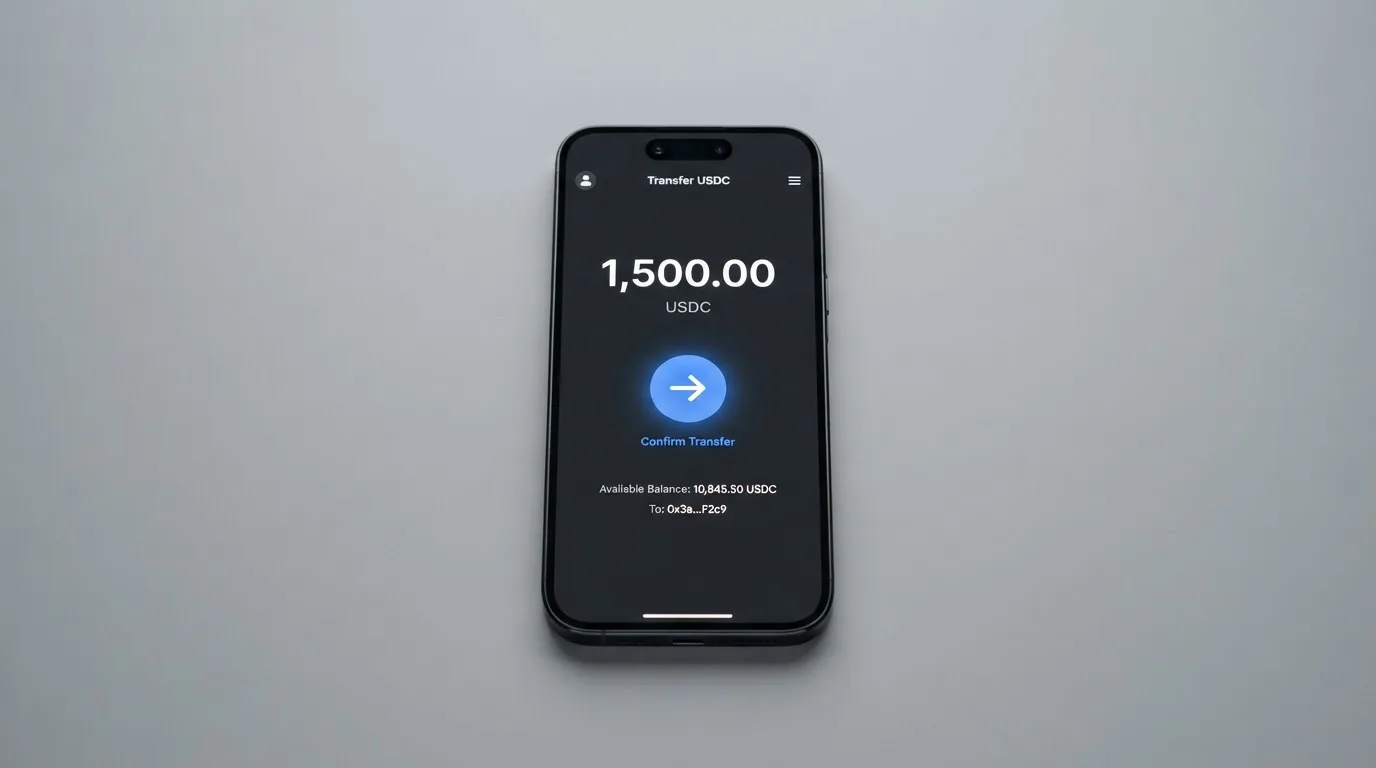
A few practical notes worth keeping in mind. Stablecoin transfers are irreversible at the protocol level: if you send USDC on a network the card does not support, or to a deposit address tied to a different network, the funds can be lost or, at best, sit in manual recovery with no guarantee of return. The page does not publish a minimum top-up amount for the card, or a top-up fee. The USD account itself accepts ACH inbound for free, with a $2.00 minimum and a $10,000 maximum. USDC and USDT are the only coins listed; if you hold DAI, ETH or anything else, you are converting before you send, and you are paying for that conversion on whatever venue you use.
If you want to move money out rather than in, the app has a “Transfer” flow that lets you add a bank account, settles “within minutes using instant local rails such as instapay etc.”, and the fee is not stated. The product page also mentions local USD and EUR account details for ACH, Fedwire, SWIFT and SEPA, which means Munify is not only a card but a US-dollar and euro receiving account, with the corresponding fees and limits sitting in the not-stated category.
Paying with the card every day
In normal use, Munify behaves like a prepaid virtual Visa in US dollars. You create a card, load it, and the balance is debited at the point of sale; you cannot overdraw, because the card is drawing on a stored balance, not on a line of credit. The app supports Apple Wallet, per the App Store listing; Google Pay is not mentioned in the public material, so I would not assume it is available. There is no physical card, no ATM access, and no merchant-category list published for what is or is not blocked.
The mobile app is the front door to all of this, and the iOS rating, 2.9 from 28 reviews, is low. A rating from a small sample is not a verdict on its own, but it is the only direct signal I have from actual users, and it is the lowest user-facing score in this review.
Two further points about everyday use are worth raising now and coming back to in the risks section. The first is 3-D Secure: when you pay online, the issuer (whoever that turns out to be, since Munify does not name them) may push a one-time code or a biometric challenge through the app, and if that does not work the payment will fail. The second is the BIN check at the merchant side: a card issued under a programme whose issuer country is unclear can be treated as “foreign” by some merchants, especially in the US, and the Address Verification Service (AVS), which compares numeric parts of the billing address with the issuer’s records, is generally unavailable for foreign-issued cards and can be the reason a payment is declined.
What can go wrong
There are three layers of risk to think about, and only one of them is unique to Munify.
The first is the standard crypto-custody risk. The product page says Munify “does not act as a bank, custodian, trustee, or fiduciary”, which on its own is not unusual in the category, but the terms do not then go on to describe how customer funds are held, segregated or safeguarded. The history of the category includes Mt. Gox (about $350 million reported stolen between 2011 and 2014), Coincheck (about $400 million in 2018) and the Ronin Network hack (about $625 million in 2022), and the lesson from those events is that when a platform that is not a regulated custodian fails, the customer has very little to fall back on. If you choose to top up Munify from a wallet where you hold the keys, that risk sits with you; if you choose to leave a balance on the card or in the USD account, it does not.
The second is the trust signal around the company itself. Munify Corporation is described on the site as “Backed by YC”, and the terms are governed by Delaware law, which is normal for a US-incorporated fintech. What is not stated is the country of incorporation, the name of the card issuer, the licences the issuer or Munify itself holds, or any dated news about the programme. The site links a contact page, a Discord, X, YouTube and LinkedIn; the complaint themes in the user reports are about support that stops responding rather than about a regulator that intervenes, and there is no regulator to point to in the first place.
The third is the user-reported complaints, and these are concrete. Trustpilot sits at 3.2 out of 5 from 7 reviews, all within the last 12 months, read on 2026-10-21. The negative reviews feature these stories: an account blocked after a $4,000 deposit in August 2026, with support then going silent; another account blocked after a $50 deposit in September 2026, with the profile status shown as “Rejected”; and a slow, unresponsive support experience through July and August 2026. The positive reviews, from May through September 2026, mention a quick sign-up and easy spending. Seven reviews is not a large sample, and Trustpilot is a place where people are more likely to write when something has gone wrong than when it has gone right, but the pattern, large deposit followed by account block followed by silence, is the kind of pattern you want to take seriously.
A few things the small print and the public pages do not say, and that you would want to know before you put a meaningful balance in:
- The card issuer and the issuing bank’s licence jurisdiction are not named.
- The country in which Munify Corporation is registered is not stated.
- How customer funds are held, segregated or safeguarded is not described.
- Card issuance, crypto-to-card conversion and ATM fees are not published.
- Daily and monthly card limits are not published.
- The minimum top-up amount and the top-up fee are not published.
- The chargeback process is not described; the dispute path goes through an internal complaint review, then at least 30 days of informal resolution, then binding AAA arbitration, with claims to be brought within one year.
- A separate Refund Policy exists at /legal/munify-refund-policy, and the dispute terms note that fees are non-refundable except where law requires otherwise.
- The points-based reward programme (10 / 25 / 50% back) does not state the payout currency, the qualifying categories or the caps.
- Blocked merchant categories are not listed.
- Google Pay support is not confirmed.
- A licence, issuer or programme event timeline is not published, so there is no way to track whether the card programme has been renewed, suspended or wound down at any point.
The combined effect is that the published material gives you enough to start spending small, and not enough to plan around a worst case.
What to take instead
Munify is not the only virtual Visa in this part of the market, and it is worth holding it up against three other options I have looked at recently. The point of this section is not to declare a winner; it is to give you a feel for where Munify sits on the trade-off curve between breadth, cost and trust.
Whop Cards scores 5.2 out of 10. The supported geography is much more specific: 31 US states for consumers and 41 for businesses, with a closed list that includes Belarus, Mainland China, Cuba, Hong Kong, India, Iran, Iraq, Israel, Myanmar, Nepal, Nicaragua, North Korea, Russia, Syria, Turkey, Ukraine, Venezuela and Vietnam for consumers. The card is a Visa, accepted online and in stores, but the product page does not state whether it is virtual, physical or both, the card currency, or any conversion or FX fee. The funding model is different: you spend from a Whop balance, with the pending balance usable as soon as a payment arrives and standard withdrawals using settled funds; the underlying collateral is stablecoins, but the coins and networks are not stated. Rewards are 5% cashback at select merchants, currently Uber, with more planned. Whop’s edge is a US-state footprint with named consumer geography; its gap is the absence of almost any fee or currency disclosure.
Stella scores 6.5 out of 10. The country list is not stated on the official site, the terms bar users under economic sanctions programmes, and US and European users are routed through affiliates. The card is virtual and physical, on the Visa network, accepted at “over 40 million VISA merchants globally”. The official page does not state fees, and the reward side is a separate Earn product, not card cashback. The top-up is custodial: you deposit crypto into the account and the card tops up automatically. Stella is a closer competitor to Munify on the “crypto balance becomes a card” model, with the addition of a physical card; the gap is that almost every cost and country number is not stated.
UniFi Card scores 4.7 out of 10. The card is a “Prepaid Debit Visa Card” issued by Lead Bank, which is a real issuer name, and the app supports Apple Pay; the card currency is USD and the spend is drawn from the USD balance. The fee disclosure is thin (“Fees may apply. See UniFi website for more details.”), and the conversion and FX numbers are not stated. The funding model is a USDC wallet plus ACH, wire, SEPA (IBAN) and SPEI (CLABE) inbound, with send-money routes to the Philippines (PHP), Mexico (MXN), the eurozone (EUR) and, per recent release notes, Colombia, Brazil (PIX) and the UK (GBP). The listing claims “3% rewards on balances”, with card cashback not stated. UniFi’s edge is that it names its issuer (Lead Bank), which Munify does not; its gap is the rest of the disclosure.
Put side by side, Munify is the card with the best top-up options and the best published card-spending exchange-rate story, and the least transparent about the company, the issuer and the surrounding fees. Whop has a clearer consumer-state list and a worse disclosure on everything else. Stella is the most direct competitor, with a physical card and a custodial model but no published country list. UniFi names its issuer and understates everything else.
| Card | Score | Networks accepted | Card-spending FX | Physical card | Issuer named | Country list published |
|---|---|---|---|---|---|---|
| Munify | 6.7 | USDC, USDT on 5 chains | 0% on all tiers | No | No | No (closed list only) |
| Whop Cards | 5.2 | Stablecoin collateral, not specified | Not stated | Not stated | Not stated | 31 US states (consumers) |
| Stella | 6.5 | Crypto deposit, not specified | Not stated | Yes | Not stated | No |
| UniFi Card | 4.7 | USDC + ACH/wire/SEPA/SPEI | Not stated | Yes (Visa debit) | Lead Bank | Not confirmed |
Who I would recommend it to
The honest way to put it is in three groups.
I would recommend Munify to a freelancer or remote worker who is paid in USDC or USDT, lives outside the closed jurisdictions, and wants to convert a stablecoin balance into online spending without going through a wire transfer or a centralised exchange withdrawal. The top-up side is genuinely good: five networks, two of the most widely used stablecoins, fast settlement, and 0% on the card-spending exchange rate. If that is your situation, the card does the core job better than most of its competitors.
I would use it with care if you are somewhere in between. If you need a card for a one-off online purchase, the lack of a physical card and the lack of a named issuer do not really matter, and the 0% card-spending rate is a real saving. If you intend to keep more than a small working balance on the platform, or if a blocked account would be more than an inconvenience, the absence of a published issuer, licence and complaint path should give you pause. Treat the on-platform balance as cash you can afford to lose, and keep the bulk of your stablecoins in a wallet where you hold the keys.
I would not recommend it as a primary card, and I would not use it at all if you need a physical card, an ATM, a clear regulator to complain to, or a published fee table. For those jobs, the comparison cards above, or a bank-issued debit card funded from a regulated stablecoin on-ramp, will serve you better.
The single most useful thing you can do before you put money in is read the terms end to end, then make a small test top-up, then a small test spend, before you scale. The single most useful thing you can do after you put money in is to keep the balance small enough that the worst-case Trustpilot story would be an inconvenience and not a problem.
Frequently asked questions
What is the Munify card?
Munify is a virtual Visa card linked to a US-dollar balance that you fund with USDC or USDT from an external crypto wallet. The card is managed from a mobile app, the balance is debited at the point of sale, and the card is issued by a partner bank that public pages do not name.
How does the Munify card work?
You sign up in the app, verify your identity when asked, and transfer USDC or USDT from a wallet you control to a Munify deposit address on one of five networks (Base, Solana, Polygon, Arbitrum or Ethereum). The funds appear as a US-dollar balance on a virtual Visa card created in the app.
Is Munify a bank?
No. Munify’s own terms state that it “does not act as a bank, custodian, trustee, or fiduciary”, and the card is issued by a partner that the public pages do not name. The product pages do not list any banking, e-money or payments licence held by Munify itself.
Who owns Munify?
Munify Corporation runs the product, the company is described on the site as “Backed by YC”, and the terms are governed by Delaware law. The country of incorporation, the named shareholders and the card issuer are not stated on the public pages.
Is the Munify card available in my country?
The public pages do not publish a list of supported countries. The terms do publish a list of countries where the service is “not available”, which includes Belarus and the Russian Federation, and the test Munify applies is your location rather than your citizenship. If you are not in a closed jurisdiction and can pass identity verification, the most reliable answer is to start the sign-up and see.
Does the Munify card require KYC?
The terms reserve the right to ask for identity verification, source-of-funds information and other documentation at any point, so the safe assumption is that some form of identity check will be required before or after sign-up. The product pages do not state the documents accepted, the proof of address requirements, the minimum age, or the tier of due diligence that applies at each step.
How do I top up the Munify card?
You send USDC or USDT from an external wallet to a Munify deposit address on one of five networks: Base, Solana, Polygon, Arbitrum or Ethereum. The page says funds are added “in seconds”. The card top-up fee, the minimum top-up amount and the supported networks for any other coin are not stated.
How do I add the Munify card to Apple Wallet or Google Pay?
The App Store listing describes adding the card to Apple Wallet. The product pages do not mention Google Pay, and I would not assume it is supported. The card is virtual only, so there is no plastic to add to a wallet in the physical sense.
Is the Munify card safe?
That depends on the comparison. Munify is not a bank, the issuer is not named, and licences are not listed. As a virtual Visa for online spending, the top-up speed is good; however, the user-reported complaints about accounts blocked after deposits and silent support are reasons to keep your balance small.
How do I delete my Munify account or get my money back?
The in-app Transfer flow lets you move balances to a linked bank account. The terms let Munify restrict, suspend or close accounts, and the dispute path runs through internal review, 30 days of informal resolution, and then binding AAA arbitration. A separate Refund Policy is published at /legal/munify-refund-policy.
How app and neobank cards work – cryptocardsexplained.com
Content created by the «cryptocardsexplained.com» team