
Onboard card review: a virtual Visa for cross-border spend, with a platform-not-a-bank caveat
 Available in US
Onboard is a virtual Visa card that spends a crypto or stablecoin balance, marketed to professionals who pay across borders. It is not a physical card. There is no plastic in the post, no card reader in your wallet, and no ATM arrangement that the company’s public pages describe. You load money, add the card number to your phone, and spend.
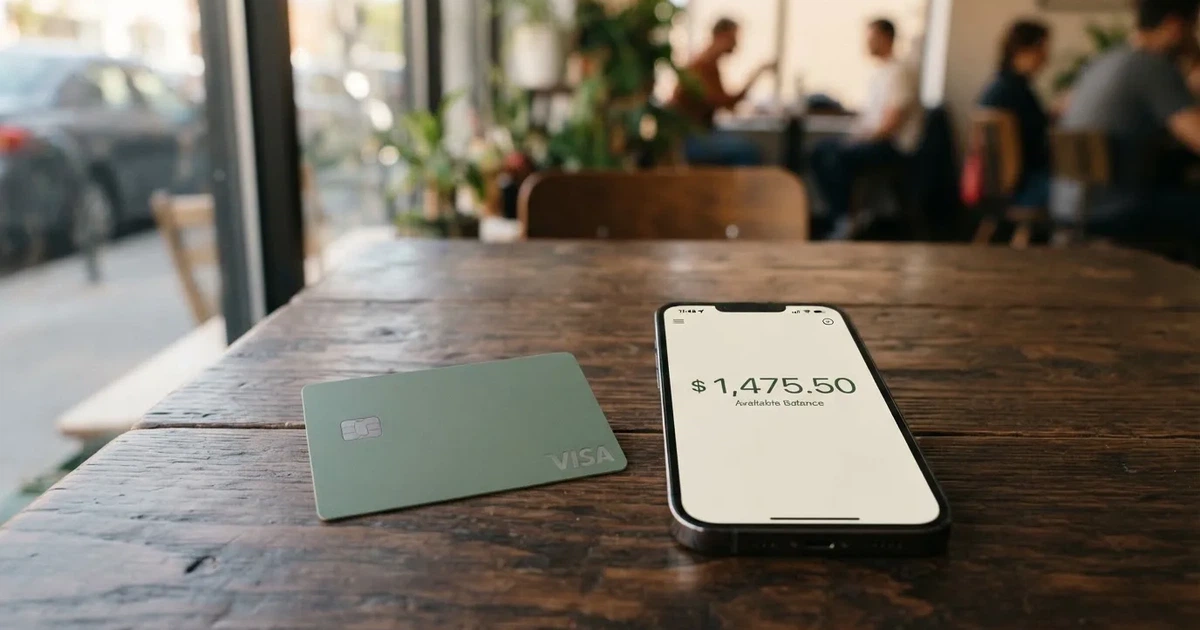
I read the company’s own pages closely before writing this, and the picture that comes out is mixed in a specific way. The things Onboard is good at — reach, the cost of a first card, spending in dollars without a fee, several ways to load — are genuinely strong. The things that would make it a daily-driver card for most people — a physical option, a banking relationship, a published support and account-protection record — are either missing or thin. My score for the card overall is 6.5 out of 10.
Who it suits: someone who already holds stablecoins, pays mostly in US dollars or holds a balance in dollars, needs a virtual card number for subscriptions and online invoices, and lives somewhere the card actually works. Who it does not suit: anyone who wants a physical card, anyone who needs to withdraw cash, anyone who wants the protections that come with a bank account, and anyone in the United States. The country list is the first thing to check, because it rules out more people than the features do.
The conditions described below are current as of October 28, 2026.
The score, criterion by criterion
| Criterion | Mark | Why |
|---|---|---|
| Who can get it | 8 / 10 | Verification works across a wide list of countries, the US included on the exclusion list rather than the inclusion one; a few countries get the Classic card only |
| Cost | 6 / 10 | First Flex card free, then $2 each; USD payments free; other currencies $0.30 + 1.5%; funding 1.25% |
| Top-up options | 8 / 10 | USDT and USDC on a chosen network, Tron and Ethereum named, plus bank transfer in NGN, IDR, KES; an article covers BTC and SOL |
| Reliability and complaints | 5 / 10 | A platform, not a bank: partners Gopay Financial Services (FINTRAC) and Onboard Digital (FinCEN); no issuing bank named; Trustpilot 2.6 out of 5 on 4 reviews |
| Everyday use | 5 / 10 | Virtual Visa only; Apple Pay and Google Pay work; no ATM terms published, no physical card |
| Total | 6.5 / 10 | Wide reach and a free first card, held back by a virtual-only product and an unnamed issuing bank |
The two strongest marks are reach and funding. The two weakest are reliability and everyday use, and they pull in the same direction: this is a platform that fronts a card programme through partners rather than a financial institution with its own name on the tin.
Will they give you the card
Two questions hide inside this one, and they have different answers. The first is which countries are excluded. The second is which countries get the full Flex card rather than the downgraded Classic version.
Verification is not available at all in: Afghanistan, Algeria, Belarus, Burundi, Central African Republic, China, Comoros, Congo (DR), Congo (Republic), Cuba, Gambia, Iran, Iraq, Kyrgyzstan, Lebanon, Liberia, Libya, Maldives, Myanmar, Nicaragua, North Korea, Russia, Sao Tome and Principe, Serbia, Somalia, South Sudan, Sudan, Suriname, Svalbard and Jan Mayen, Syria, Tajikistan, Togo, Tokelau, Turkmenistan, Ukraine, United States, Uzbekistan, Venezuela, Wallis and Futuna, Yemen, Zimbabwe.
Verification works, but you get the Classic card only, with no Flex available, in: Cyprus, India, Israel, Montenegro, Nepal, North Macedonia, Palestine, Turkey, Vietnam.
Not on either list: Georgia, Armenia, Kazakhstan, the UAE. Those countries are not named as excluded and not named as Classic-only, which reads as ordinary availability — but since the card does not publish a positive country list, “not excluded” is the closest thing to confirmation you can get, and it is worth checking with support before you plan around it.
Two things the card’s public pages simply do not say, and I want to be plain about it rather than fill the gap with a guess. There is no positive statement about minimum age, and no statement about proof of address as a separate requirement. The card describes itself as “built for professionals who spend across borders” and says it lets you “spend globally”, and it does not publish a document checklist on the pages I read.
The United States case deserves a sentence of its own. US residents are on the exclusion list for verification, which means no account and therefore no card, whatever else the marketing says about spending “globally”. If that is where you are, everything below is interesting and none of it is available to you.
How to get it
The route the card describes is short: download the app, verify your account, create a virtual Flex Card. The verification is described as “free and instant”, and KYC is prompted at the moment you fund, withdraw, trade or create a card rather than as a separate wall at the start.
What verification actually asks for is concrete. A phone number, confirmed by an SMS or WhatsApp code. Your address. A photo of a passport, national ID card or driver’s licence. And a live selfie. The card says this “usually finishes within seconds”, and that some applications go to manual review, which takes longer. Which documents count depends on the country you selected at signup — the card does not publish one global list.
Two details here matter more than they look on paper. First, KYC is not a one-time event: it is triggered by activity, so you will pass through it again, and you should expect a request at an awkward moment rather than a smooth one. Second, the card does not publish its KYC tiers or the reasons an application can be rejected. There is a help article titled “Why was my account restricted?” and I did not find the reasons listed anywhere I could read. Ask support before you load money if your documents are unusual.
There is no delivery step, because there is nothing to deliver. Once created, the card is a number you add to a wallet.
Fees: what it really costs
The first Flex card is free and each card after it costs $2. No monthly or annual fee is stated anywhere on the pages I read. That absence is worth taking at face value but not banking on: pricing pages change, and a card that says nothing about recurring fees today can introduce them tomorrow. Check before you add a second or third card.
The fees that do bite are on currency and on funding.
| Fee or limit | Flex | Classic |
|---|---|---|
| First card | Free | Own fee schedule, not stated in the Flex terms |
| Further cards | $2 each | — |
| Monthly or annual fee | Not stated | Not stated |
| Payment in USD | Free | Free |
| Payment in another currency, or cross-border USD | $0.30 + 1.5% | $0.50 + 2.5% |
| Declined payment | No charge | $0.32 international, $0.02 domestic |
| Funding the card | 1.25% | 1.5% |
| Daily spending limit | $5,000 | $5,000 |
| Monthly spending limit | $20,000 | $20,000 |
| ATM | Not stated; the card is virtual only | Not stated |
| Issuing bank | Not named on the public pages | Not named |
Three ordinary payments show how this behaves. A $30 subscription billed in dollars is free, which is the case Onboard is genuinely good at. A €30 subscription adds $0.30 plus 1.5% of €30, and the currency conversion rate the card uses is not published, so the final figure moves with the rate on the day. A cross-border payment made in dollars — paying a US supplier from Europe, say — is treated as non-USD for fee purposes and carries the same $0.30 plus 1.5%.
That last row is the one people get caught by. “I am paying in dollars, so the USD waiver covers me” is not how the pricing reads: cross-border USD is charged. For a professional paying suppliers abroad several times a month, that is the number that decides whether this card is worth having, and it is worth doing the arithmetic on your own typical monthly volume before you commit.
The Classic card’s decline charges are a smaller point but a real one. $0.32 every time a payment is refused abroad is the sort of fee that punishes exactly the situation the card is designed for — a hotel, a taxi, a terminal payment that goes through twice.
On ATM withdrawals, the honest answer is that the public pages say nothing. There is no ATM article, because the product is a virtual card. I would not plan on cash access.
Top up: how money gets in
Funding works from local currency or stablecoins, and the fee is 1.25% per transaction on the Flex card, 1.5% on the Classic. The limits are a $1 minimum and a $5,000 maximum per transaction, which lines up neatly with the daily spending cap.
The stablecoin option is the main one: USDT and USDC sent on a network of your choice, with Tron and Ethereum named, credited in about 5 minutes. The card is precise about a detail most providers gloss over — stablecoins are not credited one-for-one. On Flex you get about 1.0125 USDT for each $1 you send. And some networks charge a base fee on top: $1.25 on Tron, $0.10 on Ethereum. Those are network fees paid to the blockchain, not to Onboard, and they come out of what you sent.
So the cost of a $1,000 top-up is not $1,000. Because the rate is about 1.0125 USDT per $1 and there is a 1.25% fee, you send a little more, and on Tron another $1.25 goes to the network. On Ethereum that base fee is almost nothing by comparison, which is a real difference at the $1,000 level and a rounding error at the $100 level.
Bank transfer is available in NGN, IDR and KES, which makes this card most relevant to West Africa, Indonesia and Kenya — the countries the transfer option names are the ones where this is genuinely a local-currency product rather than a crypto product with a fiat wrapper.
You can also move money internally between your Cash balance, your Trading Wallet and another card, and there is a help article on BTC and SOL, though the coin-and-network specifics of it were not among the pages I read.
One warning to carry with you. Blockchain transfers are irreversible. If you send on a network the provider does not support, or to an address belonging to a different network, the money can be gone and recovery may be a matter of asking support and hoping. Check the network twice before you press send, and treat the first small top-up as the test.
Paying with it every day
The card works in Apple Pay and Google Pay, and the card’s own words are that it is “compatible with Apple Pay and Google Pay for in-store payments”. That is the whole of the everyday-use story. It is a Visa number, so it will be accepted wherever Visa is accepted, subject to the categories below.
There is no cashback or rewards mentioned on the pages I read. There is a referral programme called “Refer & earn”, which is a different thing, and one of the four Trustpilot reviews on file is a complaint about referral rewards that were never paid — so treat the referral scheme as something to read the current terms of rather than as income.
Some merchant categories are blocked automatically: money transfer services, cryptocurrency platforms, securities brokers, dating services, massage parlors, telemarketing, government-licensed gambling, and financial services companies. Prohibited outright: unlicensed controlled substances, weapons, gambling, counterfeit goods, Ponzi schemes and pirated media. For most people this costs nothing. For anyone whose work involves paying a crypto platform, a broker or another financial services company from the card, it is a structural problem — that is your business model being closed off, not a merchant declining you.
App store ratings for the app were not available to me; a search returned company news rather than reviews. That is a gap worth naming rather than glossing: I cannot tell you what users say about the app itself, only about the company.
Refunds are worth understanding before you need them. A merchant refund returns to the same card and can take up to 30 days to process after the merchant initiates it. Past 30 days you contact support with the transaction ID, the merchant name and proof of payment. If a refund arrives after you have closed the card, it goes to your Cash Balance. The chargeback procedure itself is not stated — that is the formal dispute route when a merchant will not refund, and the card does not publish how to start one.
What can go wrong
The most important thing to understand is what Onboard is. The card says so itself: “Onboard is a technology platform, not a bank”. The services come through licensed partners — Gopay Financial Services Inc. d/b/a Onboard Pay, registered in Canada as a FINTRAC money services business, and Onboard Digital, a FinCEN-registered money services business that is a subsidiary of Nestcoin Holding Limited in the British Virgin Islands. That structure is legal and normal for this category. It also means the bank whose name would appear on your statement, and whose balance sheet you would rely on, is not named on the pages I read.
Set against that: the card does not state whether customer funds are safeguarded or insured. An electronic money institution in the EU is required to safeguard customer funds, segregated or insured — and such funds are not the same as a bank deposit and may sit outside any deposit guarantee scheme. Whether that protection reaches you here depends on which partner holds your balance and under whose rules, and Onboard does not say.
The second thing is the thin record. I found no official complaints and no news, but that reflects how little is published rather than how well things go. The Trustpilot profile for Onboard shows a TrustScore of 2.6 out of 5 from four reviews, all one-star, on an unclaimed profile. Four reviews is not a sample, and I would not treat 2.6 as a reliable score. But the themes are worth reading as a list of things to ask about rather than as a verdict: unpaid promotional and referral rewards, generic support replies, verification that was slow or difficult and services that were restricted, and fees that were unclear. Three of those four map directly onto gaps in the public pages, which is the part I find notable — unclear fees is exactly the complaint that a published price list should be able to fix.
Third, the security features that are documented are good, and the ones that are not are the ones that matter. Passkeys are recommended for logging in and authorising withdrawals, alongside a six-digit passcode, Face ID or Touch ID, and a one-time code on the phone for sensitive actions. You can freeze the card in the app. Two honest caveats on the freeze: pending transactions may still settle, and freezing does not cancel subscriptions. Custody arrangements and any insurance are not stated.
Fourth, programme risk is real in this category and is not a prediction about Onboard specifically. Card programmes do close. Visa terminated its global agreements with FTX in November 2022, and WaveCrest, which supplied Visa programmes to several crypto card brands, was suspended by Visa in Europe in 2018, closing everything it had issued. The pattern is usually orderly — a notice period, then loading and spending stop, then you are asked to withdraw what is left — but your money is in someone else’s programme until you take it out. On this card you can move to Cash, the Trading Wallet or another card, and external transfers go to bank accounts in NGN, IDR, KES, UGX or to USDT/USDC wallets. Note that USD and EUR cannot be withdrawn directly from the card at all; they have to be moved to the Cash Balance first, and at least $1 must remain on an active card.
None of this is a reason to avoid the card. It is a reason to keep your balance on it at the size you would be willing to see delayed, not the size you would be willing to lose.
What to take instead
I looked at three alternatives from the same category. None of them is clearly better; each trades something away, and the trade is different.
| Alternative | Score | Card | Cost | Fees | Top-up |
|---|---|---|---|---|---|
| Onboard | 6.5 / 10 | Virtual Visa | First card free, then $2 | Non-USD $0.30 + 1.5%; funding 1.25% | USDT/USDC on Tron or Ethereum, bank transfer NGN/IDR/KES |
| OkiCard | 6.0 / 10 | Virtual, Visa/Mastercard named but unspecified | Pricing page says issuance $0 and monthly $0; FAQ mentions a one-time issuance fee; the pages disagree, and a starting price of $15 for the virtual card also appears | Load fee 3%; USD transaction fee 0% | USDT on BSC, Ethereum, Tron, Solana; USDC “soon”; BTC and altcoins “coming soon” |
| Cardex | 5.6 / 10 | Virtual and physical, on Visa, Mastercard, UnionPay and VERVE | Not stated | Real-time conversion at the moment of payment using an “AI-Powered Conversion Rate”; no percentage stated | USDT, USDC and BTC wallets; networks not stated |
| TakeCard | 5.5 / 10 | Virtual, plus physical for Bolivian users only | Virtual $5; physical in Bolivia $20 issuance plus $20 shipping, with another article in the same centre saying $10 — the card’s own pages conflict | 1% commission per purchase; USD payments 1:1, other currencies at the official Visa rate of the day | Takenos balance; USDC/USDT via Polygon, BNB Chain, Tron or Ethereum per starting data, not verified |
OkiCard is the closest competitor and, on the numbers, the one to check if Onboard’s 1.25% funding fee annoys you: 3% to load is worse, not better, so its advantage is the free monthly fee and zero transaction fee on USD, and its disadvantage is a 100 USDT initial deposit and a higher funding rate. It also states “150+ countries” (some pages say “200+”) and says there is “no geo-blocking based on your passport”, with users confirming they are not in a sanctioned jurisdiction.
Cardex is the only one of the four that publishes a physical card, and it runs on four networks including UnionPay, which matters in parts of Asia. Its app store listing is Naira-focused, and no fee percentage is stated for its conversion. Hard to cost without asking.
TakeCard has a clear niche: it is the only alternative with a stated physical card price, and the only one whose physical card is limited to one country. Its pages contradict each other on that price, which is a small signal about documentation quality.
My recommendation on alternatives: if your priority is a physical card in your hand, none of these three solves it cleanly and you should widen the search beyond crypto cards. If your priority is paying in dollars without a fee, Onboard and OkiCard both do it, and Onboard’s funding cost is lower. If you are in Bolivia, TakeCard’s physical card is the one real physical option in this group.
Who I would recommend it to
I would recommend Onboard to someone in this position: you already hold USDT or USDC, you spend most of your money in dollars or hold a dollar balance, you pay subscriptions and cross-border invoices from a phone, and you do not need cash or a physical card. You are outside the exclusion list, you are not in one of the eight Classic-only countries, and you accept that your balance sits with a technology platform rather than a named bank. For that person, the first card being free and dollar payments costing nothing is a genuinely good deal, and the 1.25% funding fee is easy to justify against what it costs to move money into a traditional account from crypto.
I would not recommend it to someone whose income arrives in a currency they cannot hold, to someone who needs a card for a shop that only takes cash, or to anyone who is uneasy about the issuing bank not being named. And I would tell anyone in the United States, or in Russia, Belarus, Serbia, Ukraine or China, that none of this applies to them.
Two things to do before you commit, in this order. Check your country against both lists above, because that is binary and it ends the question if it goes badly. Then do the arithmetic on your own monthly payment volume in the currency you actually spend in, with the cross-border row included, because that is the number that decides whether this is cheap or expensive for you specifically.
Frequently asked questions
What is Onboard card?
Onboard is a virtual Visa card that spends a balance you load from crypto or stablecoins. There is no physical card — you get a card number and add it to Apple Pay or Google Pay. The card is denominated in US dollars, holds a daily limit of $5,000 and a monthly limit of $20,000, and is described by the company as a technology platform rather than a bank. Verification is unavailable in many countries including the United States, Russia and China.
Is Onboard a bank?
No, and the company says so plainly: “Onboard is a technology platform, not a bank”. Services are delivered through licensed partners, Gopay Financial Services Inc. d/b/a Onboard Pay in Canada (FINTRAC MSB C100000565) and Onboard Digital (FinCEN MSB 31000293152346), a subsidiary of Nestcoin Holding Limited in the British Virgin Islands. The bank that issues the card is not named on the public pages, and customer-fund safeguarding or insurance is not stated.
Is the Onboard card free?
The first Flex card is free, and each card after that costs $2 to create. No monthly or annual fee is stated on the public pages. Payments in US dollars are free. The costs that do apply are $0.30 plus 1.5% on non-USD and cross-USD payments, a 1.25% funding fee on Flex, and network base fees of $1.25 on Tron or $0.10 on Ethereum when you top up in stablecoins.
Does the Onboard card require KYC?
Yes. Verification is prompted when you fund, withdraw, trade or create a card, and it asks for a phone number confirmed by SMS or WhatsApp code, your address, a passport, national ID card or driver’s licence, and a live selfie. The card says this usually finishes within seconds, though some cases go to manual review. Accepted documents depend on the country chosen at signup, and the KYC tiers themselves are not published.
How do I top up the Onboard card?
You can send USDT or USDC on a chosen network, with Tron and Ethereum named, and it credits in about 5 minutes; send a bank transfer in NGN, IDR or KES; or move money internally from your Cash balance, Trading Wallet or another card. The fee is 1.25% per transaction on Flex, with a $1 minimum and a $5,000 maximum. Note that stablecoins credit at about 1.0125 USDT per $1, and the network fee comes out of what you send.
Where can I use the Onboard card?
Anywhere Visa is accepted, since it is a Visa card, and you can add it to Apple Pay and Google Pay for in-store payments. Some categories are blocked automatically: money transfer services, cryptocurrency platforms, securities brokers, dating services, massage parlors, telemarketing, government-licensed gambling and financial services companies. USD and EUR balances cannot be withdrawn directly from the card — move them to the Cash Balance first.
Can I use Onboard card in my country?
That depends on where you are. Verification is not available in Afghanistan, Algeria, Belarus, Burundi, the Central African Republic, China, Comoros, both Congos, Cuba, Gambia, Iran, Iraq, Kyrgyzstan, Lebanon, Liberia, Libya, Maldives, Myanmar, Nicaragua, North Korea, Russia, Sao Tome and Principe, Serbia, Somalia, South Sudan, Sudan, Suriname, Svalbard and Jan Mayen, Syria, Tajikistan, Togo, Tokelau, Turkmenistan, Ukraine, the United States, Uzbekistan, Venezuela, Wallis and Futuna, Yemen and Zimbabwe. Check before you plan around it.
Is the Onboard card safe?
The app security is documented and reasonable: passkeys recommended for login and withdrawal authorisation, a six-digit passcode, Face ID or Touch ID, a phone one-time code for sensitive actions, and in-app freeze. Two caveats: pending transactions may still settle after a freeze, and freezing does not cancel subscriptions. Custody arrangements and any insurance are not stated, and the Trustpilot profile shows 2.6 out of 5 from four reviews, all one-star, on an unclaimed profile — too few to be meaningful, but the themes are worth reading.
How do I withdraw money from Onboard?
Card withdrawals are free, and at least $1 must remain on an active card. You move funds to your Cash or USD balance, your Trading Wallet or another card, or make an external transfer to bank accounts in NGN, IDR, KES or UGX, or to USDT/USDC wallets. Note that USD and EUR cannot leave the card directly, and that refunds arriving after a card is terminated go to your Cash Balance.
How do I delete my Onboard account?
The public pages I read do not describe account deletion, so the honest answer is that I cannot confirm the process. The path that exists is the help center, which offers a chat function and email. Ask there directly, and remember that deleting the app does not delete the account — and before closing anything, move your balance off the card, since a card must keep at least $1 and terminated cards send refunds to the Cash Balance.
How virtual cards work – cryptocardsexplained.com
Content created by the «cryptocardsexplained.com» team