
A no-monthly-fee USDC Visa that you spend from a self-custodial balance
 Available in US
VaultLeap is a prepaid virtual Visa debit card that you fund with USDC, run by Klydo Inc. with the card programme managed by Bridge Ventures LLC and issued by Lead Bank. The headline pitch is simple enough: no monthly fee, no per-purchase fee, no foreign-transaction fee, and a card number that arrives in your dashboard within minutes. If your day-to-day is paying online in dollars from a stablecoin balance, that combination is unusually clean, and the headline cost of the card is what the score for cost reflects.

What makes the picture less clean is everything around that pitch. The card is virtual only, you cannot take cash out of an ATM, and you can only load it with USDC moved manually from your VaultLeap balance. The advertised country footprint mentions 27 markets, but the legal text says the card is issued under U.S. law and “not directly marketed outside the U.S.,” and Trustpilot carries a small but pointed set of complaints about accounts frozen mid-2026 and funds that were slow to be returned. This is a card for a specific kind of user, and the rest of this review is about working out whether you are one of them.
The conditions described in this review are current as of October 28, 2026.
Verdict
My overall score for the VaultLeap card is 6.0 out of 10. The cost side is genuinely strong for what it is, but the tight eligibility, the USDC-only funding, the lack of an ATM, the lack of a physical card and the visible complaint patterns pull the other marks down. If you live in the United States or one of the listed Latin American countries, hold USDC in a self-custodial wallet, and want a no-fee way to spend that balance online, this is a reasonable fit. If you need cash access, a physical card, a wide choice of top-up coins, or a long, polished track record from your card provider, you should look elsewhere.

Here is the breakdown of the overall score.
| Criterion | Mark | Reason |
|---|---|---|
| Who can get it | 5/10 | Marketed in 27 countries but the legal terms limit it to U.S. issuance and explicit U.S. marketing |
| Cost | 9/10 | No monthly, annual, per-purchase, or international fee; only a small partner pass-through on conversion |
| Top-up options | 5/10 | USDC only, moved manually from the VaultLeap balance, with gas paid by the user |
| Reliability and complaints | 5/10 | Trustpilot at 3.4 across 34 reviews, with themes of account freezes and slow refunds in 2025–2026 |
| Everyday use | 5/10 | Virtual card in minutes, Apple Pay and Google Pay supported, but no plastic and no ATM access |
| Total | 6.0/10 |
The audience I had in mind when weighing those marks is a U.S. or Latin American resident who already holds USDC and wants to spend it online without paying the typical crypto-card markup. If that is not you, the strongest scores in the table (cost, in particular) are still real, but they will not be what tips your decision.
Will they give you the card?
The marketing page says the card is “available in 27 countries,” but it does not actually list them. From the materials I worked from, the starting set is the United States plus a Latin American block (Argentina, Colombia, Mexico, Brazil, Peru, Bolivia, Guatemala, Dominican Republic, Ecuador, Costa Rica, El Salvador, Honduras, Panama, Paraguay and Uruguay) and Ghana. The cardholder agreement narrows the picture: the card is issued under U.S. law and is “not directly marketed outside the U.S.” So the practical reading is that the United States is the cleanest fit, the listed Latin American countries are a possibility the marketing copy points to, and Ghana is a similar case. Anywhere else, you should expect to be turned away at verification even if the front page looked promising.
On age, the card requires you to be an adult in your jurisdiction. There is no published statement about the minimum age being higher than 18, but “age of majority” means that you must meet the legal age of majority in your country.
Verification is a hard requirement: identity verification (KYC) is part of getting the card, and you ask for the card from the dashboard once your account is verified. The card’s own pages do not say which documents you will be asked for, or whether proof of address is required. That is the kind of thing you only find out when you go through the flow, and it is worth being ready for an ID check, a selfie, and a recent address document in case the platform asks for one. The level of KYC required (basic, enhanced, and so on) is not stated either, so the safest assumption is that you should be ready to provide more than a username and an email.
A few things that are useful to internalise before you go in:
- “27 countries” is a marketing claim, not a guarantee. The list behind it is not on the page.
- The cardholder agreement governs, not the headline, and the agreement says U.S. law and U.S. marketing.
- If you are a U.S. permanent resident or a non-citizen living in the U.S., the path looks straightforward. If you are a citizen of one of the listed Latin American countries but not living there, the answer is less clear and you will only know by trying.
How to get it
The flow as described on the site is: sign up with Klydo for a VaultLeap account, complete identity verification, and then request the card from the dashboard once your account is verified. There is no separate application form to fill in, the card is a feature of an existing verified account.
The product you get is a virtual Visa debit card, described in the legal text as a “Prepaid Debit Visa Card.” The currency of the card is U.S. dollars. The card number is generated and shown in the dashboard within minutes, and that is the number you can paste into online checkouts, add to a mobile wallet, or save to a password manager. There is no physical version of this card, no plastic through the post, and no replacement card arriving in a letterbox.
Replacing the card (for example, if you suspect the number has been compromised) is described as free of charge. Closing the card is also free, which is good to know going in. None of this is unusual for a virtual prepaid product, but it is a real contrast with cards that ship a metal piece of plastic in a presentation box.
A short summary of what to expect at signup:
- Identity verification is required before the card can be requested.
- The card is virtual, USD-denominated, and arrives in minutes once requested.
- There is no physical card and no ATM access.
- Card replacement and closure are stated to be free.
What it really costs
This is the part of the card that genuinely stands out. The published fee schedule says there is no monthly fee, no annual fee, no per-purchase fee, and no fee for closing the card. There is no foreign-transaction fee, and the site states “No FX markup.” On top of that, the only running cost I could find on top of those zeros is a small partner pass-through of about 0.5% on currency conversion.
That is an unusually clean fee profile for a crypto-funded card. The places where the cost story is not so clean are the things the public page does not say. The issuance fee is not stated, which is unusual: most prepaid cards either list an issuance cost or make a point of saying it is free. The minimum top-up is not stated. The blockchain fee (gas) for getting USDC into the right place is paid by the user, not the platform, and that is normal but worth budgeting for, especially on Ethereum.
The everyday costs you will actually see are these:
| Fee or limit | Amount |
|---|---|
| Issuance fee | Not stated |
| Monthly fee | $0 |
| Annual fee | $0 |
| Per-purchase fee | $0 |
| International transaction fee | 0% |
| FX markup | None stated |
| Conversion pass-through | About 0.5% (partner fees) |
| ATM withdrawal | Not available |
| Closure | Free |
| Max load per transaction | $2,000.00 |
| Other limits | May be set by the bank |
To make this concrete, three everyday situations look like this.
If you pay an online merchant in dollars, the only thing the card charges is zero: the per-purchase fee is $0, there is no FX markup, and unless the merchant’s currency requires conversion, no partner pass-through applies. This is the clean case.
If you pay an online merchant in a currency other than U.S. dollars, the card network converts at the Visa rate, and the 0.5% partner pass-through is the only VaultLeap-side charge on that conversion. There is no separate international transaction fee.
If you try to take cash out at an ATM, the card does not support that. The fees page lists ATM withdrawals and balance inquiries as unavailable, so any cash needs go through a different path (for example, transferring your balance to a bank account).
Two things to underline. First, the 0.5% conversion pass-through is a pass-through: it is what the conversion partner charges, and it can vary with the partner and the currency. It is not the same as a markup the card issuer takes. Second, the maximum you can load in a single transaction is $2,000.00; other limits may be set by the bank. For larger or more frequent loads, the bank-side limits are the ones that will bite before the published fee schedule does.
The cost side also comes with a separate product called the account plan. VaultLeap offers Standard and Pro account tiers, with Pro priced at $14.99 per month or $144 per year, and a Zero tier that is meant to remove transfer fees on the platform side. These plans are about the VaultLeap account rather than the card, but if you use the platform heavily, the plan cost is part of the real price of the experience.
How to top up the card
Top-up is where the card starts to feel less like a general-purpose prepaid product and more like a specific tool. The card can only be funded with USDC, and only by moving USDC manually from your VaultLeap balance via Dashboard → Card → Add Funds. The card sits on a Bridge-powered card wallet, and USDC is what gets sent to it. Other coins, other networks, and other rails (for example, paying in with a bank transfer) are not stated as supported for card top-up.
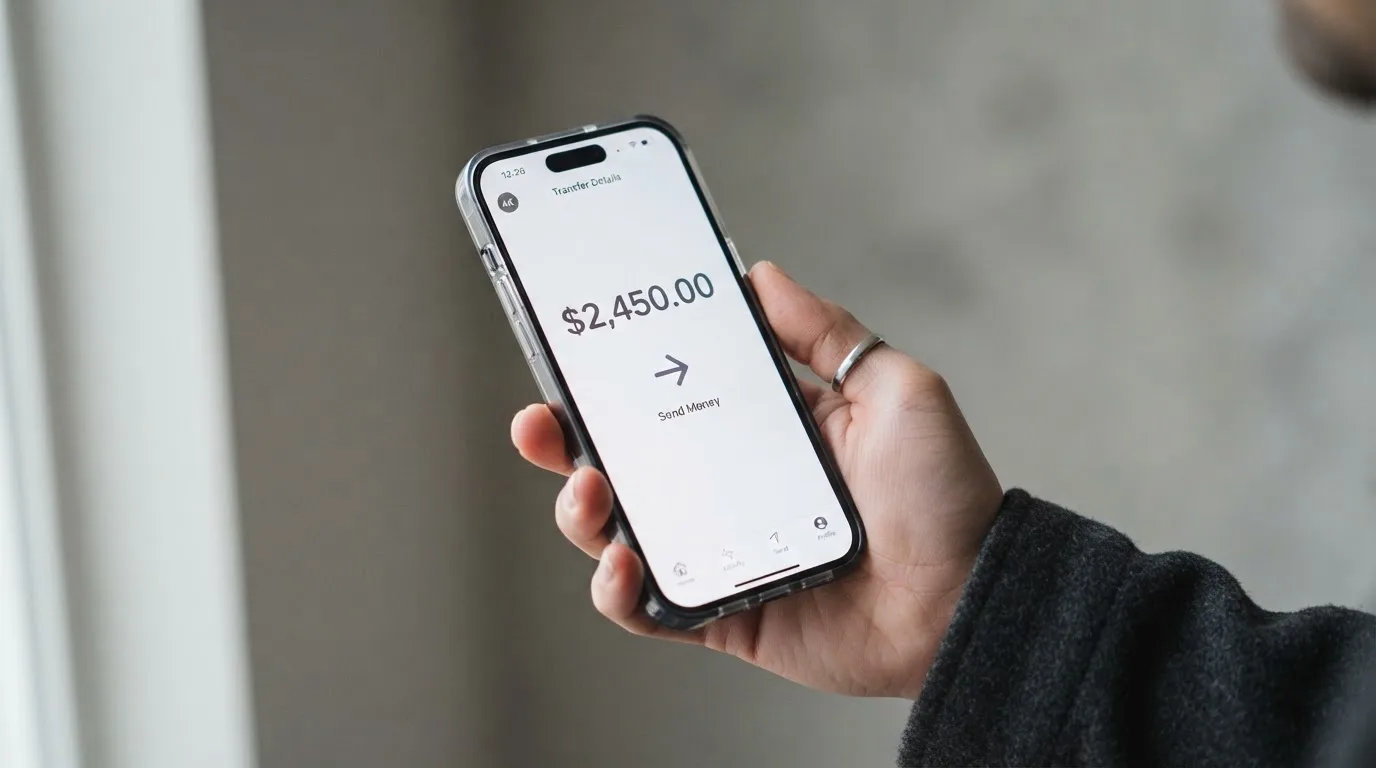
The blockchain fee (gas) for the transfer is paid by you, not by the platform. There is no stated minimum top-up and no stated top-up fee on the platform side, but because the public pages are quiet on those points, you should treat the actual minimum as a number the platform will only show you inside the app. If you are moving USDC on Ethereum, expect to pay a non-trivial gas fee per transfer; if you are moving USDC on a cheaper network, the cost is much smaller. The supported networks for top-up are not listed on the public pages, so check inside the app before you load a large balance.
On the way out, two related mechanics matter:
- On closure, any remaining fiat balance on the card is returned to your VaultLeap platform wallet as stablecoins. The bank may refuse balances under $1.00, so very small residual amounts can be forfeit.
- Account withdrawal (that is, moving value out of the VaultLeap platform itself) goes to any supported USD or EUR bank account. That is separate from topping the card up, and it is how you turn the platform balance back into ordinary bank money.
The honest summary is that the top-up path is simple if USDC is what you already hold, and narrow if it is not. Anyone holding BTC, ETH, or USDT and looking to convert at the moment of payment will need to swap into USDC on the platform first, and the cost of that swap is on top of the 0.5% conversion pass-through the card charges.
Paying with it every day
The card is built for online payments, and the most common flow is the standard one: copy the card number, expiry and CVC from the dashboard, paste them into a checkout, and pay. Because it is a Visa, it is accepted wherever Visa is accepted online, subject to the usual issuer-side and merchant-side checks.
Mobile wallet support is good for a virtual card. Both Apple Pay and Google Pay are supported, so the same card number can be tokenised into a phone wallet and used for in-store contactless payments where Apple Pay or Google Pay is taken. The tokenisation replaces the card number with a device-specific number stored in the Secure Element, and each payment uses a one-time dynamic security code. The card issuer can still restrict a tokenised number (for example, block magnetic-stripe use or website use), and that kind of restriction is set inside the app.
There is no physical card and no ATM access, which is the obvious everyday-use gap. If you regularly pay for things in cash, or you need a card you can hand to a waiter, this is not the product for that. Blocked merchant categories (for example, gambling) are not stated in the public materials, so the only safe assumption is that you will find out at the checkout.
There is no cashback programme or points programme stated for the card. The help centre has a “Points & Rewards” section, but the contents of that section were not read in the materials I worked from, and “Points & Rewards” is described as a separate category, not a card feature. Treat the card as a no-rewards card until you see otherwise inside the app.
On disputes, the published process is to open a ticket from Dashboard → Support → File a Ticket → Dispute a Charge. The timeline the bank works to is to acknowledge errors within 60 days, and to decide most disputes within 10 business days, with up to 45 days for more involved cases, and up to 90 days for new cards, point-of-sale, or foreign transactions. For unauthorised transactions, the liability cap is $50 if you report within 2 business days, and up to $500 if you report later. Those are the published numbers and they are the ones to measure your experience against.
The VaultLeap app is available on the App Store and Google Play; the public materials did not include ratings, so install the latest version and read recent reviews before you trust it with a meaningful balance.
What can go wrong
The complaint record is the part of the picture that the marketing page will not show you. On Trustpilot, VaultLeap sits at 3.4 out of 5 across 34 reviews, which is a small sample but a low score for a financial product. The themes that come up repeatedly are accounts being suspended or blocked without a clear reason (reports in January 2026 and across June to August 2026), funds that were deposited but not credited or not returned (reports in October 2025 and June 2026), and slow or unclear support. A Trustpilot review dated 12 October 2026 specifically mentions problems with card issuance.
None of this is the same as saying the company is acting in bad faith, and a small review base can be skewed by a few loud cases. But the pattern matters because of the underlying business model: a self-custodial wallet that “does not hold customer funds” does not, on its own, protect users from operational mistakes, sanctions screening failures or bank-side decisions. If your account is frozen at the wrong moment, the speed of getting your money back is what determines how painful the experience is.
A few specific risks worth being aware of:
- Funds are not FDIC-insured. Even though the card sits on a regulated bank rail, the balance on the card is not a bank deposit, and there is no government-backed insurance on it.
- The platform is self-custodial on the crypto side, but that does not make the card or the platform balance immune from being frozen. The freeze is operational and policy-driven, not technical.
- Blockchain transfers are irreversible. A USDC transfer sent to the wrong address, or on a network the platform does not support for top-up, can be lost or stuck in manual recovery with no guarantee.
- Stablecoins themselves can depeg. USDC lost its peg briefly in March 2023 during the U.S. banking crisis, and the cost of any top-up is at the mercy of what USDC is worth at the moment of the transfer.
- Sanctions screening applies to citizenship and country of birth as well as country of address, so even a U.S. resident who is a citizen of a sanctioned country can be turned away.
- Issuer-level programme changes can be sudden. Card networks have closed programmes before (WaveCrest in 2018, FTX US in November 2022), and a notice period followed by a stop on new loads and then a stop on spending is the standard pattern. A 2026 closure reported by a secondary source describes exactly that pattern, with new loads ending 8 July 2026 and spending stopping 8 August 2026, although that single source has not been confirmed.
The company behind the card is Klydo Inc., a California S Corporation. The card programme is run by Bridge Ventures LLC, a Delaware-licensed money transmitter. The card is issued by Lead Bank, a Missouri state-chartered bank. That three-layer structure is normal in the U.S. market and tells you where the regulatory weight sits: with the bank for the card-issuing licence, with Bridge for the money-transmission activity, and with Klydo for the customer-facing product. The customer you deal with day to day is Klydo.
Support is offered in English and Spanish, by email and through support tickets inside the dashboard. The materials do not state phone support, so plan on written support and the time that goes with it.
What to take instead
VaultLeap is a reasonable product in a specific niche, and the alternatives below are different in ways that should be matched to your situation, not ranked against VaultLeap on a single score. I have included a score for each so you can scan them quickly, but the decision is really about which constraints you are trying to remove.
| Card | Score | Best for |
|---|---|---|
| Whop Cards | 5.2/10 | U.S. residents in 31 states who want 5% cashback at selected merchants |
| Stella | 6.5/10 | Users who want a virtual and physical Visa and an in-app custodial wallet |
| UniFi Card | 4.7/10 | People who want a prepaid Visa from Lead Bank and can fund by ACH, wire, SEPA or SPEI |
Whop Cards
Whop Cards is a Visa that works anywhere Visa is accepted, and the headline features are 5% cashback at selected merchants (currently Uber, with more planned) and a Whop balance that becomes spendable as soon as a payment arrives. The card is backed by stablecoin collateral from a linked wallet. Eligibility is the part to watch: consumers are accepted in 31 U.S. states, businesses in 41, and the list of unsupported consumer countries includes Belarus, Mainland China, Cuba, Hong Kong, India, Iran, Iraq, Israel, Myanmar, Nepal, Nicaragua, North Korea, Russia, Syria, Turkey, Ukraine, Venezuela and Vietnam. The basis for eligibility (citizenship or residence) is not stated. The card type (virtual or physical) and the card currency are not officially stated, and the page says “No extra fees” without listing an issuance or monthly figure. Conversion and FX fees are not stated.
The honest read: Whop Cards is a U.S.-centred product with a real rewards angle and a real country ceiling, and the cost story is less transparent than VaultLeap’s.
Stella
Stella is a virtual and physical Visa that works at “over 40 million VISA merchants globally,” with the card topped up by depositing crypto into the in-app custodial wallet. The official site does not list countries, and the user agreement bars users under economic sanctions programmes and routes U.S. and European users through affiliates. Fees are “described under this User Agreement and/or on the App,” with no amounts published. The card page itself does not state a cashback programme; the Earn product is a separate yield feature. The honest read: Stella is a broader product than VaultLeap (physical card, custodial, in-app wallet), but the published fee and country information is thinner, and you have to read the agreement to know what you are paying.
UniFi Card
UniFi Card is a prepaid debit Visa card issued by Lead Bank, with the app also supporting Apple Pay. The card currency is U.S. dollars and the card spends from the USD balance. Funding options are unusually wide for this category: ACH, wire, SEPA (IBAN), SPEI (CLABE) or a USDC wallet. Coins and networks beyond USDC are not stated. Fees and FX costs are not stated, and the app’s description is just “Fees may apply.” The app listing claims “3% rewards on balances,” although the card cashback programme is not stated, and the recent release notes mention send-money routes to the Philippines (PHP), Mexico (MXN), the eurozone (EUR), Colombia, Brazil (PIX) and the UK (GBP), which points to a remittance product around the card. Country availability has not been confirmed from official pages. The honest read: UniFi Card is the most funding-flexible of the three and is the most likely to fit a user who needs to receive money through bank rails rather than crypto, but the published fee information is thin.
Who I would recommend it to
The simplest way to put it: VaultLeap is a good fit for a U.S. or Latin American resident who already holds USDC in a self-custodial wallet, who pays mostly online, who is happy with a virtual card on a phone, and who does not need to take cash out at an ATM. For that user, the cost profile is hard to beat, the mobile wallet support covers the in-store cases, and the USDC-only funding is a feature rather than a limitation.
It is not a good fit for someone who needs a physical card, who needs to draw cash, who wants to top up with anything other than USDC, who lives outside the United States and the listed Latin American countries, or who is not comfortable with the operational risk of a relatively new programme that has a small but visible set of frozen-account complaints. For those users, a card with a longer track record, more published cost detail, or a physical option is the better answer.
A few practical checks before you commit a meaningful balance:
- Confirm the exact top-up networks and minimums in the app before you transfer USDC.
- Treat the small complaint base seriously and do not park a balance you cannot afford to be without while a support ticket is open.
- Keep your seed phrase and device security tight. A self-custodial wallet gives you control, but the user is also the only person who can recover a lost phrase.
- If you are not a U.S. resident or a resident of one of the listed Latin American countries, do not assume the marketing claim of “27 countries” applies to you until the verification flow tells you it does.
Frequently asked questions
What is the VaultLeap card?
The VaultLeap card is a prepaid virtual Visa debit card denominated in U.S. dollars and issued by Lead Bank, with the programme managed by Bridge Ventures LLC and the customer-facing product run by Klydo Inc. It is funded with USDC moved manually from your VaultLeap balance, and it is used for online payments and through Apple Pay or Google Pay. There is no physical card and no ATM access.
How does the VaultLeap card work?
You sign up for a VaultLeap account, complete identity verification, request the card from the dashboard, and load it with USDC. The card number is generated within minutes and can be used online or added to a phone wallet. At payment, the platform converts the USDC into a U.S. dollar balance on the card, and the card network (Visa) handles the rest of the payment in the usual way.
Is VaultLeap a bank?
No. VaultLeap is a product of Klydo Inc., a California S Corporation. The card itself is issued by Lead Bank, a Missouri state-chartered bank, and the programme is managed by Bridge Ventures LLC, a Delaware-licensed money transmitter. The platform describes its wallet as self-custodial and says it “does not hold customer funds.” The card balance is not FDIC-insured.
Who owns VaultLeap?
VaultLeap is operated by Klydo Inc., a California S Corporation. The card programme is run by Bridge Ventures LLC, and the issuing bank is Lead Bank. The public materials I worked from do not identify individual owners or investors.
In which countries is the VaultLeap card available?
The marketing page refers to “27 countries,” but does not list them. The starting set in the materials I worked from is the United States, a Latin American block (Argentina, Colombia, Mexico, Brazil, Peru, Bolivia, Guatemala, Dominican Republic, Ecuador, Costa Rica, El Salvador, Honduras, Panama, Paraguay and Uruguay) and Ghana. The cardholder agreement says the card is issued under U.S. law and “not directly marketed outside the U.S.” You should expect the U.S. path to be the most reliable, and to find out about other countries only by going through verification.
Does the VaultLeap card require KYC?
Yes. Identity verification is required before you can request the card, and the card is issued once your account is verified. The specific documents and KYC levels are not stated on the public pages, so be ready for an ID check, a selfie and a possible proof of address.
How do I top up the VaultLeap card?
You top up the card by moving USDC manually from your VaultLeap balance via Dashboard → Card → Add Funds. The transfer goes to a Bridge-powered card wallet. Other coins and other networks are not stated as supported. The blockchain fee (gas) is paid by the user. The minimum top-up and the supported networks for the transfer are not stated on the public pages.
How do I add the VaultLeap card to Apple Wallet or Google Pay?
Open the VaultLeap app, go to the card section, and follow the prompt to add the card to your phone wallet. The card is supported on both Apple Pay and Google Pay, and the tokenised number is what is stored on the device, not the raw card number. If the issuer has restricted token use (for example, blocking web use), that restriction is set in the app.
Is the VaultLeap card safe?
The card is issued by a U.S. state-chartered bank (Lead Bank) and runs on a regulated payment network (Visa), and the platform describes its wallet as self-custodial. That said, the card balance is not FDIC-insured, USDC can in principle lose its peg, blockchain transfers are irreversible, and a self-custodial wallet puts the burden of key and device security on the user. The Trustpilot score is 3.4 out of 5 across 34 reviews, with themes of frozen accounts and slow refunds, so the operational track record is short and not without complaint.
Is the VaultLeap card worth it?
It depends on what you need. If you are a U.S. or Latin American resident who already holds USDC and wants a no-monthly-fee way to spend that balance online or through a phone wallet, the cost profile is genuinely strong and the score of 6.0 out of 10 reflects that. If you need a physical card, cash access, a wider top-up choice, or a long, polished track record, it is not the card for you, and the alternatives above are worth considering.
How app and neobank cards work – cryptocardsexplained.com
Content created by the «cryptocardsexplained.com» team